Have you ever wanted to search for recordings by ISRC when adding a new release? It’s now possible with this script.
2 Likes
Don’t like scrolling to your favorite secondary type and would like to see more (or all) of them? Here is the solution.
3 Likes
3 posts were merged into an existing topic: The userscript discussion thread
MusicBrainz Hide Relationship and URL Edits
Adds a button to filter relationship and URL edits (e.g. streaming links) out of MusicBrainz edit history pages.
Filters out all relationship and url edits, so will be catching other stuff as well, sorry.

Update: After feedback, this has been renamed to more clearly indicate that it hides more than just streaming links. You can check out the mb. SUPER MIND CONTROL II X TURBO userscript for more powerful ‘pure’ edit features!
3 Likes
MusicBrainz Nuclear Tags
Quick buttons to submit and remember tag strings (ctrl+click to forget them). Submit and clear tags to selected sub-entities (artist > release group > release > recordings).
As always, this is AI coded (Gemini) prompted by an idiot (me) so expect jank. But it has always been a dream of mine to be able to tag things properly on MB, and that requires ‘multi-level’ entity tagging, which is working with this …as far as I’ve tested.
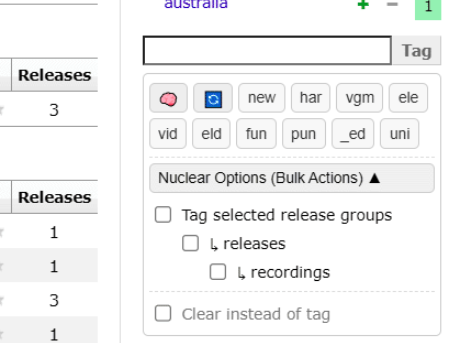
Note that this replaces MusicBrainz Elephant Tags (it wraps in the elephant tag functionality) but it is a huge change, so I will leave Elephant Tags up separately for now.
2 Likes
MusicBrainz: Ajax Collection Links
Inspired by ticket MBS-1769, this script enhances the “Add to collection” and “Remove from collection” links in the sidebar.
It will prevent the collection management links from reloading the whole page upon clicking and instead performs the action in background. It also updates the link text once the action was successful.
4 Likes
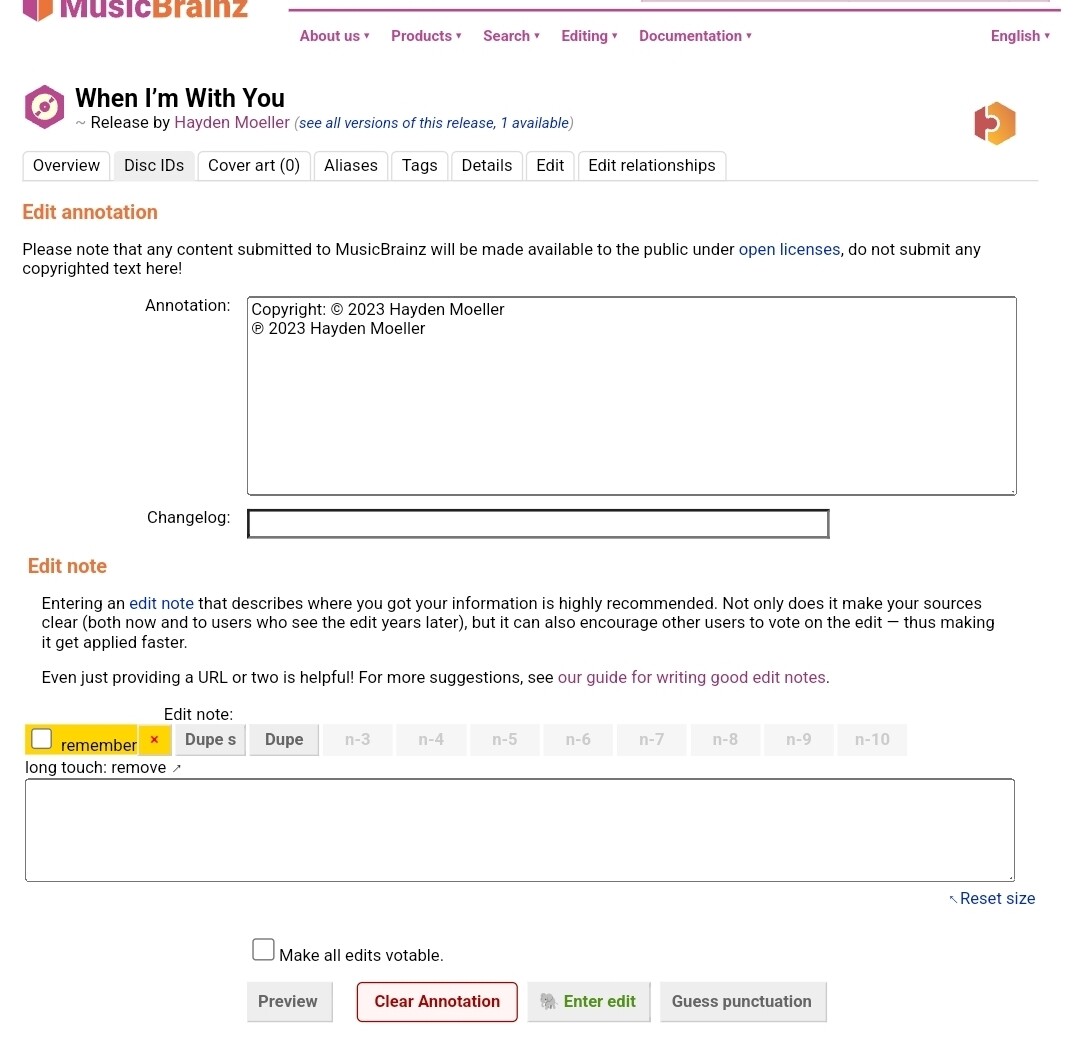
Not sure how helpful this is, I made myself a script (especially useful on mobile) to easily remove release annotations, it clears the annotation, enters an edit note and submits the edit.
2 Likes
Added in lastest release.
2 Likes
MusicBrainz: Mass Merge Recordings from Edit
There are still quite a lot of editors that are changing recording associations rather than merging duplicates.
This is an adoption of the mass merge script by @jesus2099 that allows merging the recording pairs in “edit medium” edits with the click of a single button.
2 Likes
MusicBrainz: Remember Search Type
Userscript implementation of
1 Like
First time working on this and unsure if this had been fixed.
Noticed that the Musicbrainz Paste-a-date! appeared broken and worked a bit with ChatGPT to get something running again. So far it has been working on release and relationships edits.
Find it at Paste-A-Date! 0.2.
3 Likes
2 posts were merged into an existing topic: The userscript discussion thread
Created a userscript with the sole aim of being able to export a personal collection to Markdown format. Complete with a table structure just like on the website.
3 Likes
MusicBrainz: Editor Subscription Manager
Over time I accumulated thousands of editor subscriptions. Many have been inactive for a long time or were spammers so I needed a tool to more quickly clean them up. Maybe it’s of use to others.
4 Likes
MusicBrainz: Import from Discogs CSV
Painless method to import/migrate your Discogs collection to MusicBrainz. It relies on the corresponding Discogs release existing in MusicBrainz and the link to the same Discogs release being present.
2 Likes
Change All Artists Default


Sets the default value of “Change all artists” check box in the track list edit page.

3 Likes
Hacked together a script to group many similar “Add relationship” edits on the edit history page. By default it will hide the individual edits and just show the summary, but you can expand like so:
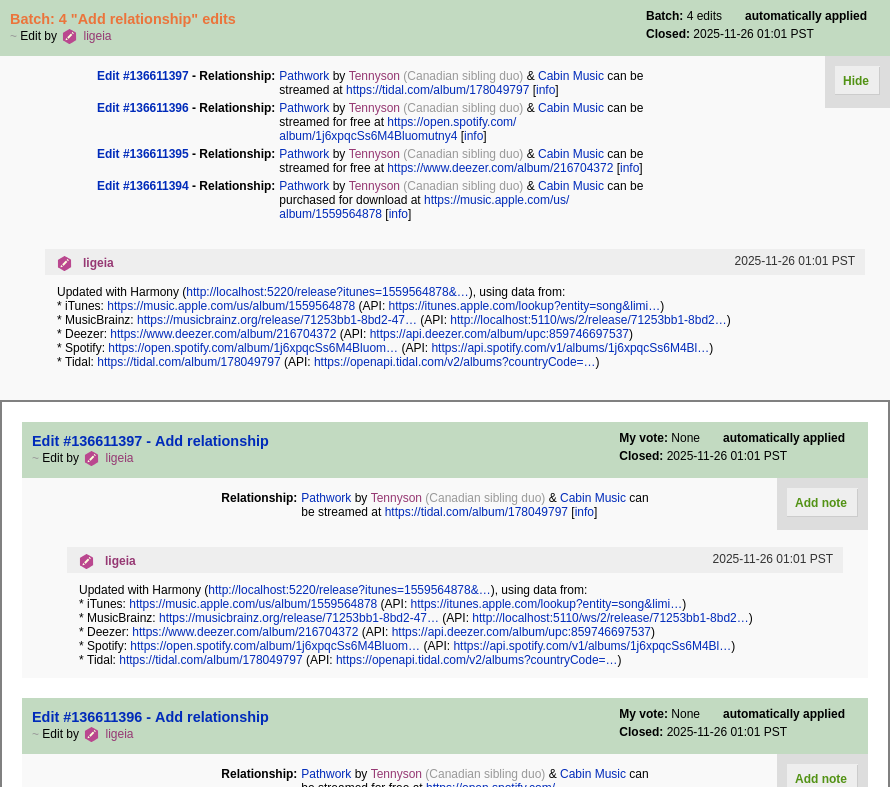
source: mb-bgre.user.js · GitHub
install link: https://gist.github.com/cg505/893e62e18e2224c717ac90cb1b78df57/raw/faa2537858f4143f130183ed2f70f18898fb4c49/mb-bgre.user.js
new to writing userscripts so apologies for anything jank
15 Likes
Wow, I didn’t know I needed this, but I definitely do!
2 Likes
ListenBrainz: Extended Controls
Are you as annoyed as me when you want to manually map some listens in the ListenBrainz web UI but have to click through the menu and then on “Copy Text”? Here is the solution.
2 Likes
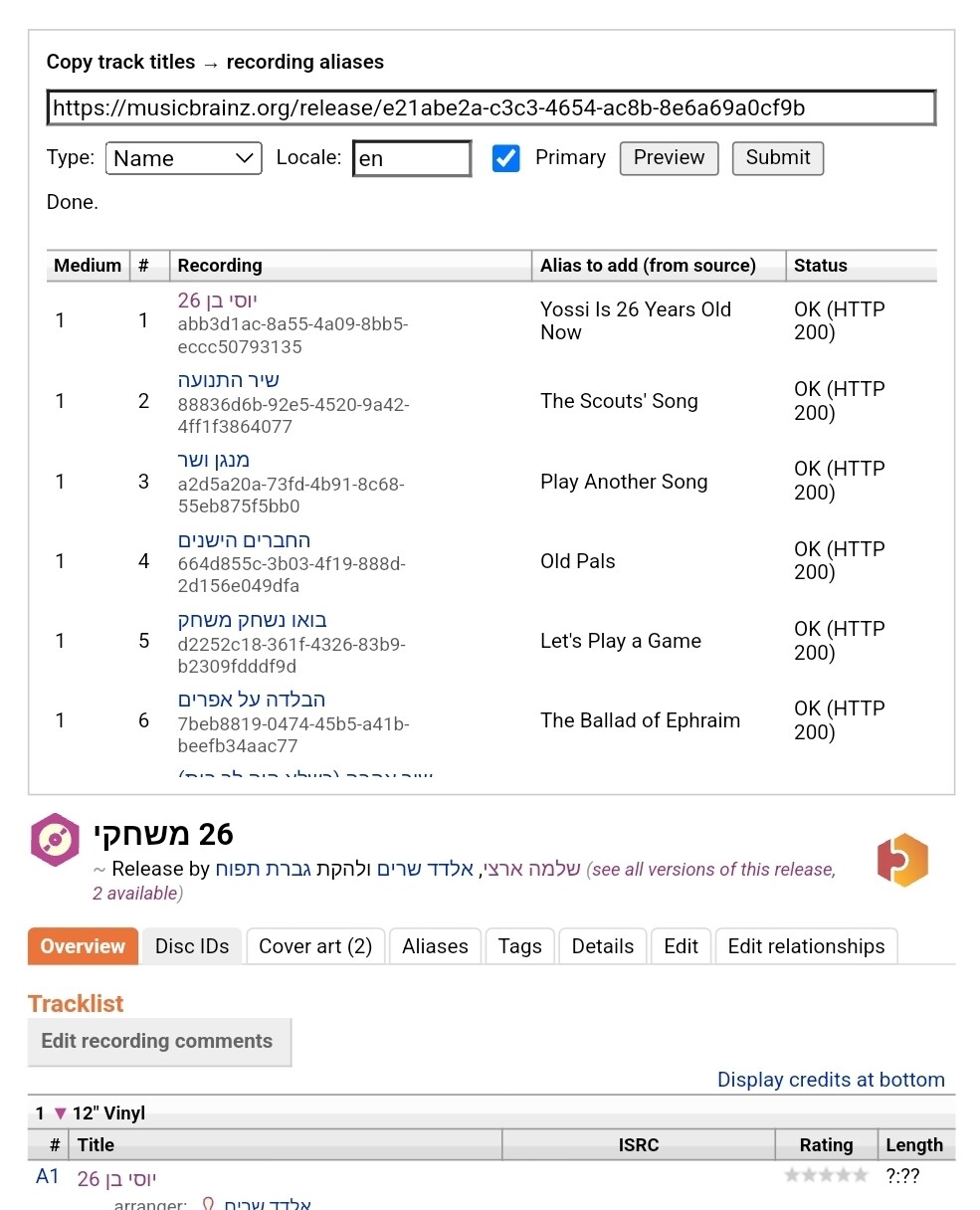
Adding batch recording aliases from release. Heavily based on @loujin’s batch add alias script.
(I made this because the new Listenbrainz mapper will soon start mapping with aliases!!)
6 Likes