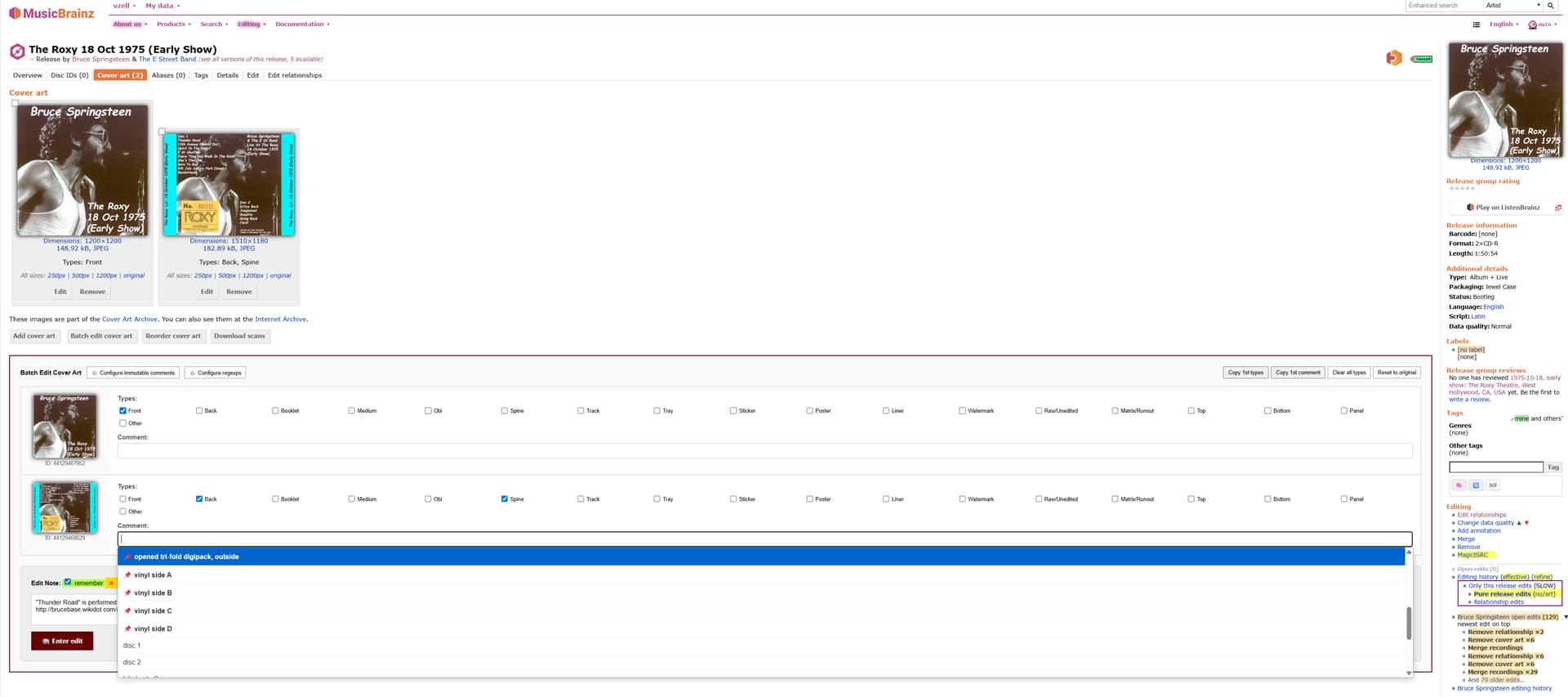
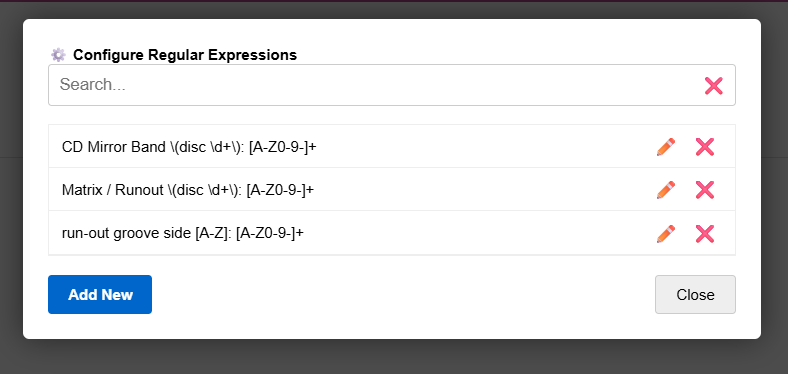
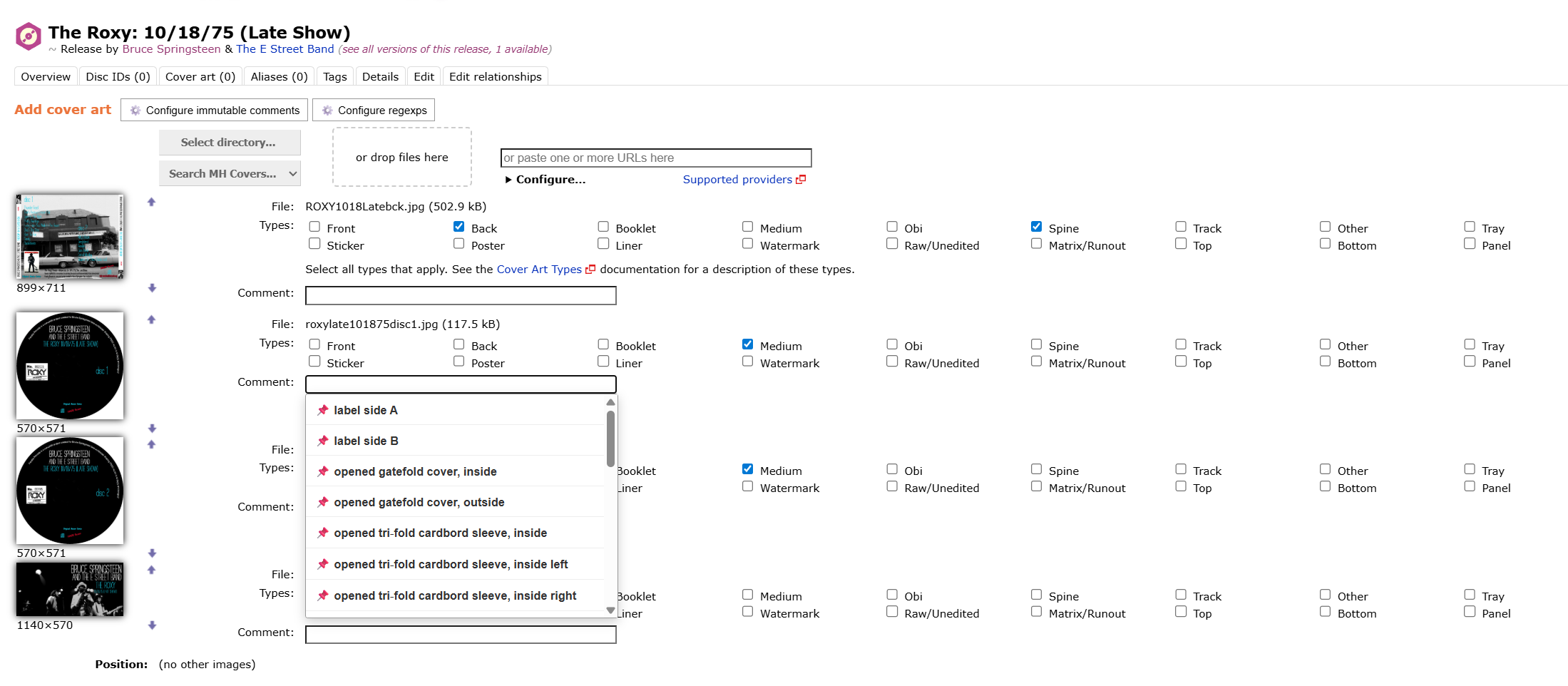
When pressed it loads the metadata off all the images in a new container (it also offers a couple of convenience buttons like “Clear all types” and “Reset to original”). In that container you can add/remove/change types and comments of all the images as usual, and submit them all at once. The script remembers the last 50 different comments and offers auto-completion for these during the new edits. There is a button “Configure immutable comments” in the container where comments can be specified which should always be offered for auto-completion. With another button “Configure regexps” a list of regular expressions can be defined so that comments matching these are never stored in browser storage and don’t count to the latest 50 entered comments. When comments are entered with special unicode symbols, the auto-completion functionality will still offer them even if typing the ascii equivalents.
Additionally for entering edit notes as a whole, the Elephant functionality (developed by @jesus2099 and adopted by @chaban in his userscript MusicBrainz: Batch remove cover art is now also included. When using this script together with the one from @chaban for batch removing images, the “Edit note” box from the latter is temporarily made unvisible.
New userscript. Hacked together by AI, use at your own peril! It was going to languish in my personal-use folder, but some peeps expressed interest so here it is.
MusicBrainz RYM Release Group Linker adds a button on RYM artist pages to scrape all the entity/release info (the manual button on RYM is to avoid scraping etc which RYM really hates) and a field on MB artist pages to paste the data and compare. It will display (roughly guessed) entity matches which the user can check and then click to quickly submit the RYM links as external links to the release group - REQUIRES the ’ MusicBrainz: add release(group) links from artist/label page ’ userscript to work, by @RandomMushroom128!
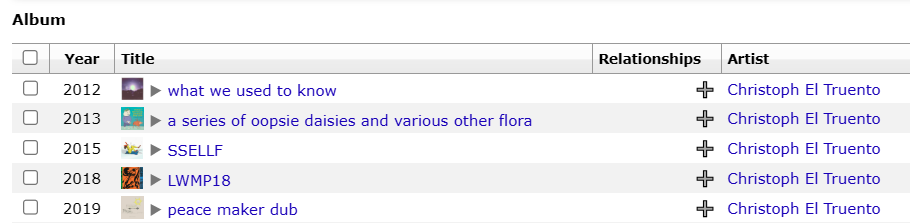
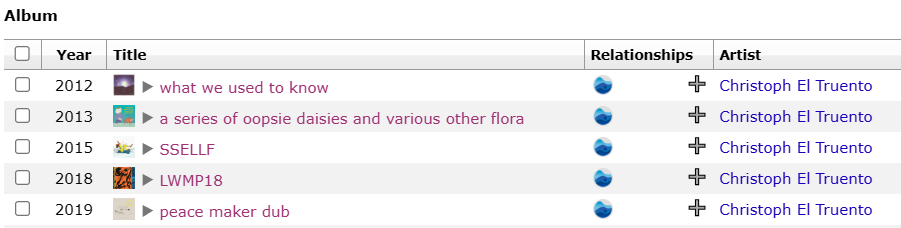
It automates a rather specific task that I (and possibly only I) enjoy, which is making the RYM icons pop up in MB discographies (via the very satisfying and imo compulsory ‘Display shortcut for relationships on MusicBrainz’ userscript by @murdos), as well as comparing MB entries/completeness against RYM entries (the ‘MusicBrainz RYM Link Checker’ userscript helps with that on the RYM side).
The script could probably be easily updated to facilitate quick checking and adding of release group links from other websites too, if anyone else cares about specific RG links and feels like making pull requests!
I wrote a new UserScript which allows you to easily copy recording-{artist, work, …} relationships to karaoke/edited recordings, based of recording-recording relationships.
It would be useful for releases which contains every tracks karaoke/short version, e.g. anisong singles.
Note, this script ignores recording-{recording, url} relationships but not ignores vocals relationships, so you might be want to remove those relationships manually after copied by the UserScript.
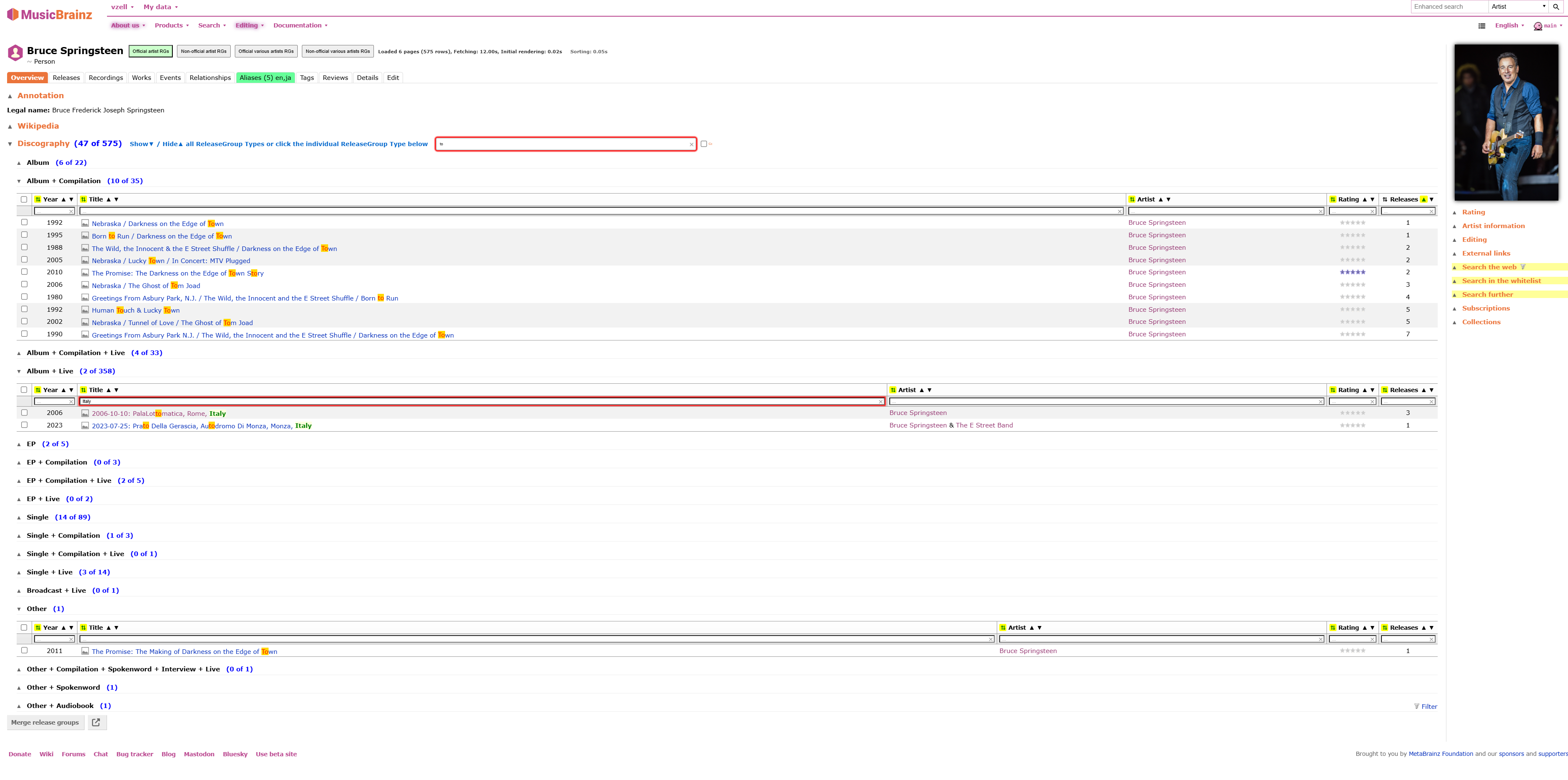
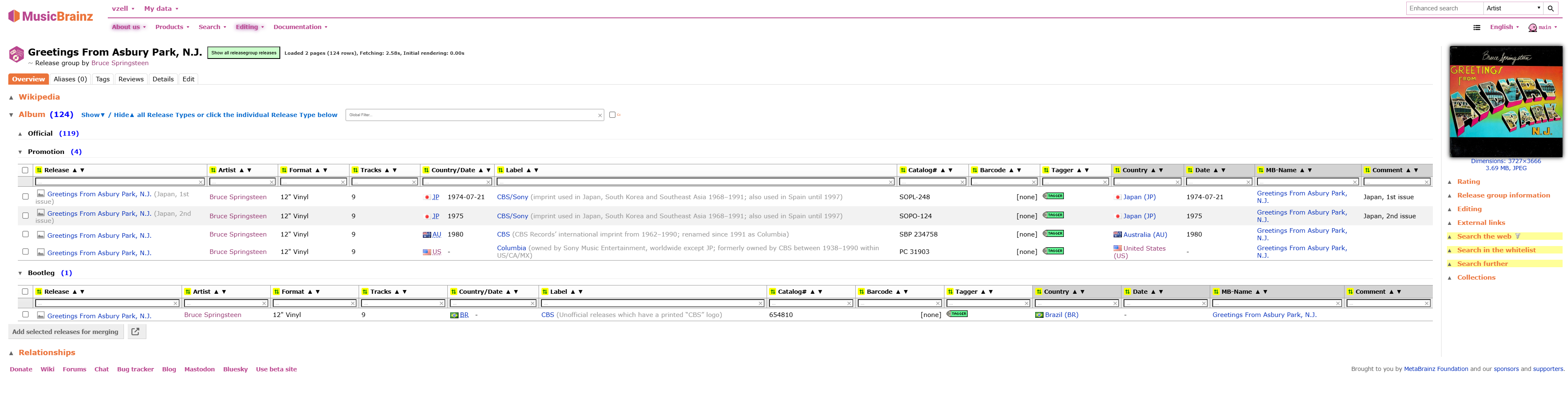
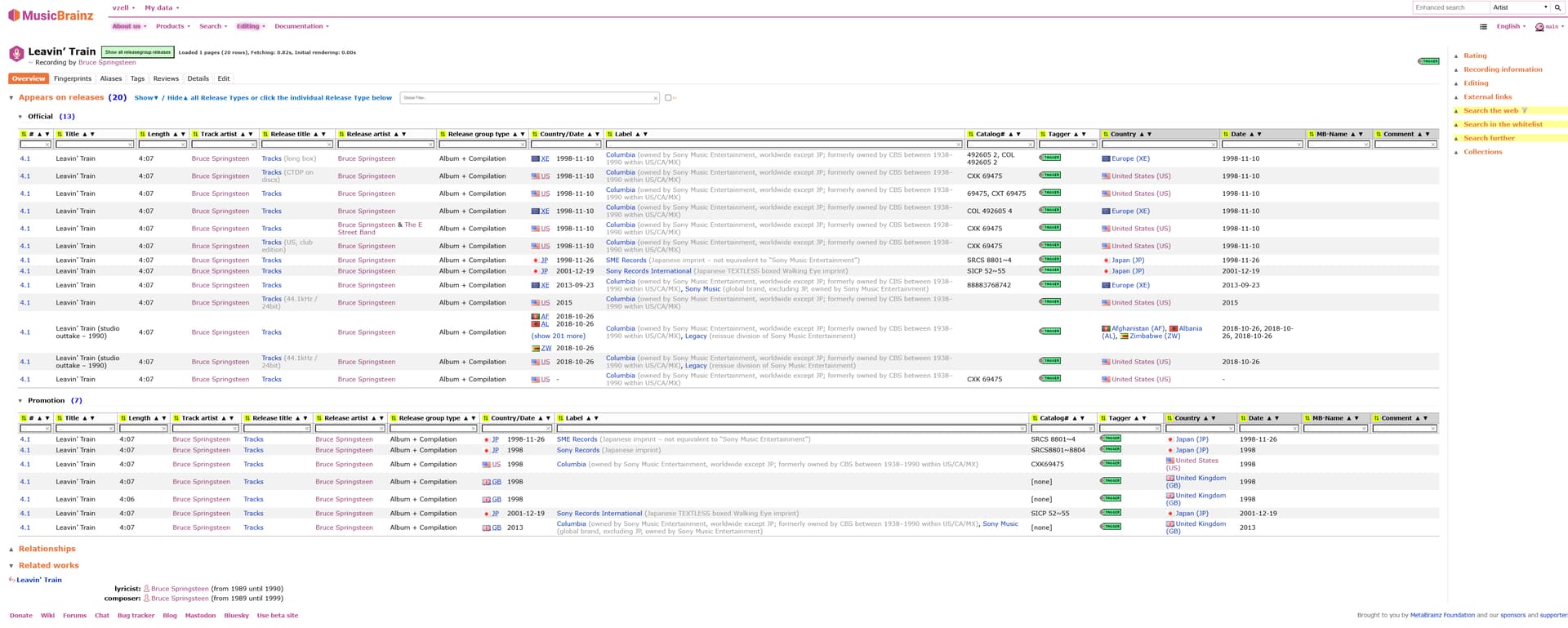
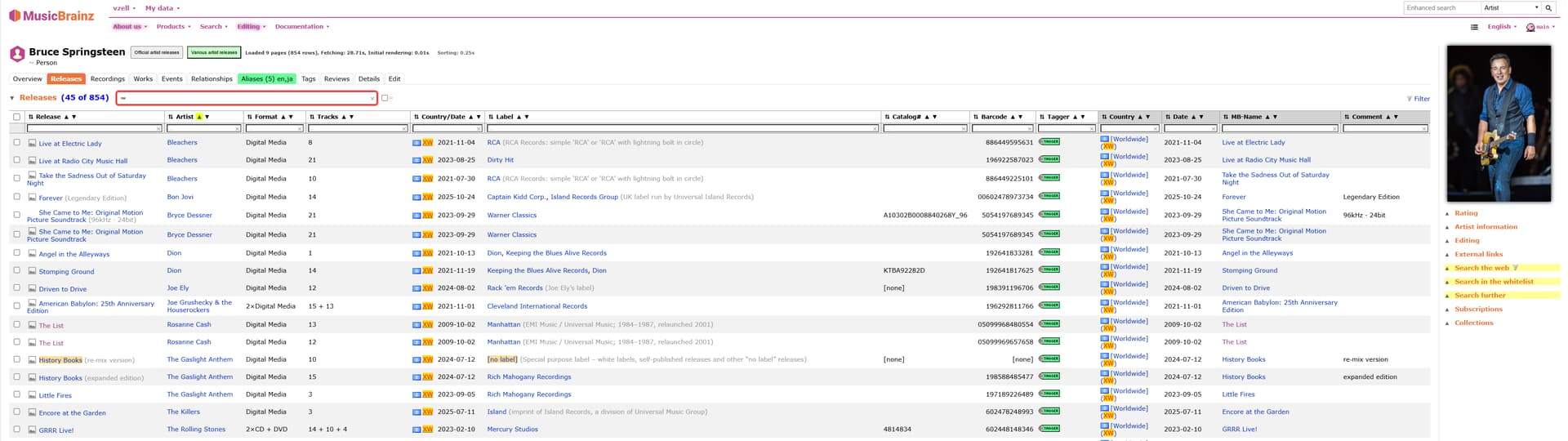
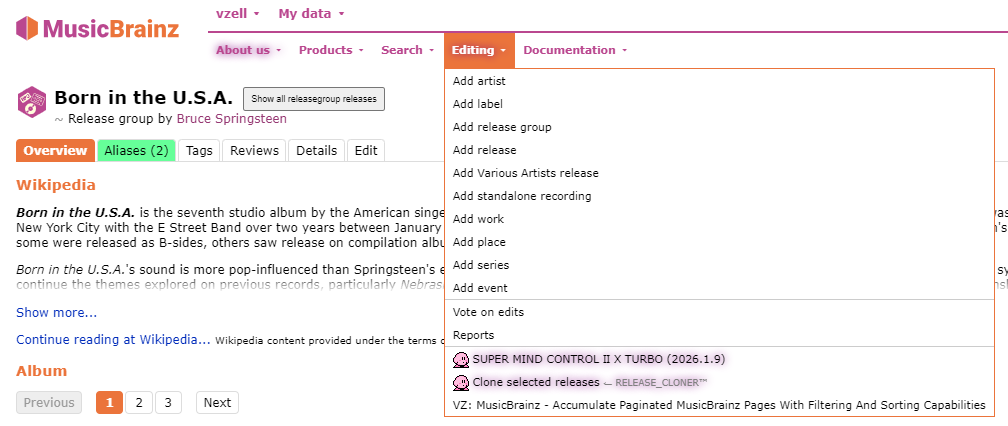
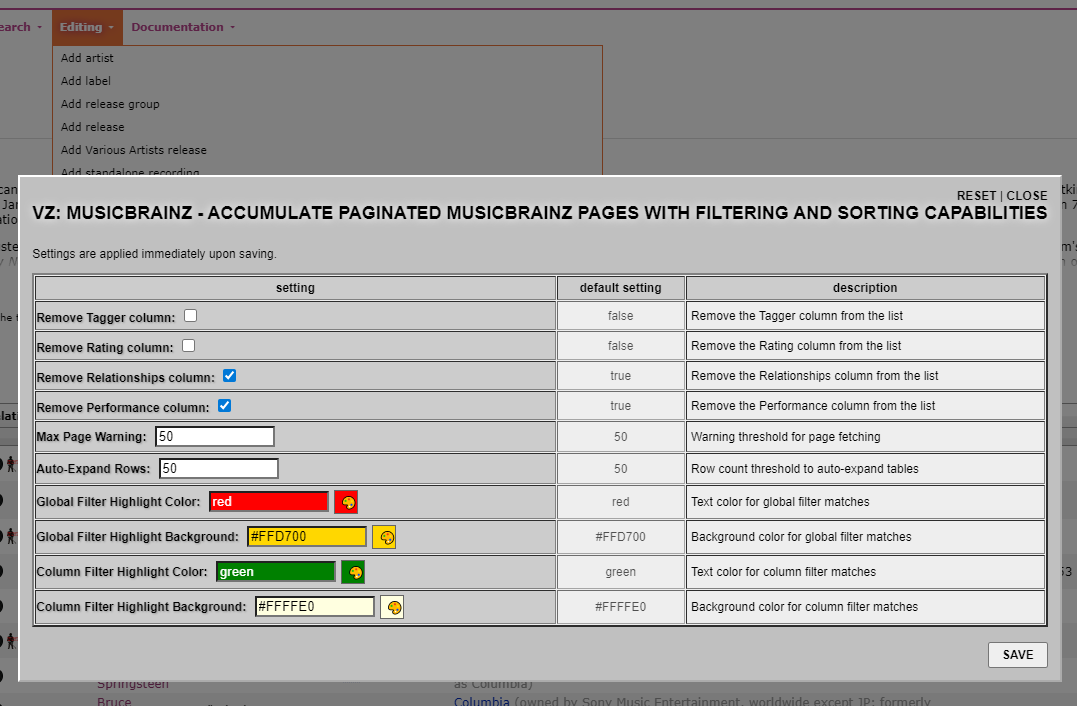
I talked to Misses/Mr. Gemini and out came a new Userscript which accumulates all the paginated MB pages of different entities (by placing a new “Show all ..” button right to the entity header name), renders them depending on the entity type either in a flat or in a grouped table structure with real-time filtering (global fiter string applied to the table(s) as a whole + columns specific filtering) and sorting (ascending, descending and orignal order as fetched from the database) support. There are row statistics included which reflect the filtering conditions in effect.
The currently supported entity types are
Artist-ReleaseGroups
ReleaseGroup-Releases
Artist-Releases
Artist-Works
Artist-Recordings
Works
Recordings
Artist-Events
Series
Labels
Place-Events
Place-Performances (buggy, I’m working on that later)
Almost everything is collapsable/un-collapsable (see the tooltip support).
The final rendrered tables also include new extracted columns (with grey headings) for easy sorting, like for example the “Country/Date” column in the Series view is split in its different parts “Country” and “Date”
More of a (big) update, but the name has changed so existing installations will no longer update. If you are using this script please reinstall from this link.
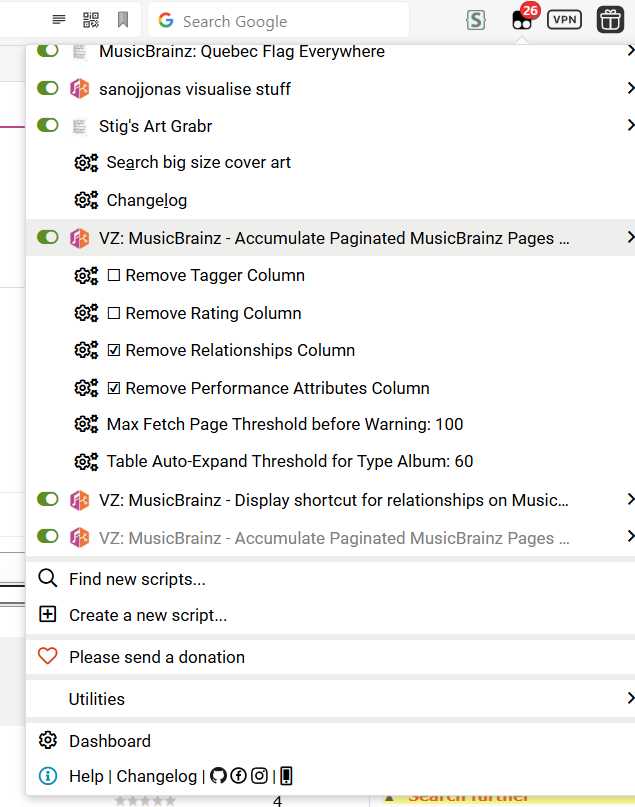
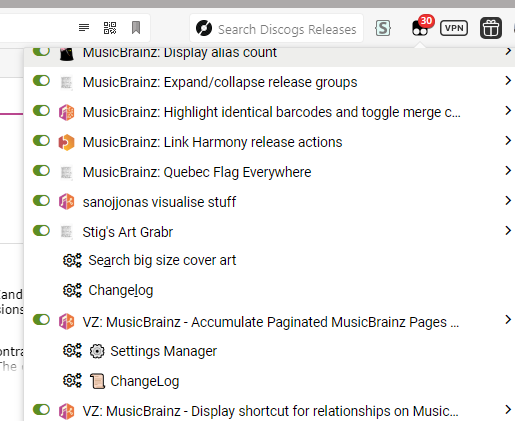
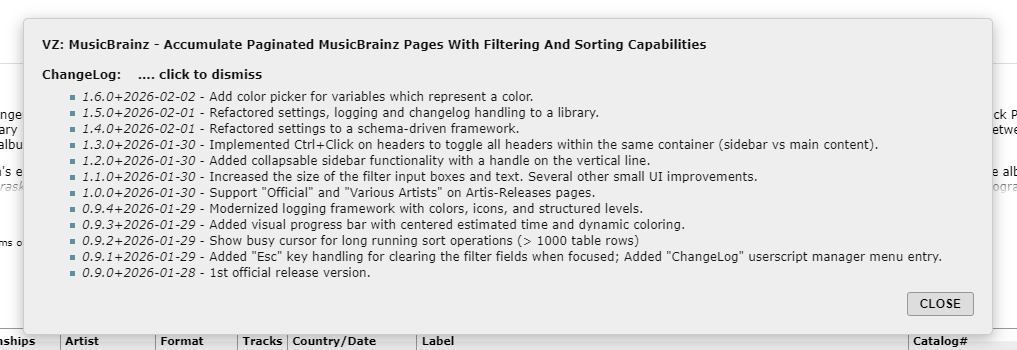
Under the Tampermonkey menu for this userscript there is now an option to display the “ChangeLog”, inspired by Stig’s Art Grabr script and a “Settings Manager” link which pops up a configuration dialog inspired by @jesus2099 “mb. SUPER MIND CONTROL Ⅱ X TURBO” script
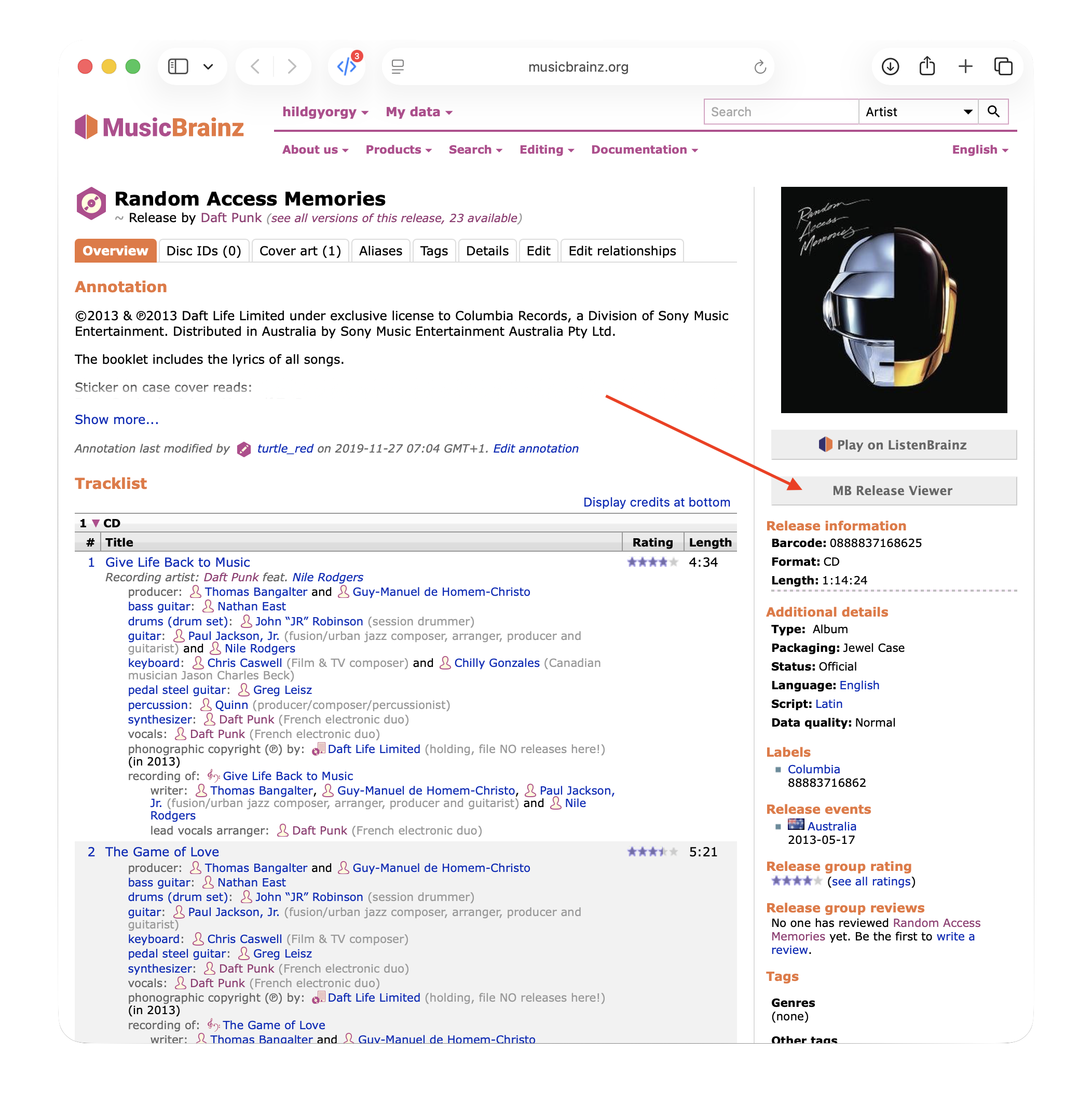
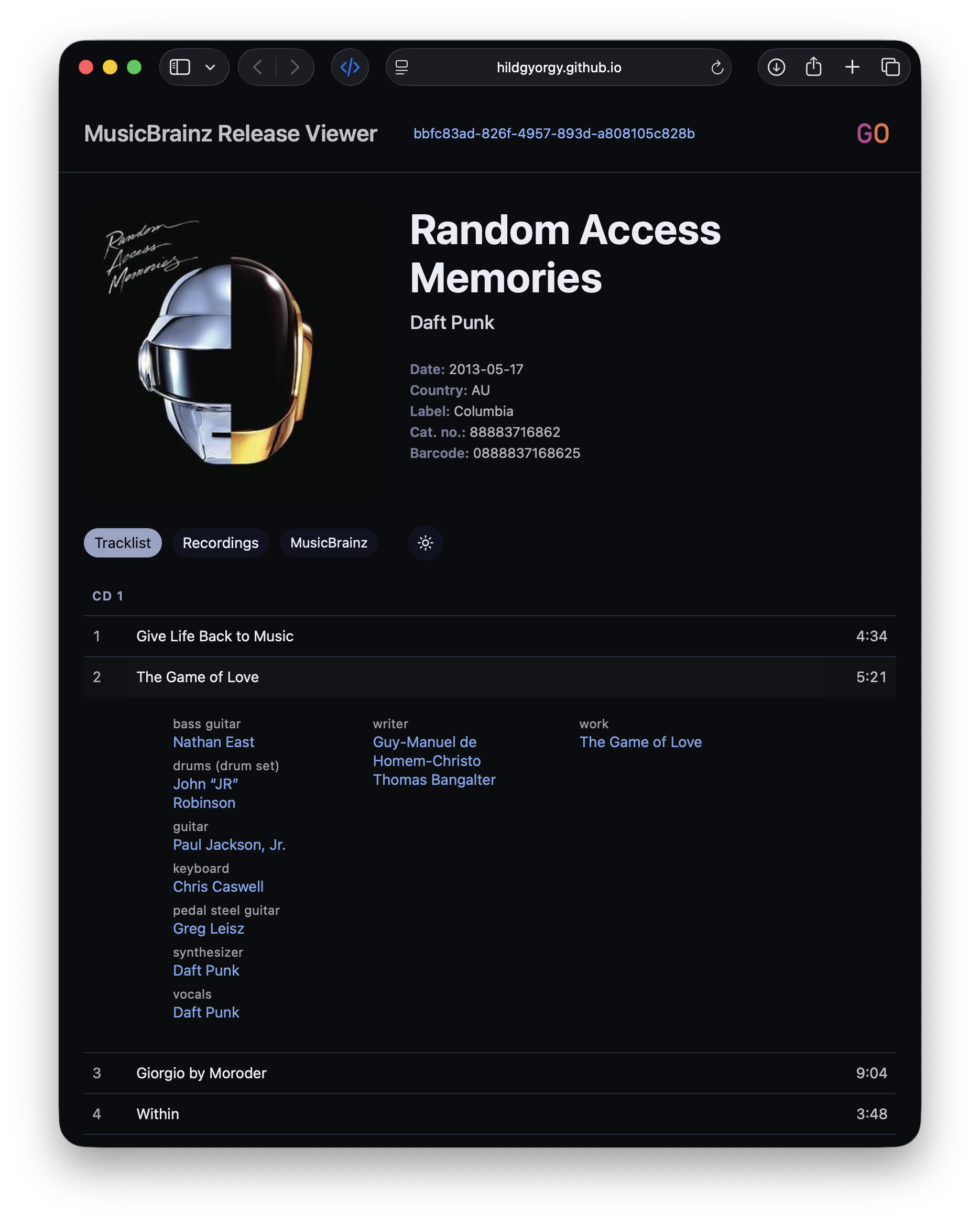
I’ve released a small userscript that adds an “MB Release Viewer” button to MusicBrainz release pages.
When clicked, it opens my external MB Release Viewer in a new tab and automatically loads the current release (via MBID).
The button is placed in the right sidebar, below the existing Play on ListenBrainz control, and is styled to fit the MusicBrainz UI while remaining clearly external.
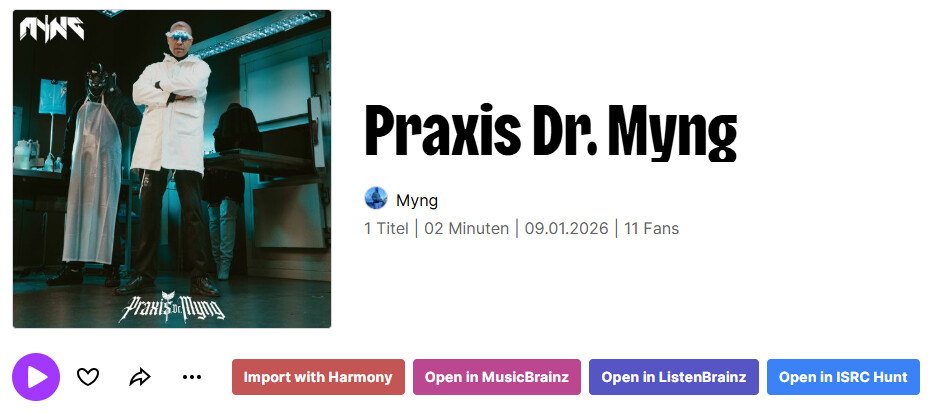
Pretty much the same as the Spotify import helper but for Deezer. It’s missing playlist import because ListenBrainz has no support for Deezer playlists and I’d rather not create them “by hand”.
Being a sister/affiliate service to Beatport, I know that its links are not whitelisted in MB (at least not yet) but its easily accessible API has been helpful to me in providing release metadata which is often absent on equivalents served by other digital platforms.
Came up with this script that injects an expandable/collapsible panel onto release pages of Beatsource with the following info obtained from the API that’s hidden from the publicly available UI:
UPC (barcode)
(if present and different from the UPC) Catalog number (this includes Sony’s own internal grid identifiers such as G01000xxxxxxx and A1030xxxxxxx)
All timestamps returned by the API, converted into YYYY-MM-DD format (These can especially be helpful if you doubt the canonical dates that are visible on release pages. It should output warnings if a date contains the infamous 1 January placeholder or might be too early for a digital release (the launch dates of iTunes and Spotify being used as points of reference)).
Find & Try to link not linked artist credits from same release (or from your specified release)'s (release/group/other tracks) artist credits.
e.g. If you have a credit AAA (CV: BBB), CCC (CV: DDD) which not linked at all, and input have:
<artist>AAA</artist> (<artist>BBB</artist>)
<artist>CCC</artist> (CV. <artist>DDD</artist>)
then UserScript will automatically split and link credits, it would be <artist>AAA</artist> (CV: <artist>BBB</artist>), <artist>CCC</artist> (CV: <artist>DDD</artist>) (<artist>...</artist> means linked artist).
It would be very useful for long and slightly different member artist credits, e.g. anisong / 2D idol.
after attending the community meetings over on Discord (definitely check them out) I got the bug to share some of my userscripts, well I say my userscripts I mean Claude’s userscripts that I diligently tested
Anyway as a big fan of the Harmony importer, and someone who hates unnecessary clicking I wanted to resolve the issue where you have to click Enter Editn amount of times where n is the total number of tracks. BORING.
Anyway, here’s my user-script:
The README.md explains a bit already, but it’s relatively simple.
Script only fires on recording edit pages where the submission note contains the Harmony preset phrase “Matched recording while importing”. It also waits a short amount of time before making the submission request, as without it it will often trip up and try and submit no data (due to the form not being fully loaded).
So far I’ve managed to get this working pretty consistently with releases with a normal amount of tracks (10-20), for those mad editors who submit 200+ track releases I have no idea what this might do. Let us know though
Happy to take feedback and then tell Claude to fix it too!
Hopefully this helps others as much as it helps me, recording edits go brrrrrrrr.
All author credits go to Claude, as my general experience of hand-crafting userscripts looks a bit like this:
 Configure immutable comments” in the container where comments can be specified which should always be offered for auto-completion. With another button “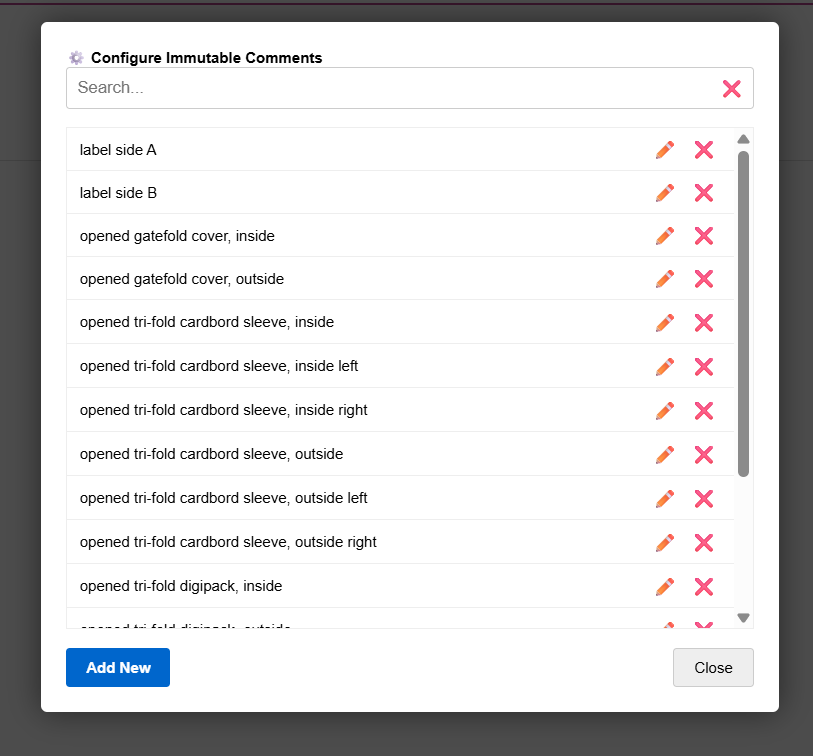




 warnings if a date contains the infamous 1 January placeholder or might be too early for a digital release (the launch dates of iTunes and Spotify being used as points of reference)).