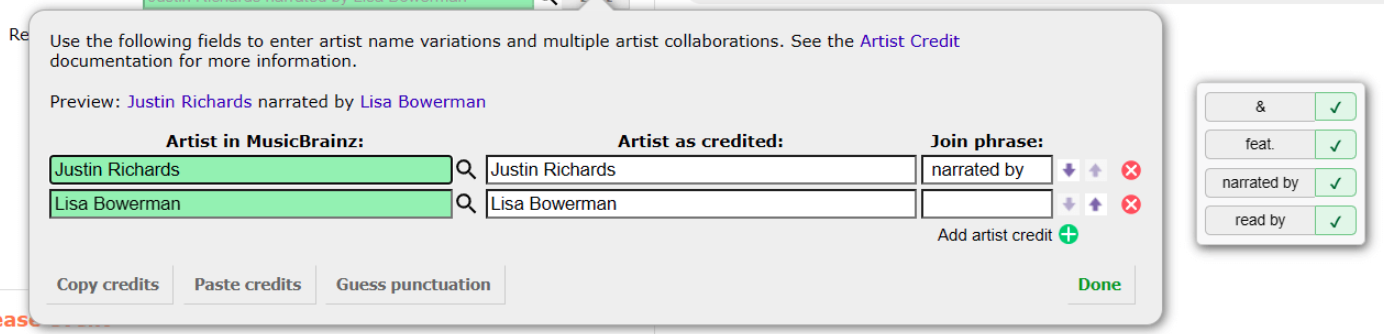
Adds buttons to quickly add common join phrases in the release editor, with an optional button to fill and click “Done” [github]
Another one that chatGPT did a pretty good job with. It could probably be improved with customisable join phrases and deal with more than two artist fields better. But it’s all I needed right now (editing frikkin’ audiobooks…) - improvements welcome.
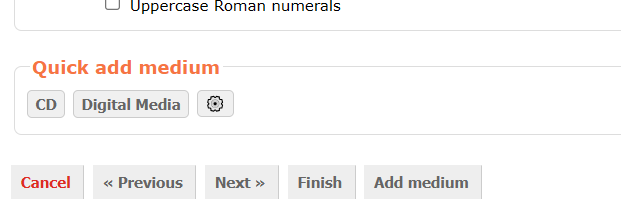
Adds buttons for quickly adding new mediums from a customisable selection of formats in the release editor. [github]
Once again I went to start the tedious task of editing the mountain of Big Finish audiobooks… and got distracted immediately. This is another one that turned out good, as far as I can tell. It also has some extra functionality: Alt-click to also check the “I don’t know the tracklist for this medium” button; Shift-click to not add a new medium, instead set the selected format for the first medium with no format.
Last year I posted the idea behind this script: Userscript idea: dropdown menus
I kind of can’t believe it only took me about a year to learn enough js to be able to write my own script idea.
It’s still not perfect but it’s pretty much exactly what I envisioned back then!
A little something that I came up with (it’s vibe-coded (AI) so take it with a pinch of salt):
It’s meant for users of the Release Actions’ page on Harmony, who might want to include or exclude vendors/releases, as well as change the region of Apple Music before seeding recording links.
I suggest it if you want to circumvent cases where Harmony cannot compile a release actions’ page, instead returning error messages about mismatching GTINs (barcodes) or tracklists. The latter can especially happen even when your 100% sure that all vendor links on a release are valid, mostly due to vendor-specific quirks (Tidal API skipping tracks) or limitations (Badcamp not supporting multiple-medium releases). All these inclusions/exclusions can be managed by modifying the URL to the release actions page (compare the URL you get if you want to act upon a release that was already in MB vs. those that you get redirected to after you seeded a new release through Harmony, especially take notice of all the additional parameters that you get with the latter). However, manually typing that out might be tedious, which is why I wanted to automatize that through this userscript.
For example, the standard way of obtaining a release actions’ page for the following release will fail. If you have this userscript installed, you can uncheck the box for Bandcamp (the vendor that’s causing the issue)
The language detection in Harmony is notoriously bad so I’ve played around with the new Language Detector API in Chrome and so far it performs better in the problematic cases I’ve tested.
Examples:
https://harmony.pulsewidth.org.uk/release?beatport=5175771&spotify=3xvS3jBpbaXsLNyG3xjuWq>in=199502018979&deezer=&itunes=&tidal=®ion=US&ts=1753788740
Harmony thinks it’s Romanian (43% confidence), Italian (17% confidence), Portuguese (13% confidence), Catalan (13% confidence) while Chrome is pretty confident it’s Latin
A special script to improve the performance of the cover art uploader.
Previously uploading lots of large images (bytes) would cause lags or worse yet, crashes, due to lack of memory.
Quickly import genres and tags from many different sites to artists, release-groups, releases, recordings, and works! Currently I’ve added support for Bandcamp, Discogs, Wikidata, Apple Music, Deezer, Soundcloud, and AllMusic, but if you have another site you’d like me to add just open an issue!
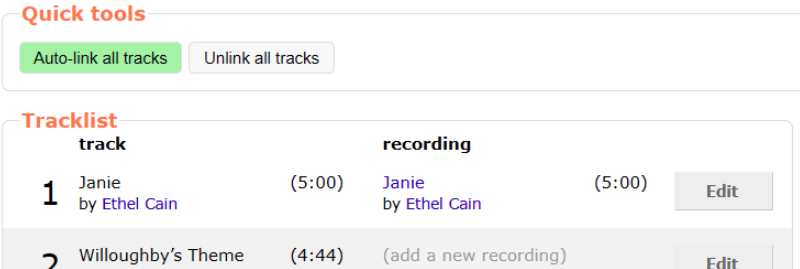
Adds a button to the release editor “Recordings” tab to select the first recording search result for each track, and another button to unset all recordings. Works! [github]
I find that sometimes I will be going through the recordings list, just clicking the first result, when I am adding a copy of an existing release (but want to retain or check for minor text changes). This makes life easier in those cases. Only for responsible adults who will check the results. This one done by Google Gemini (AI).
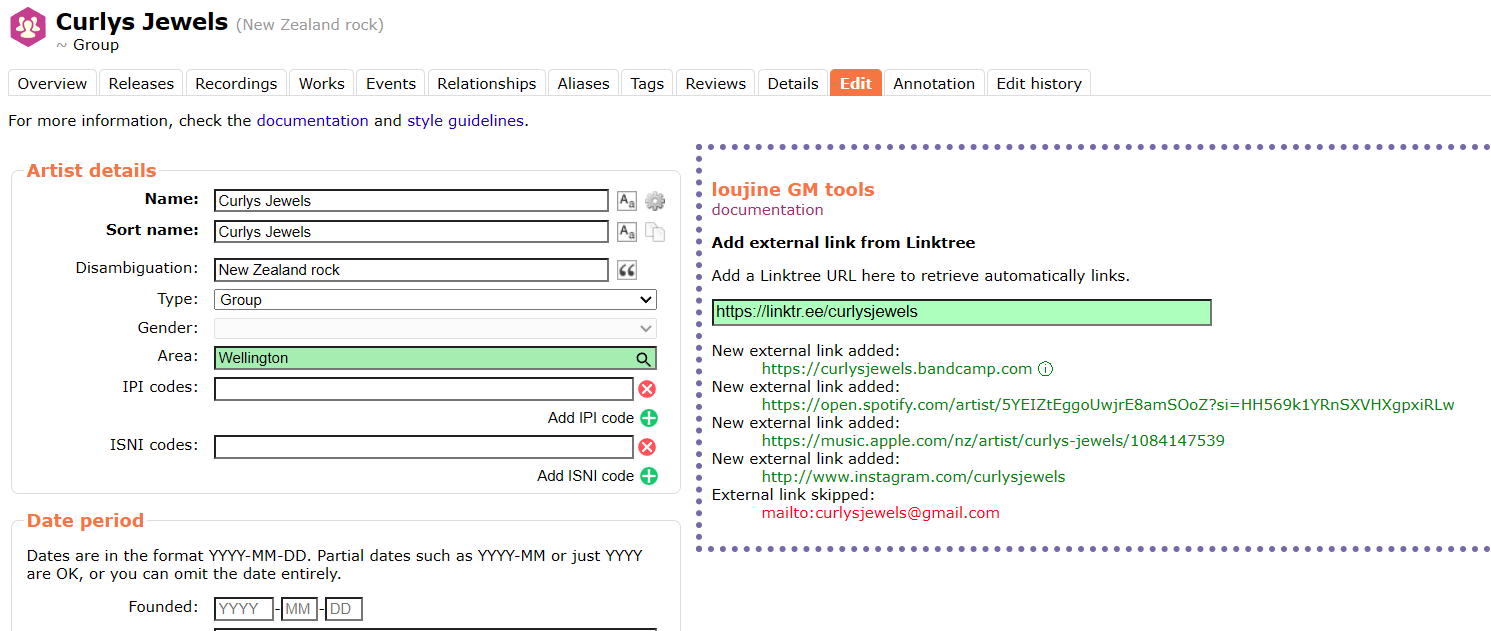
Adds an input to the artist edit page tab to enter a Linktr.ee URL, and scrapes and enters any found URLs. [github]
Works but I have not yet had time to test it extensively. More suggestions for URLs that need to be pre-cleaned, or ignored entirely, are welcome on the userscript discussion page.
I will also note that this script leans heavily on @loujine’s excellent userscript and tools that do the same for wikidata/wikipedia/VIAD/ISNI. AI would not be able to write any of these scripts without taking from existing scripts from our passionate script writing community. Hopefully everyone can forgive my desecration in the name of more efficient and accurate MB data entry
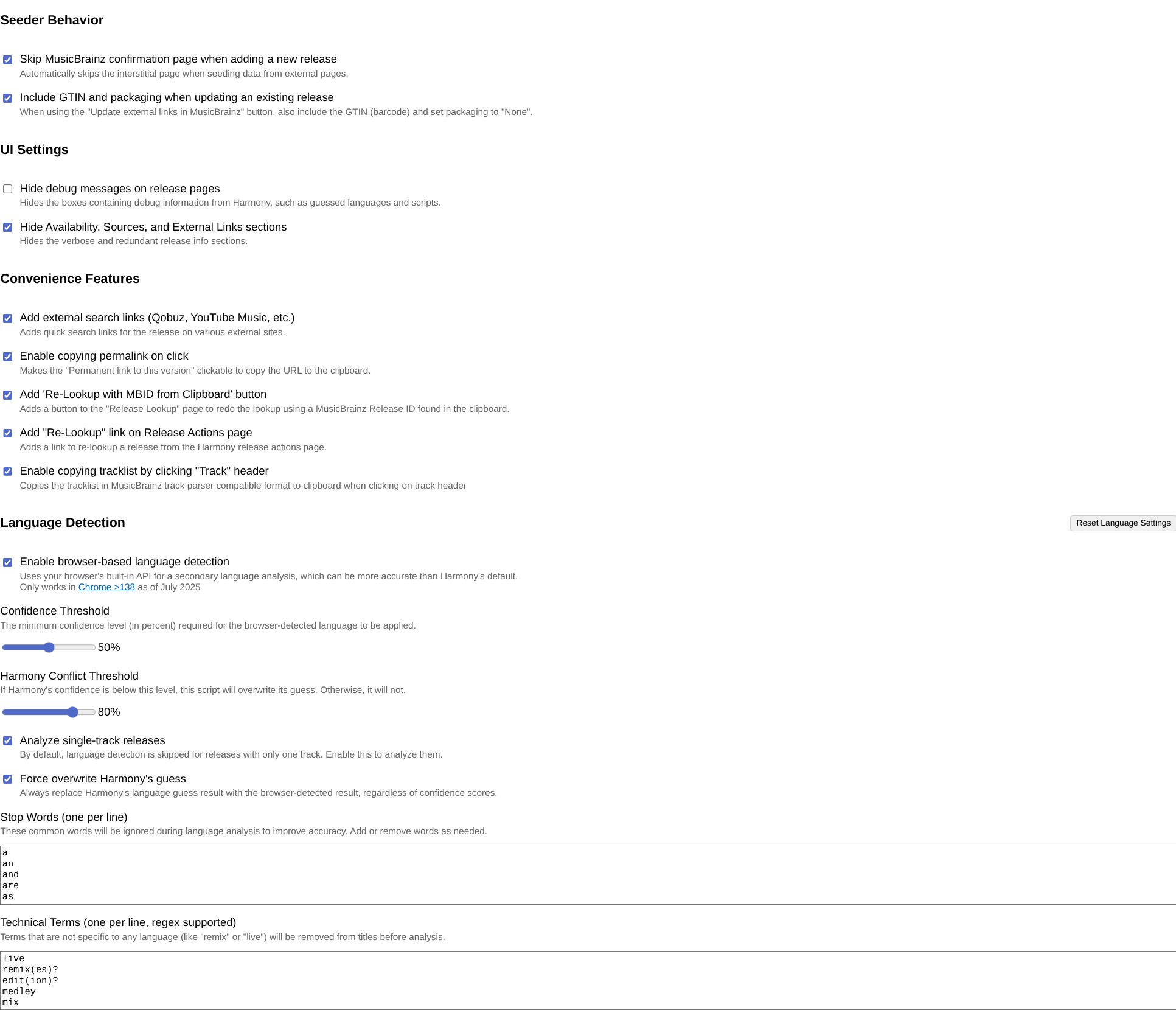
Not really that new. Basically just merges my existing scripts for Harmony plus some extra features I didn’t publish before. In the latest update I also took the liberty to assimilate some functions of @afrocat’s Harmony add-ons.
(The standalone versions of my Harmony scripts are deleted and redirect to the new enhancements bundle. Don’t forget to disable or uninstall them so they don’t conflict with each other.)
I updated my harmony script just two days ago, it looks like your code is still using some of the old Qobuz code from my script. Turns out a lot of that if…else logic can be reduced to pretty much a single line
I also updated some other bits from my code, and I’m planning on updating it again pretty soon to rework the permalink copying behavior
It’s time that I made another script for myself. This will hopefully also be useful for other voters.
Something that has been annoying me for a long time were the misaligned tables in recording merges. So I asked my friend Gemini to align them for easier comparison.
I was dearly missing the batch remove relationships feature from one of @jesus2099’s scripts which broke in the new relationship editor IIRC. It was such a huge time-saver.
So a few weeks ago I attempted to re-create such a function and here it is.
I rarely use the release relationship editor so there might be bugs hidden.
I’ve finally polished my userscript to detect duplicate recordings for public consumption (hopefully). Inspired by Musicbrainz: Compare AcoustIDs easier! but reimplemented from scratch because I couldn’t get my head around how to make it do what I wanted with the batching it uses - now it queries track by track and is much slower, but works also for releases with over 100 tracks and on recording pages.