MusicBrainz: Batch Edit Cover Art
I once mentioned this new userscript in the Chaban's userscripts and bookmarklet support thread - #53 by chaban topic, but I think it
belongs to here, as I recently made some more changes to it.
This userscript adds a “Batch edit cover art” button after the standard “Add cover art” button.
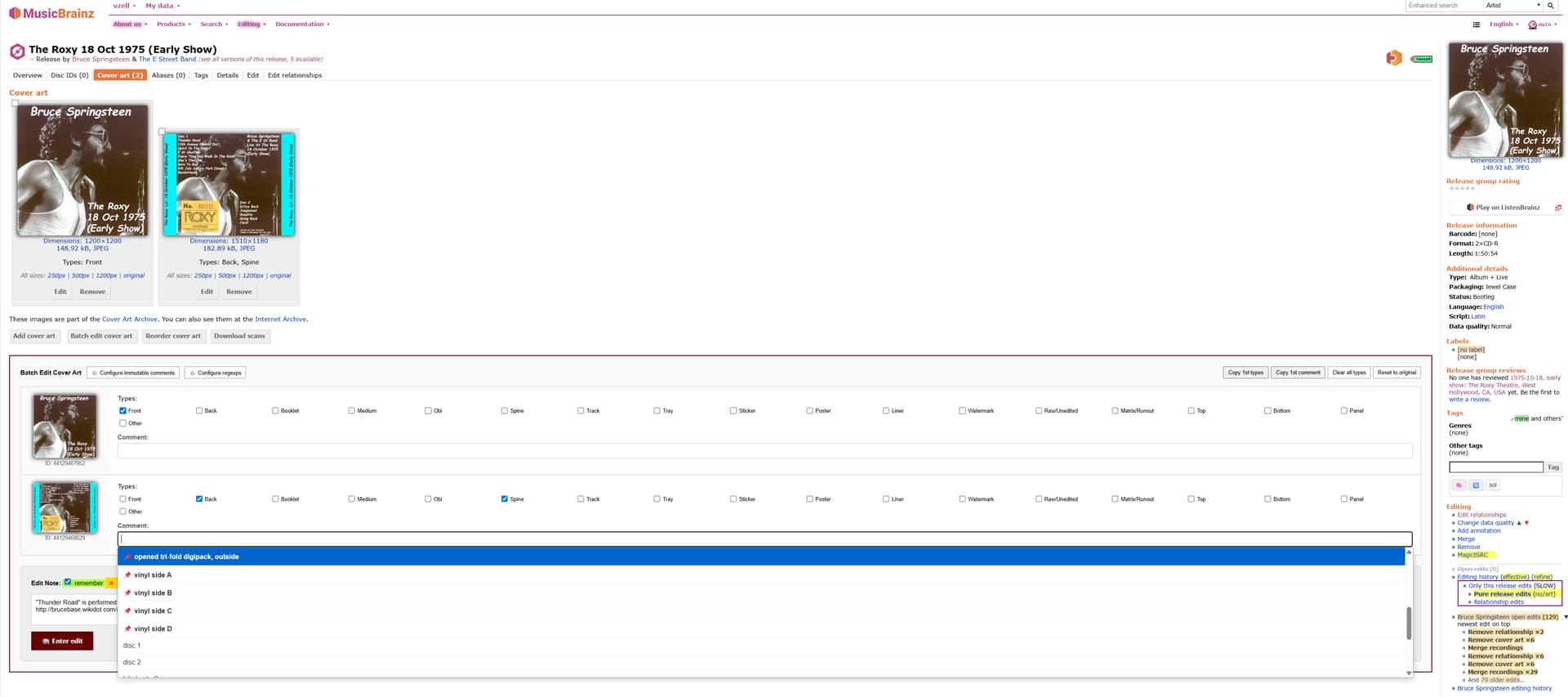
When pressed it loads the metadata off all the images in a new container (it also offers a couple of convenience buttons like “Clear all types” and “Reset to original”). In that container you can add/remove/change types and comments of all the images as usual, and submit them all at once. The script remembers the last 50 different comments and offers auto-completion for these during the new edits. There is a button “ Configure immutable comments” in the container where comments can be specified which should always be offered for auto-completion. With another button “ Configure regexps” a list of regular expressions can be defined so that comments matching these are never stored in browser storage and don’t count to the latest 50 entered comments. When comments are entered with special unicode symbols, the auto-completion functionality will still offer them even if typing the ascii equivalents.
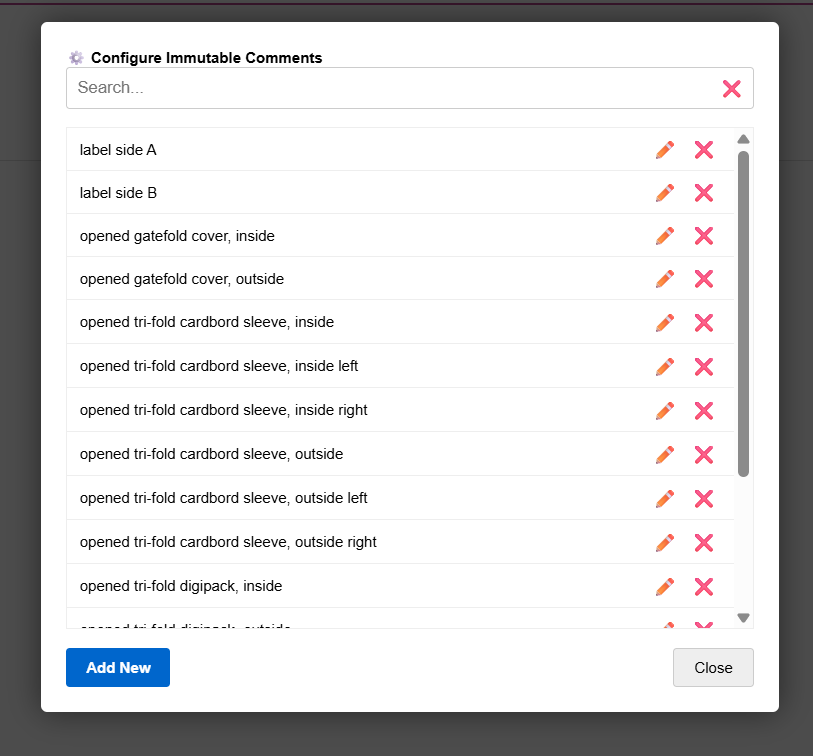
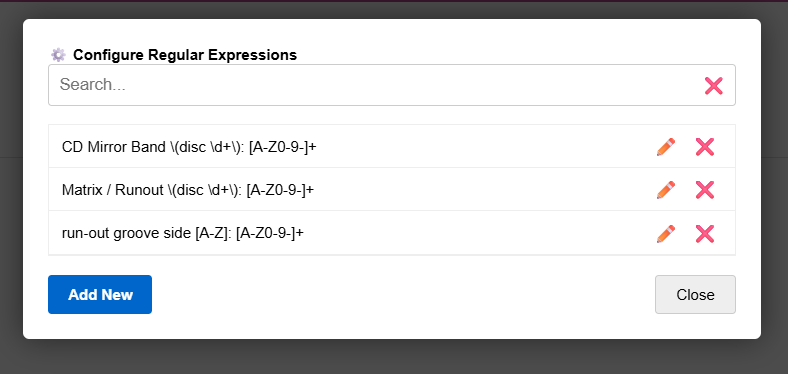
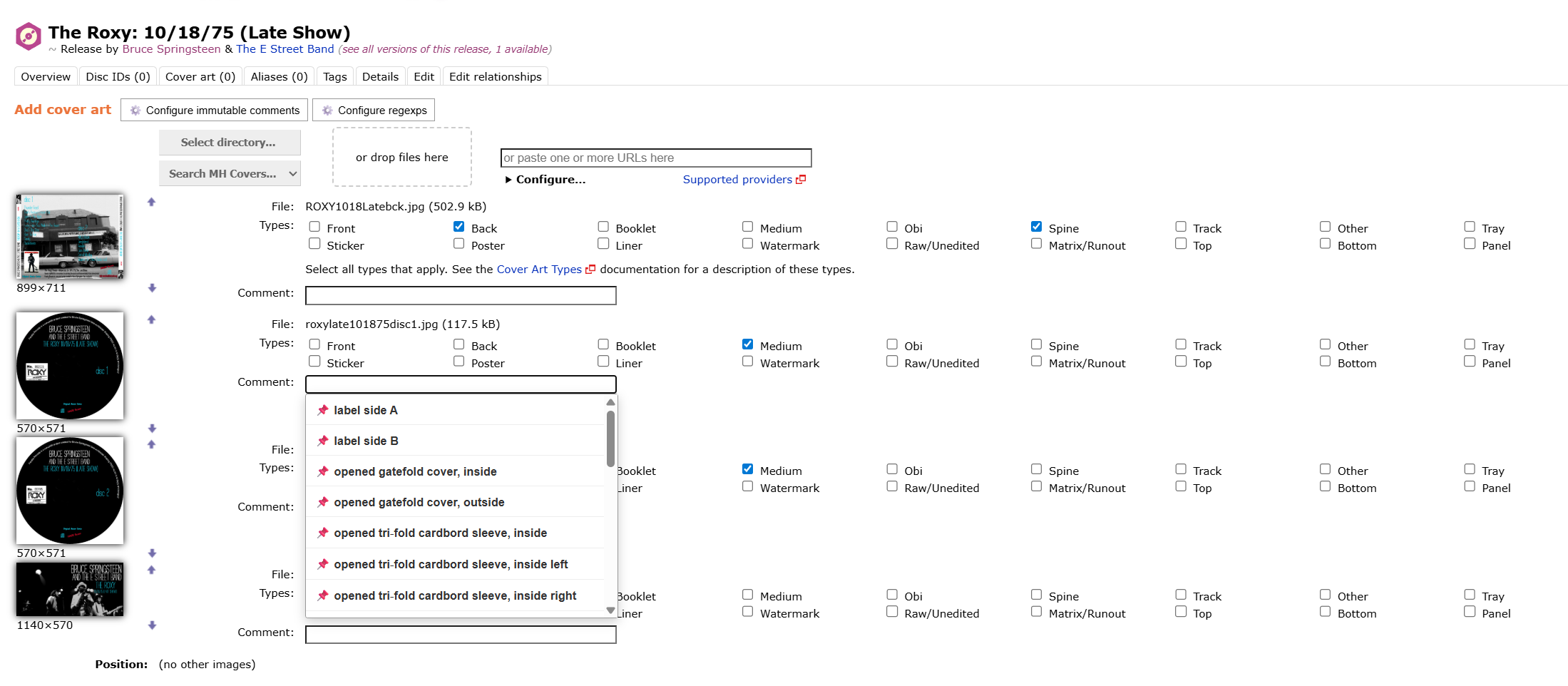
The auto-completion functionality together with the configuration options are now also supported when entering new images to a release.

Additionally for entering edit notes as a whole, the Elephant functionality (developed by @jesus2099 and adopted by @chaban in his userscript MusicBrainz: Batch remove cover art is now also included. When using this script together with the one from @chaban for batch removing images, the “Edit note” box from the latter is temporarily made unvisible.
You can get the script at GitHub - vzell/mb-userscripts · GitHub under MusicBrainz: Batch Edit Cover Art