I ripped tracks from a CD to my computer with Winamp. The files are stored in a folder. When I load the files into Picard, there are not tags set. I load the files into ungrouped Files, start the “acusticID generation” for all files and group the file, so they appear in the “grouped” folder
Then I let Picard analyse the CD and Picard retrieves correctly the tags from CD or from MusicBrainz. On the right side I see the correct title of each song.
When I now drag the file on the left to the Picard info on the right, the title tag gets overwritten with “track-n”. I never be successful to set the title tag of a track. What do I miss?
Sounds like you are doing things right. Once the files are on the right side, hit Save. This will set the tags as they appear in the right half of the lower part of the screen.
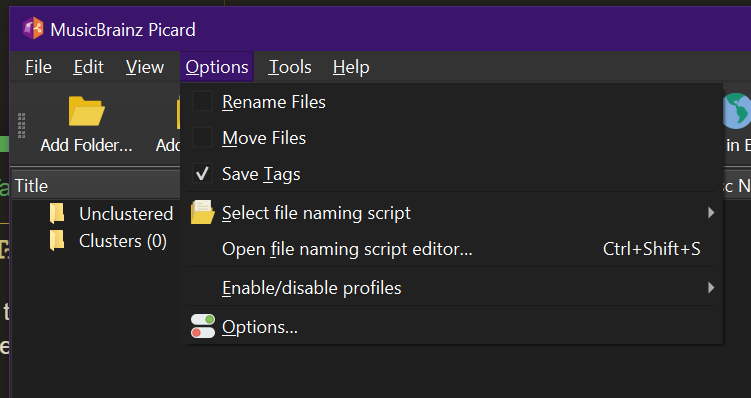
Do also check the Options menu. Is Save Tags ticked?