I’ve been trying to use this script on a release that I just added. But when I click on ‘Replace artists,’ the ‘rels’ column appears next to the tracks, but the checkboxes to select the tracks do not appear. I have tried this in two browsers, and disabling my Stylish theme, but the issue persists.
There are some open edits on the release - cover art additions, and deleting a Conductor relationship that I added by mistake to one recording.
Are the open edits preventing the plugin from working, or is there something else?
For reasons unknown, it just worked as expected. No idea why.
I may have found an answer.
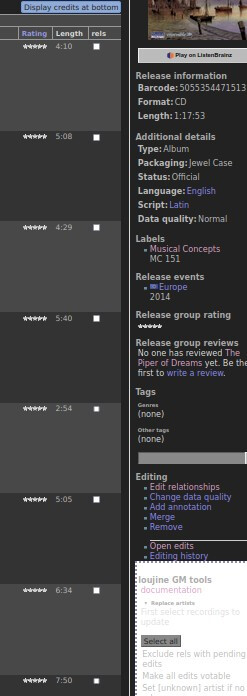
I normally have Release pages set to “Display credits at bottom.” While in this mode, clicking “Replace Artists” in the Loujine GM Tools box results in this. Note, the “rels” column is displayed, but the checkboxes are not:
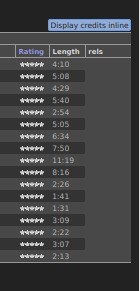
If I refresh the page and change the setting so credits are displayed inline, pressing “Replace Artists” produces this, and I can run the script successfully:
So there may be some issue with trying to run the script while credits are displayed at bottom.
Hopefully this will be helpful.
3 Likes