I have asked before: Covers

Is there anyone willing to create a User Script so I can quickly add COVER on a recording?

So, this list contains a whole lot of recordings where COVER isn’t listed yet. Now I have to open them one by one and add cover. It takes a long time… it takes a long time.

I know there is a userscript that can do that, but that is only if you add a new one to this list.

I have asked this before, but now that so many new userscripts are coming out, I thought I’d try again.

Greets Tis

Edited to add. Sorry - ignore me. I just realised you are on the Recordings page and want to work in bulk there. My answer was for a release…

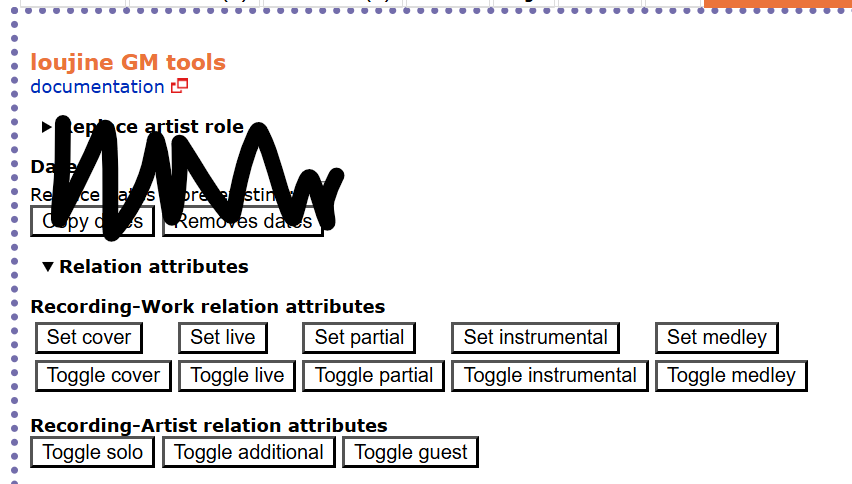
I use this one ( MusicBrainz relation editor: Set relation attributes) on Releases:

To use - In the Relationship Editor, select all the recordings you want to “Set Cover” and hit the button.

Note - if you have only just linked the works, then SAVE that first. Then come back into the relationship editor and hit this button. It only works if you have already saved your previous changes.

oww thank you Ivan, but wich one is it cos this link gives a a big big list of user scripts

Sorry… not any use. I re-read your request and it is not for that page. That’s for Releases.

I also looked at one I used to use for linking works on a Artist’s Recording page, but also didn’t really match.

Ah oke. Thanks for looking for me Ivan

Then back to my original question: Some one willing to make it? Please please please

Pssst majkinetor wake up I have a job for you :rofl: :rofl: :rofl: :rofl:

Nobody?

Oke I’m gonna sit in a corner and cry

Hi @Tiske_Tisja, try ‘MusicBrainz Quick Recording Work Attribute Editor.user.js’, here: metabrainz-userscripts/drafts at main · Aerozol/metabrainz-userscripts · GitHub

It is very basic and it only sets the ‘cover’ attribute. It operates very visibly/using the frontend because that was the easiest way to get it to work.

I shouldn’t spend any more time on it - if you want more functionality then I’m happy to guide you through getting an AI agent to update it (that’s all I did, go back and forth with AI for an hour or two until it finally worked)

1 Like

Thank you so much Aerozol. What do I need to click to install it?

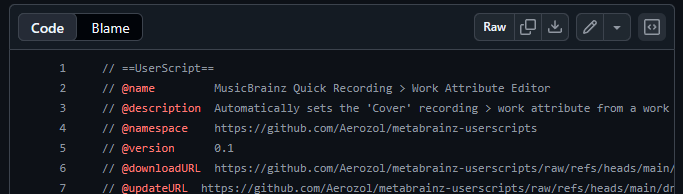
If you click the ‘raw’ button at the top right on this page: metabrainz-userscripts/drafts/MusicBrainz Quick Recording Work Attribute Editor.user.js at main · Aerozol/metabrainz-userscripts · GitHub

As shown in this pic:

Then your userscript manager should open an ‘install userscript’ page or something like that.

1 Like

Aerozol, you are a wizard. That is exactly what I need. Thank you, I am so happy with this. :partying_face:

1 Like