How do I enter different cover art for different disc in the same release?
welcome to the forums, @envelope5660~
there’s no real codified way to do so, they all get added to the same release. for example, here’s how a box set of Queen is handled. it’s a slipcase box with three jewel cases inside, each of which has their own booklet
I usually try and make sure everything is in order front to back (and/or first to last) going down the page, and if you add multiple front covers, be sure the outermost one is the first front
do you have a link to the release? either here or another database?
1 Like
In this case, wouldn’t picard only grab the first front cover for all the tracks in the album?
There is currently no support for per disc or per track cover art, so Picard can’t assign different covers for different tracks anyway.
You can configure Picard to download all cover art of specifc types. Disable the “Save only a single front image as separate file option” and configure the types to download in the Cover Art Archive options “Download only selected image types”.
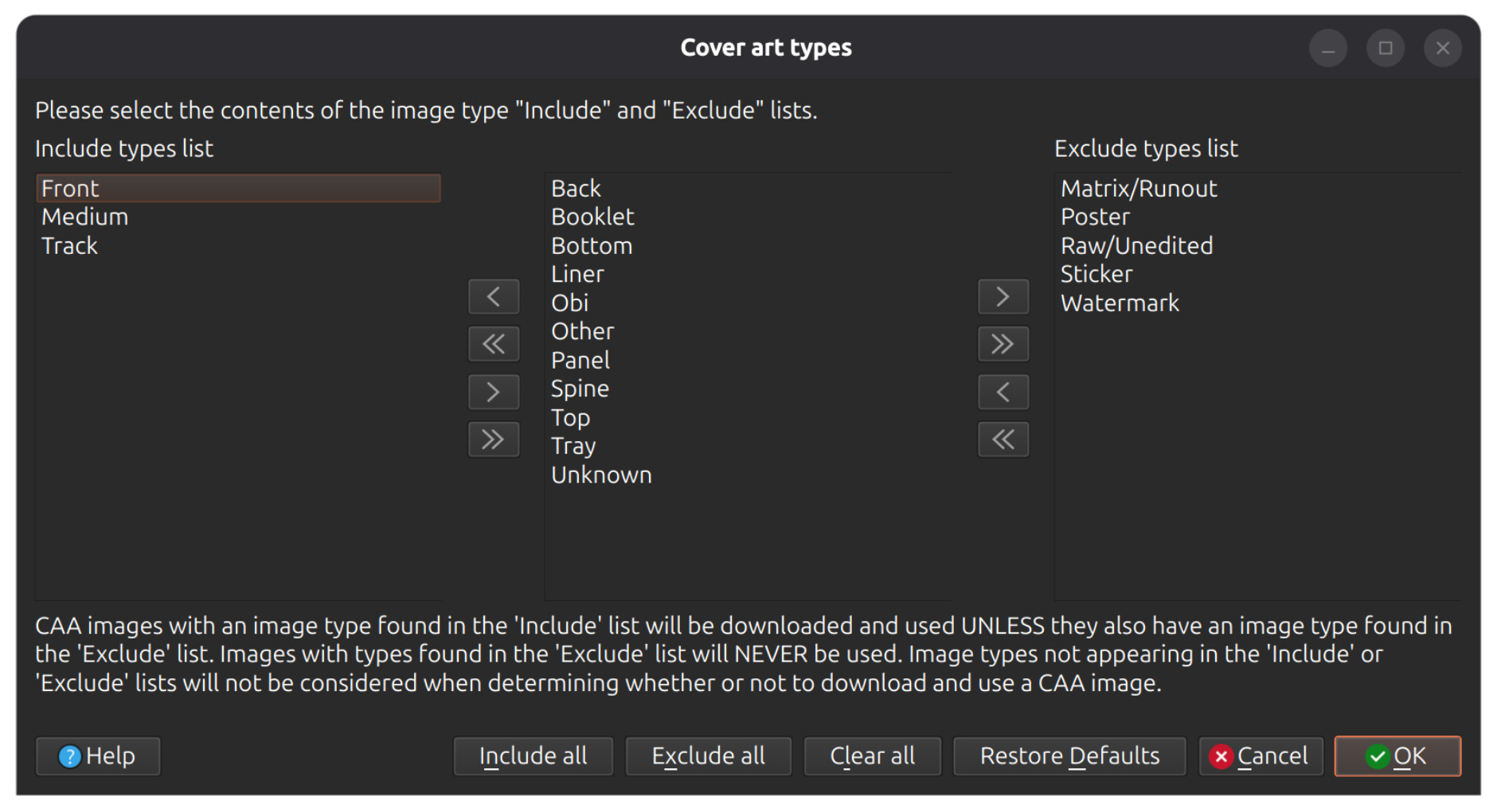
3 Likes
what he said, yeah
once they’re downloaded tho, it should be fairly easy to manually set per-track cover art in your media player or server of choice (unless it’s Jellyfin, lol)
honestly, I feel like that would make for a banger Picard plugin tho. wouldn’t work in all cases, but anything that’s got proper comments (either disc titles/numbers or track numbers) should be easy to work
1 Like
I haven’t tried this, but you might be able to do it in Picard by only loading one track into the right-hand pane and then setting the cover art for that track by dragging & dropping the appropriate image.
2 Likes