This was my first attempt to add a release and I think I might have messed up. I incorrectly setup Release “Now That's What I Call Pop! Disc 1” by Various Artists - MusicBrainz and Sign in - MetaBrainz Foundation
They are CD1 and CD2 of Now That’s What I Call Pop! (23-05-2025) and I set them as separate releases instead of using the Add Medium method. I have tried to delete the CD2 entry and amend the CD1 entry; Removing CD1 from the release title and using Add Medium to add CD2’s track list and the URL provided by Whipper. I also noticed I made an error in the release date and corrected that. The Add Medium step worked but it stills shows as Now That’s What I Call Pop! Disc 1 and has the incorrect release date.
Hi @Mattevansc3 , welcome to MB!
In a situation like this, where you’ve already added the discs as separate releases, the best practice is to merge the releases, rather than deleting one. You can read about the reasoning for that here: Merge_Rather_Than_Delete
Since you’ve already added the second CD to the first release, the best thing to do at this point is to use the Merge function using the “Merge mediums and recordings” strategy.
Steps (feel free to ask someone to do this for you if it seems too much. MB definitely has a learning curve. I tend to assume that new editors want to learn by doing):
- Cancel your edit to Remove the Disc 2 release.
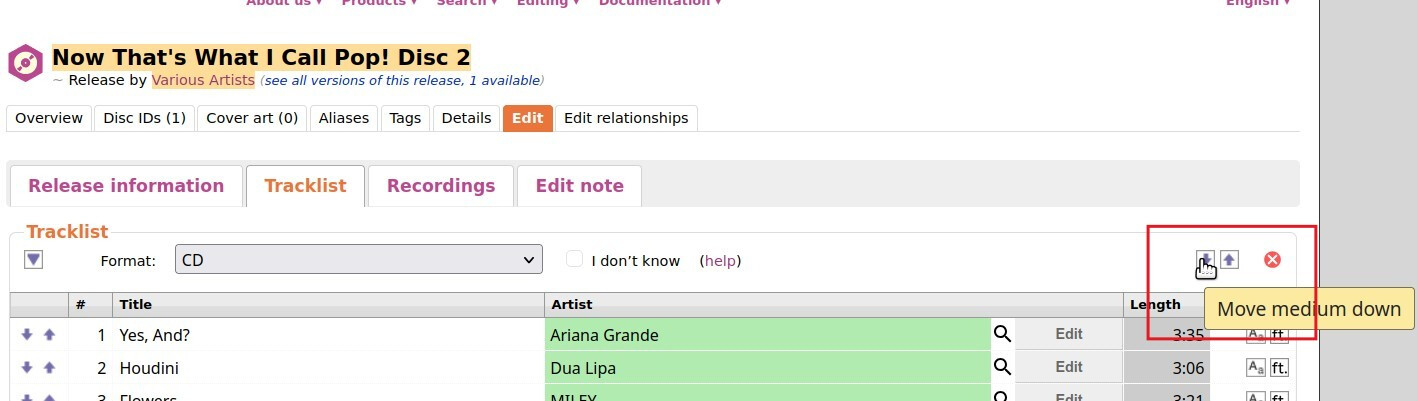
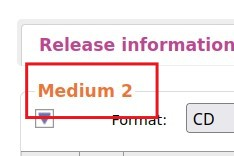
- Edit the Disc 2 release and set the medium as “Medium 2” by using the “Move Down” button. This ensures that the medium will be matched up with the Medium 2 in the Target release:
You’ll know this succeeded when you see this:
Save this change.
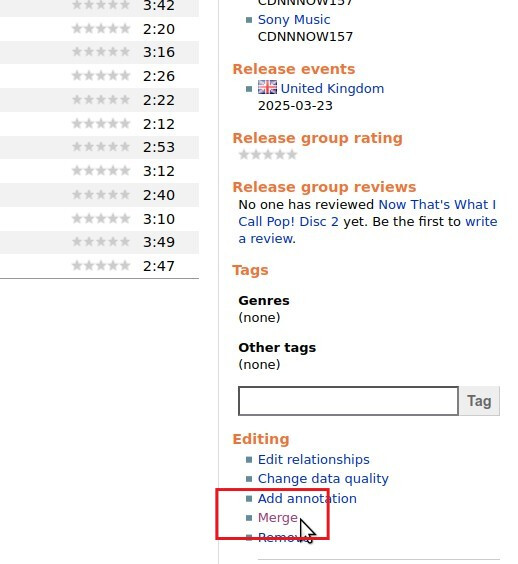
- On both the Disc 1 and Disc 2 releases, click the “Merge” link in the right sidebar
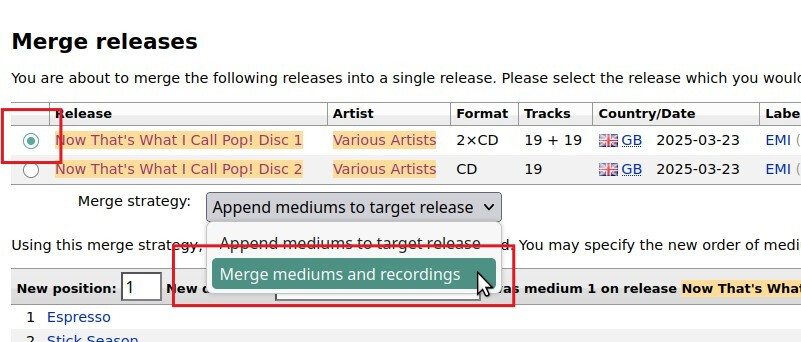
- Once you’ve added both releases to the Merge, you’ll see this:
Set the Disc 1 release as the Target by clicking the radio button next to it.
Set the Merge Strategy to “Merge mediums and recordings.”
- Make sure it is matching up the Disc 2 release with the second medium in the Disc 1 release. (It should be pretty obvious if you did it correctly. If you did it wrong, it’s going to warn you that the track artists don’t match, or something like that).
- Enter an Edit Note to explain why you’re doing this (you can probably cut/paste from your post in this thread), and let the merge proceed.
VOTING
The reason you won’t see this change applied immediately, and why some of the edits you’ve already made weren’t applied immediately, is because most edits, beyond the most basic, non-destructive edits, go through a 7-day voting period. You can read more about voting here: voting.
BEGINNER’S GUIDE
There’s a pretty good beginner’s guide to help you get familiar with things, and an extensive system of guidelines for your editing. As you’ve already done, bring any questions to the forums, and have fun!
4 Likes
Thanks Beckfield, that’s amazing. I’ve followed the instructions and believe I’ve done them correctly. Would you or someone else be able to verifyu it looks okay? Release “Now That's What I Call Pop! Disc 1” by Various Artists - MusicBrainz
Looks right to me. I added a note to another edit that you can cancel, since it’s no longer needed.
1 Like
Thank you. You’ve been a great help and its boosted my confidence for the future
I may have screwed you up by recommending to cancel that one edit. We’ll see when your edits are applied.