I have never seen a release on YouTube Music that doesn’t use the same barcode as another existing release unless it was a different track listing. TIDAL, Qobuz, Apple, Spotify, Deezer, many times have the same barcodes as well. The only time you will see different barcodes on TIDAL/Qobuz is usually due to bit-rate differences, etc. You can only find barcodes by searching with them on YouTube Music. You can no longer search regular YouTube at all with barcodes. Just search on YouTube Music and change the “music” with “www” on the URL for the regular YouTube release.
Two issues:
- Qobuz barcodes need to be EAN (13 digit), not GTIN (14) or UPC (12). So, if a GTIN-14 barcode is passed, Qobuz will not return any results. It must use EAN-13.
- When there are multiple releases on iTunes/Apple Music, when searched via UPC, it appears it’s only using the first result, which may or may not be the correct release. This is a common issue with releases with explicit and cleaned versions. Instead of iTunes/Apple Music returning only the requested barcode/UPC, it returns all UPCs related to the requested release.
Just to prove my point that YT barcodes almost never work to the point, I doubt they even support it. I have showcased 5 different albums that I personally would listen to. Also I wasn’t even trying to find releases that couldn’t find a release with the barcode in YT Music, they all just gave this result as i went looking.
I have 4 tabs open one in Harmony, below is https://seed.musichoarders.xyz/ for comparing multiple releases with different barcodes and on the right is using search by title and artist and below is search by barcode using the external links from harmony.
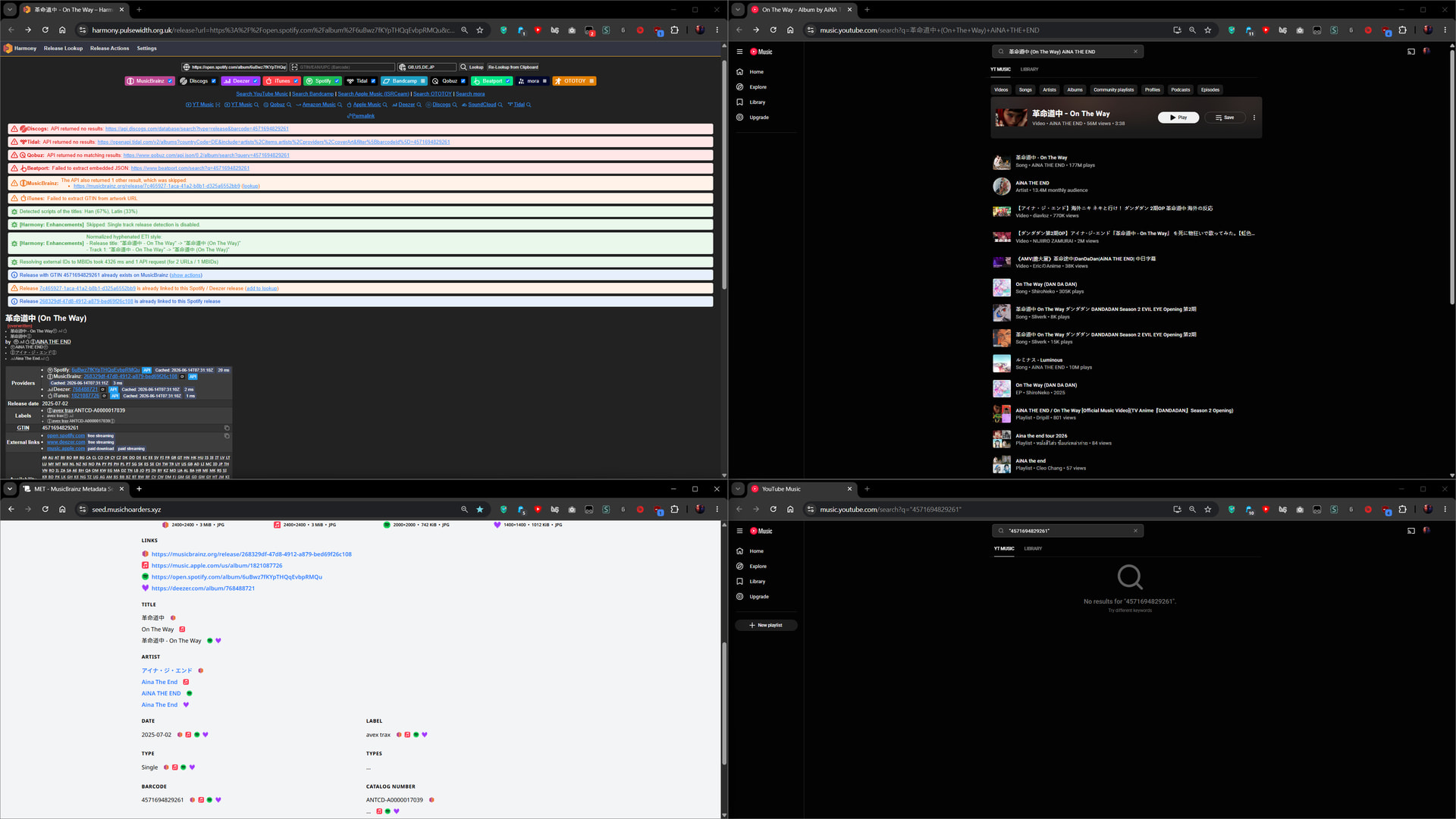
Now I listen to a lot of Japanese music so Aina the end is a good example on an artist that has limited releases on streaming platforms. Usually prioritizing Spotify and Apple Music whereas Tidal and Qobuz either have incomplete discographies or just don’t exist by region. But we can see her release of On the way is all under one barcode. But Youtube doesn’t find it but if you search it by title you can see the album release right below the music video.
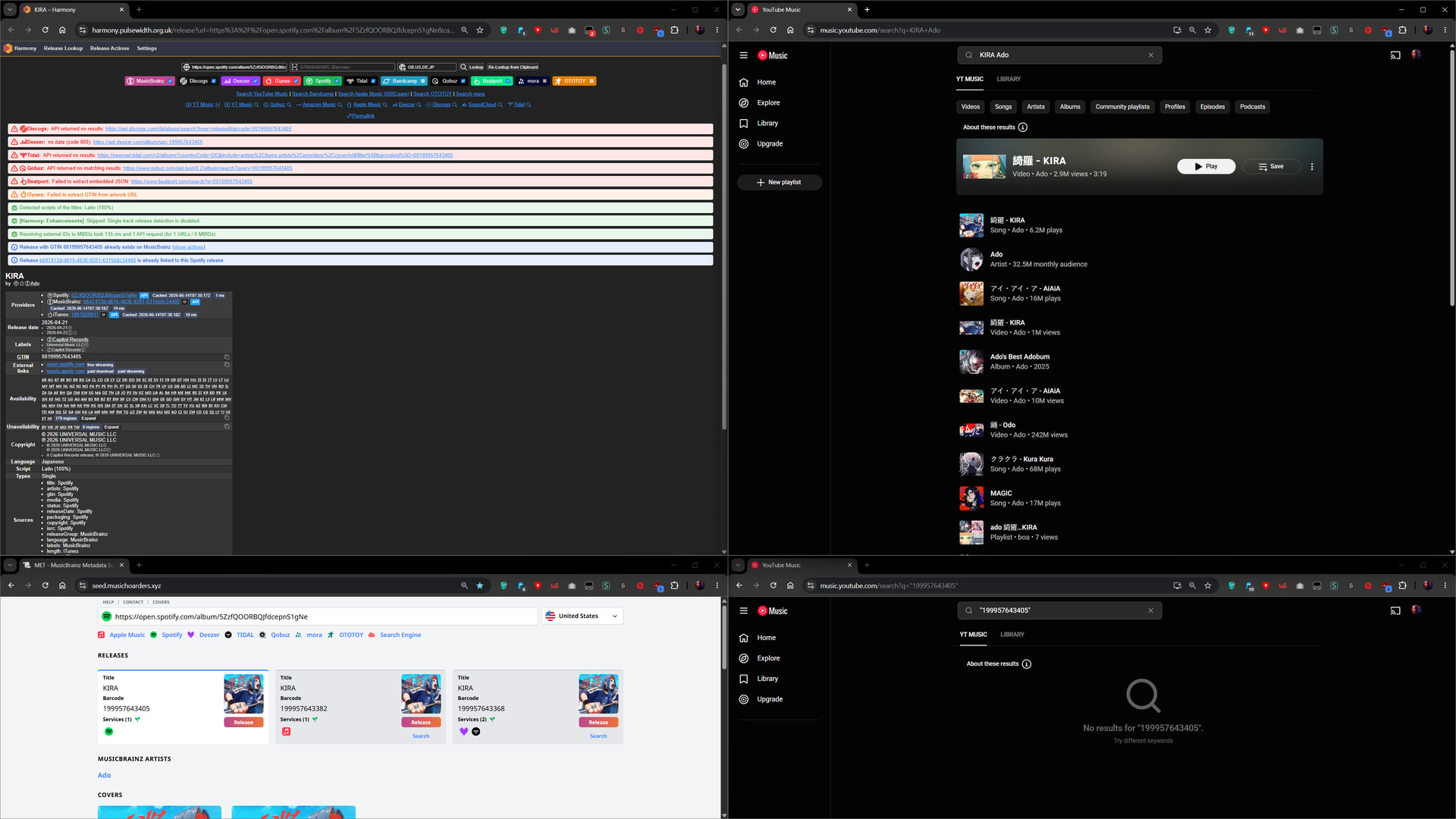
Another Japanese artist is Ado where she has better worldwide audience so her releases are much more widely available in more platforms and regions but her single release for Kira has multiple barcodes for different platforms. I did end up testing all 3 barcodes even though we only see the Spotify barcode but at the end all were the same with no result with the barcode search.
Also another thing I noticed is that for some reason Harmony and musichoarders both couldn’t retrieve the Qobuz release. Even though there already exists a 24/16bit release of Kira.
After this we will see album releases rather singles and you will see how if there is no music video present. YT Music will put the album on top rather than the music video.
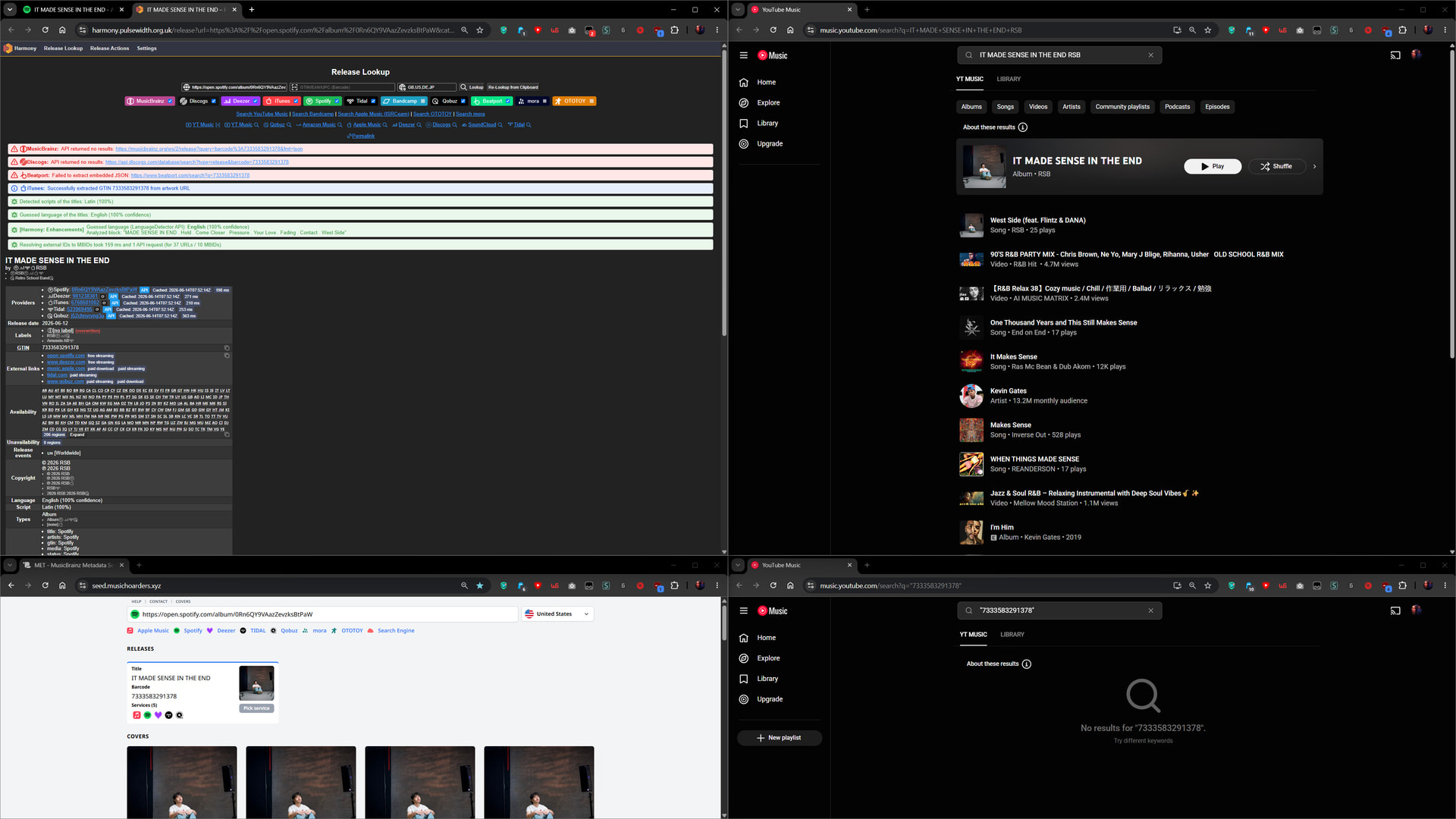
Now RSB is a western artist so the release availability is really good and should be on most platforms and we can see that release comes under one barcode but YT music still doesn’t find it under barcode search but does under title search.
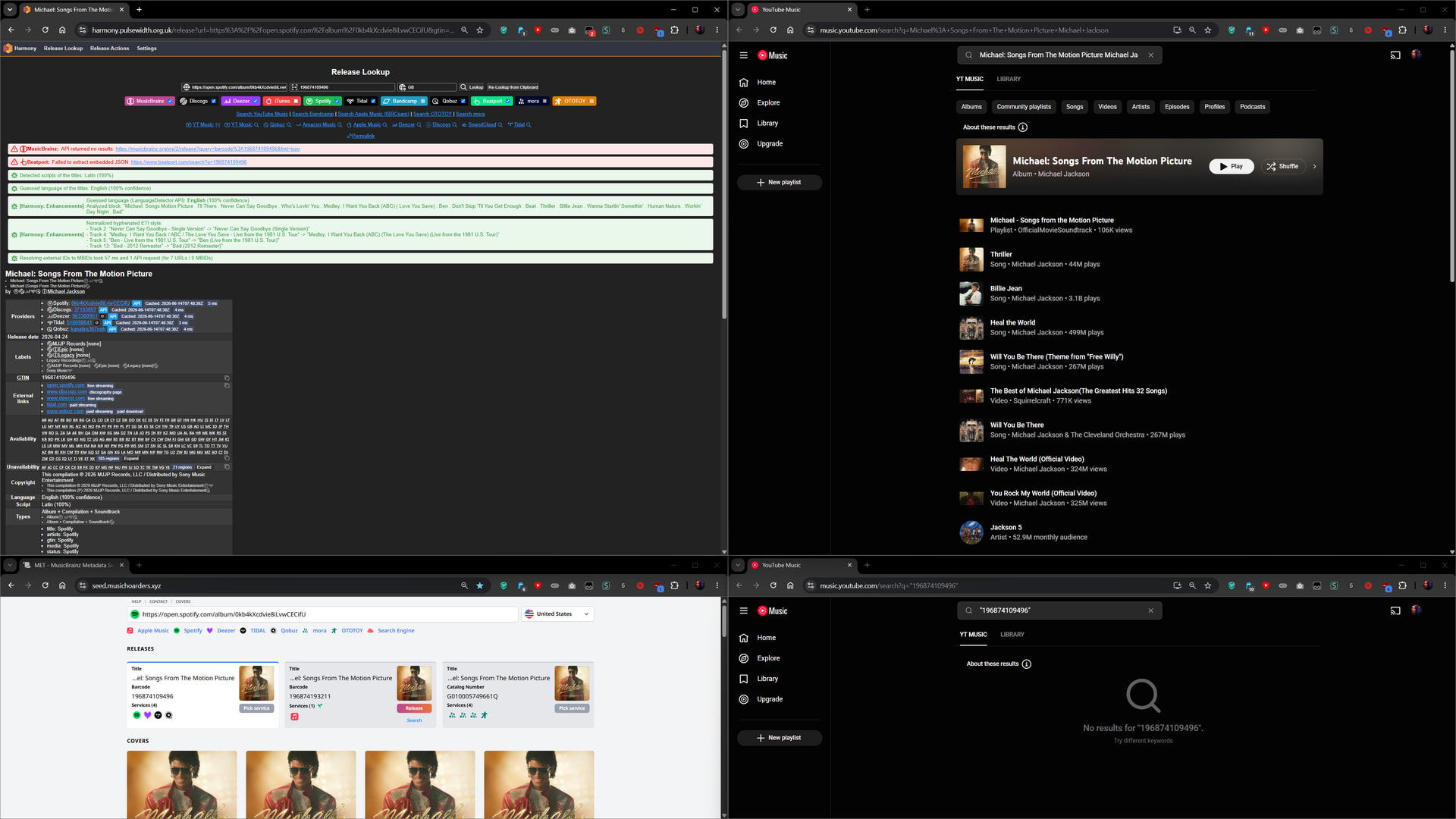
Here is another western artist example, where barcode tend to be split once again for various reasons. In this case Harmony will make you choose between Apple music or the rest. Which in this case I choose the rest but even then all barcodes still fail to be found under YT music barcode search.
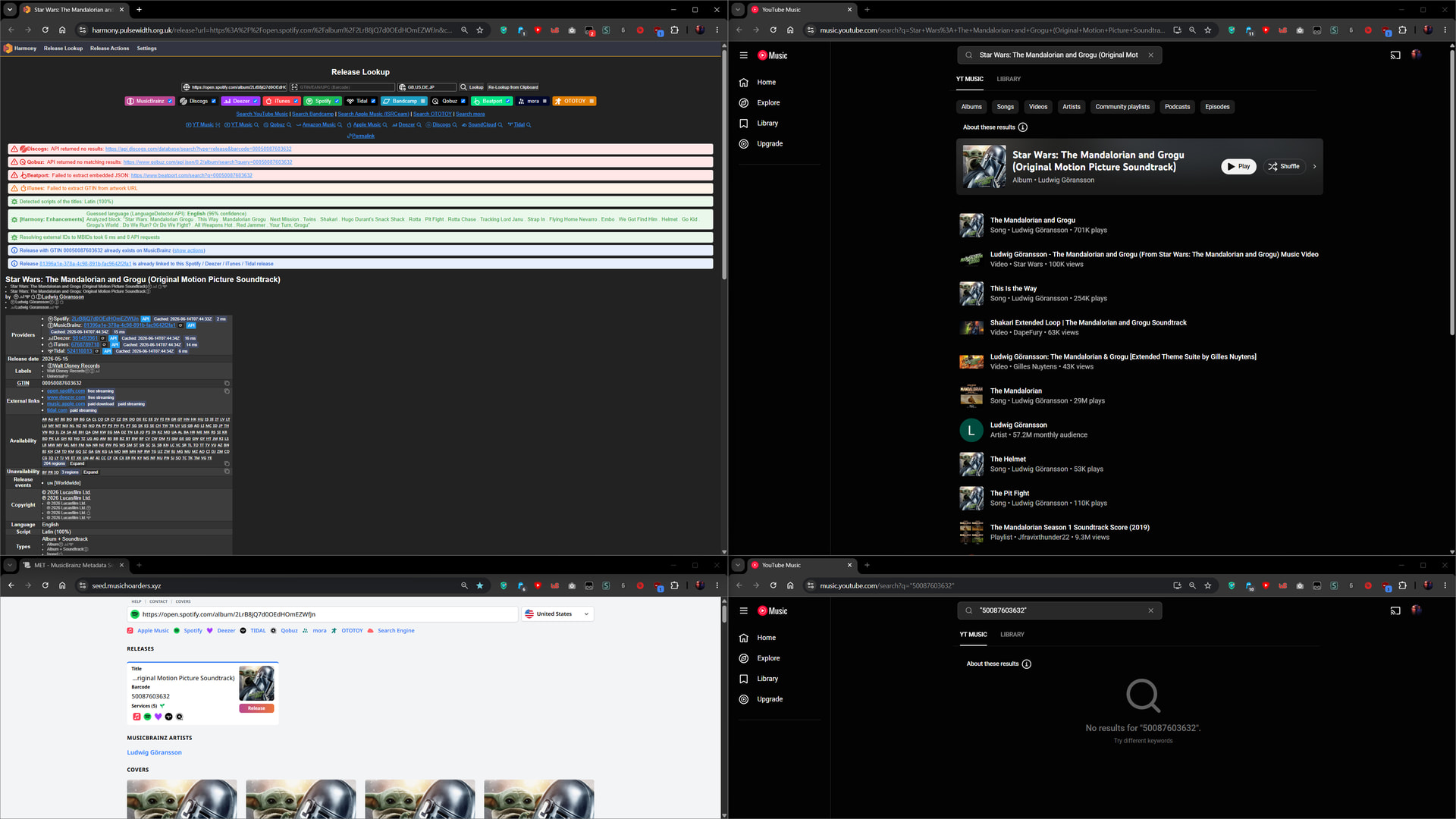
The same thing happens again YT once again can’t find the release by barcode.
Although here we can see that musichoarders retrieved the Qobuz release but harmony didn’t. Which is really weird cause I have personally already added this release to MBDB and added the Qobuz link too but harmony didn’t seem to check the MB release for links? Although it it worth noting that Qobuz has a 16bit 44.1khz release whereas platforms like Tidal has a 16bit 48Khz release for the same album so I don’t know if that has anything to do with it.
I’m still learning about how these things work. Even though I have been contributing to the database since 2024 there are still a lot of things I still don’t know about so be free to correct me if I’m wrong about anything.
Can Harmony recover region-conditional locales for album/track titles?
With Korean releases, DSPs seem to aggressively expose English aliases to users outside Korea. So Harmony often seeds the English/romanized titles, which later requires a manual update back to the original Korean titles to conform with MB’s original-language guideline.
For example:
KR : 파도와 파랑 by 스웨덴세탁소
EN : pado and parang by Sweden Laundry
- Harmony: pado and parang – Harmony
- Apple Music KR: 파도와 파랑 - Single - 스웨덴세탁소의 앨범 - Apple Music
- Apple Music US: pado and parang - Single - Album by Sweden Laundry - Apple Music
- Spotify: Spotify – Web Player
- Spotify KR (same link, but how it’s displayed to a user in Korea):
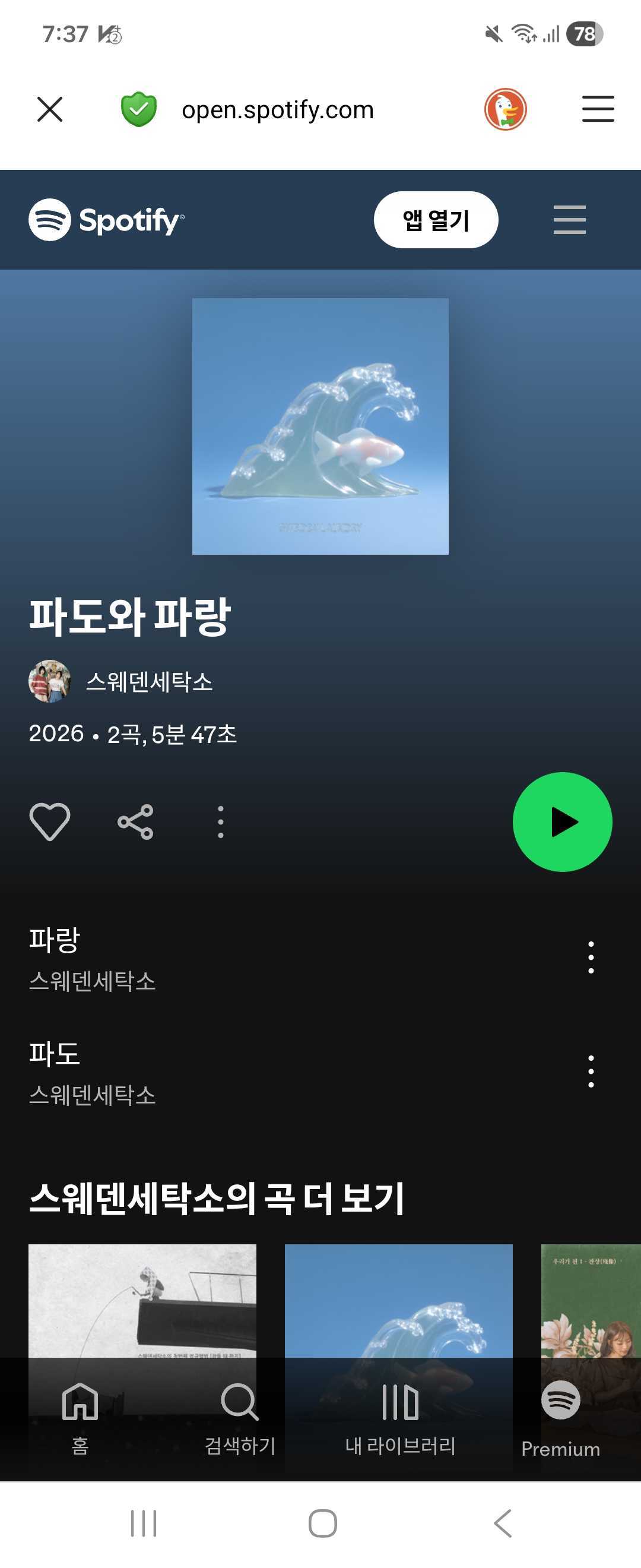
Deezer, Tidal and Qobuz aren’t officially available in Korea yet.
1 Like
PR’s for Bugs and Vibe will eventually add support for them on Harmony. Better to use Korean services for Korean titles as the titles provided on western services for Korean localization often don’t reflect official Korean titles seen on Korean providers or physical media.
oh nice, promising news
I did hear that Naver has been reducing support for the Vibe streaming service and is instead leaning more towards collaborating with Spotify, so who knows how stable it will be long-term. But great to hear anyway.
Apparently, you can no longer find releases by search of UPC on YouTube Music anymore. So, you need to search YouTube Music by the title/artist and match it up the best you can with the other sites release. Typically would always be the same one as Deezer or Spotify.
2 Likes
So I was right all along about YT giving better results with title/artist than a barcode this entire time.
I do not know why, but Harmony is confused by this Discogs release: https://www.discogs.com/release/3612860-Stockhausen-Helikopter-StreichQuartett-Helicopter-String-Quartet. It splits disc 2 into three CDs.
Edit: Actually, looks like bad data in Discogs. Track 2-34 is incorrectly named 3-34.
1 Like
I think someone already mentioned this but is there any way around the Spotify rate limit delay problem? I have been getting everyday around afternoon to noon for me.
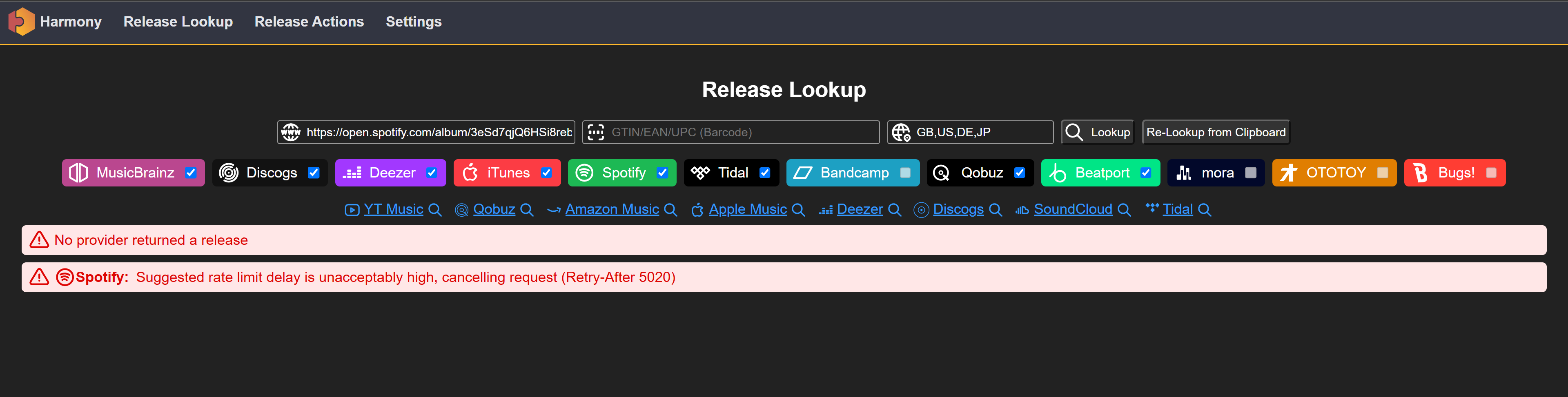
2 Likes
Same here, since the last three days.
2 Likes
You could always try the spotify web API (I think you need a spotify account to access it)
You can enter a release ID (the text after https://open.spotify.com/album/) and get the barcode from there, then look up the barcode with Harmony and hopefully the release will be available in other stores.
It doesn’t help to import spotify-only releases though
5 Likes
There is a better solution to this than using Spotify’s API especially since Spotify limits your API use if you don’t have a premium account which i don’t so it’s pointless for me. I found it easier to just copy the Spotify album link and paste it in https://seed.musichoarders.xyz/.
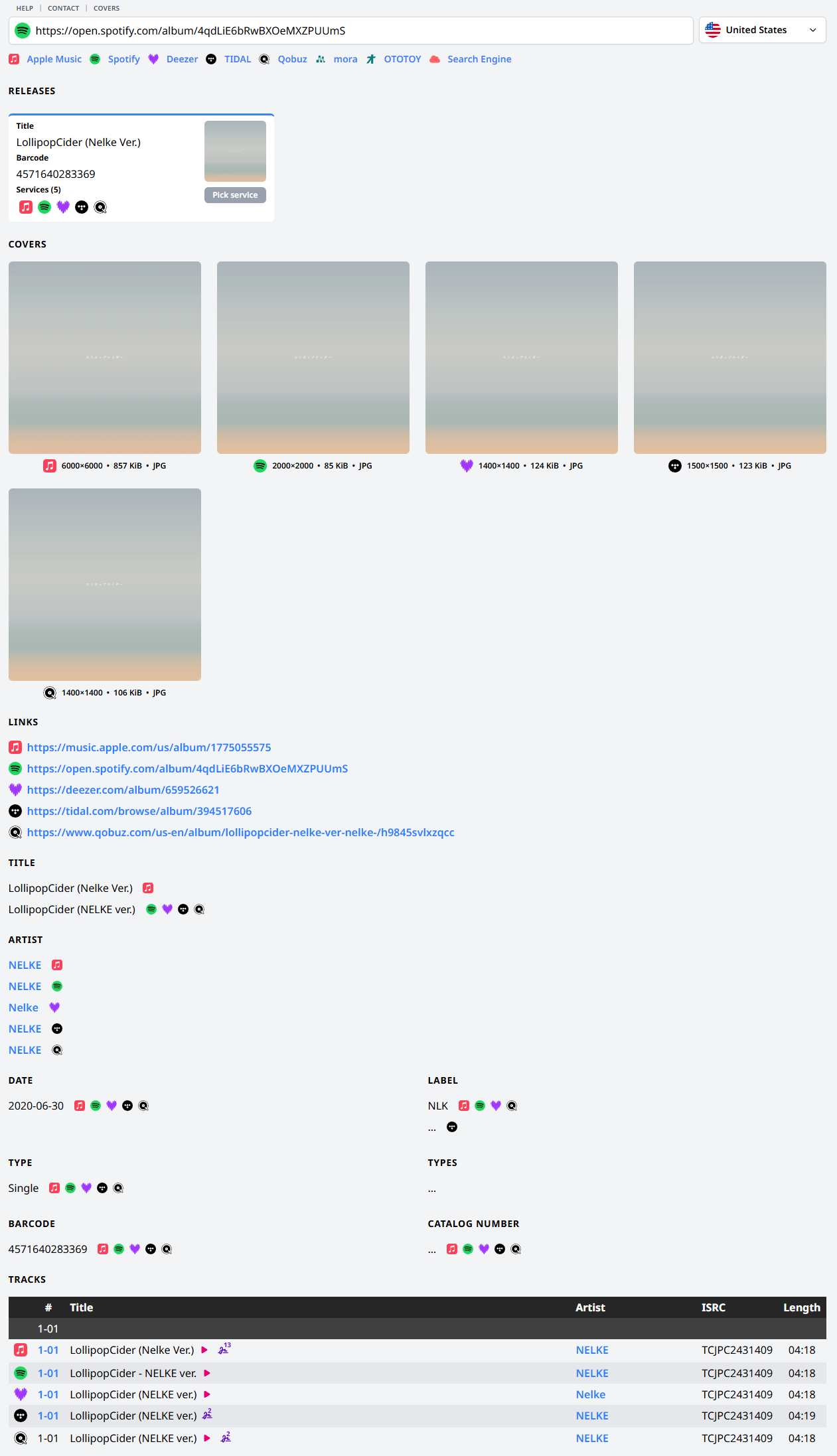
Not only will this give the barcode but it also shows what other streaming services that album is available on. Even sometimes shows releases with different barcodes too. It’s acts similar to harmony but you still need harmony to send the release to MB. I’m not sure if this site also gets effected by Spotify’s rate limit as so far I haven’t ran into that problem.
Doesn’t really fix the main issue though. This isn’t great in the long run as a lot of new releases will end up having their Spotify releases unlinked cause at the time of adding it to MB, the rate limit was in effect.
Obviously the only solution is to wait for Spotify to be back so you can add the release with the other streaming services in one go or add it without Spotify the first time and comeback later and lookup the release and add Spotify into the existing release. This only works if you remember one specific release didn’t have Spotify linked otherwise if your adding a whole discography of releases, then it’s not worth the time and effort to go back just to add Spotify.
4 Likes
I maintain an instance of harmony, can be used if the main instance is down.
14 Likes
Much appreciated but now I need to figure out how to link every one of my user scripts to work with your instance as well
You need to add to those scripts another match line for
// @match https://harmony.mybrainz.dev*
// @match https://harmony.mybrainz.dev*
Like I did on the Harmony Recordings Relationship Seeder that I made.
1 Like
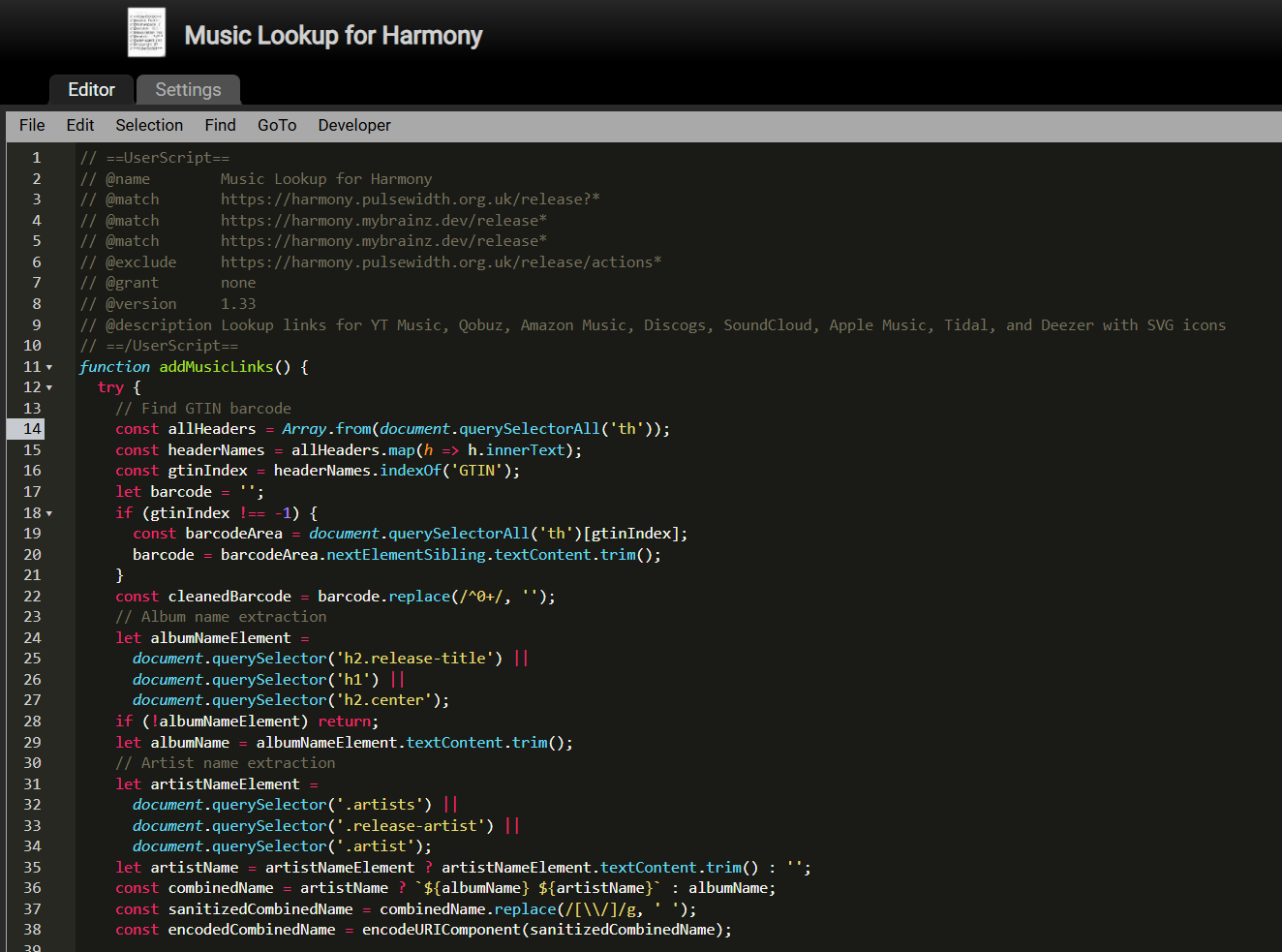
Does this work? Cause pasting it directly might not work for every script cause for this one I had to specify with “/release for it to work properly”
Here is another one but I’m not sure if it’s working or not. (I have way too many user scripts so this might be a bit messy to figure out)
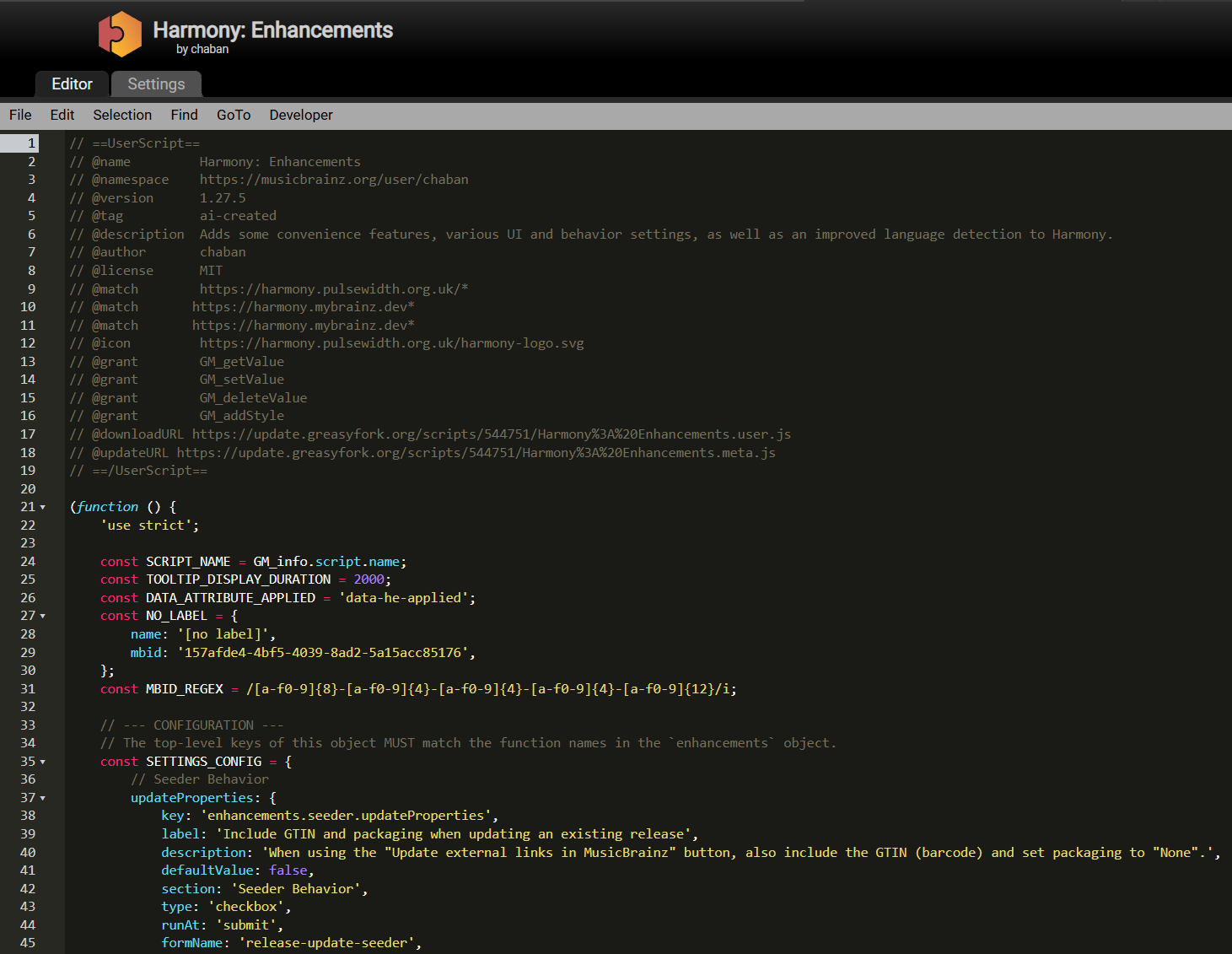
Basically copy paste the exiting line and just change the domain
1 Like
Another useful aspect of @YoGo’s mirror seems that it’s able to catch Deezer links for those USA(+ Canada et al.)-specific releases that the original instance cannot due to Deezer API doing redirects based on location.
5 Likes
Just thought I mention this here for those who might find it useful.
If you been frequently using the alternative instance there is a useful user script by @chaban called Harmony: Domain Redirector
1 Like