What am I missing here?
I’m trying to find all the files with “(1)” and “(2)” etc in the file name.
In the top right, I selected "entire library"
I did an advanced search for Path/Filename contains ‘(1)’
No results.
I must be missing a step somewhere.
In which application are you searching? Picard? File manager? Music Player? What operating system?
Picard can’t search your file system, so I suggest you use a file manager or other application with file searching for this.
2 Likes
Im having an issue with duplicate files showing up in my windows music library also, is there any way to resolve this issue ??
@10CatsProductions
Do these three files have:
- the same length in seconds
- the same size in bytes
- the same location
Do you have some kinda file rename\move script? Just looking at that one screen shot it looks like it has processed the same album three times.
1 Like
@10CatsProductions
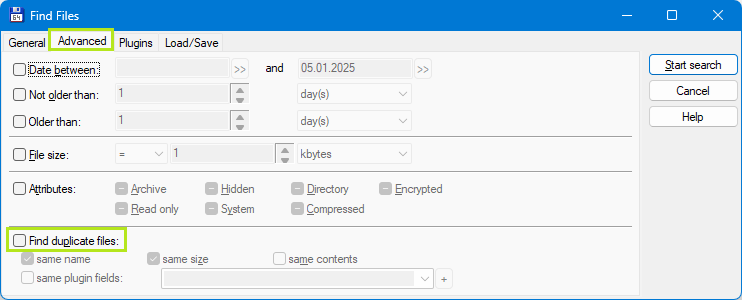
Total Commander computer program
Menu —> Commands —> Search
Advanced tab
1 Like
Useful to know. I’ve used dupeguru for that task before.
1 Like
Thanks for the tools.
I usually use jdupes but I will probably try that dupeGuru, one day.
This is called “freedom”. Anyone can write a program and post it on the Internet. 
Sorry for the delayed response… Seems running file history and windows backup creates multiple copies . I shut off file history, only running windows backup now
If it is picking up multiple copies it sounds like Media Player is looking in too many places. Check where it scans to build the library. Ideally it should just be your original Music folder and not also looking in the File History folders too.