I’d like to add the CD ToCs read by Picard. I created a new release in the same release group and copied over the title and artists using the track parser. Now I can add the ToCs to those easily. The resulting entry now has all of the information I need for my purposes, but I’m missing the recordings and a load of other relations from the Digital Media release. Even the cover art is relevant.
Is there a way to copy this in bulk? I looked around for a Tampermonkey script, but I couldn’t find one.
I am actually wondering whether the “Digital media” aren’t in fact CDs, as the artwork consists of the front and back of the box and even the cardboard envelope containing the individual CDs. I suspect we are in a position to merge these releases, but don’t want to mess up what might be a perfectly valid Digital Media entry. I think there should be a Digital Media release and another CD release which is absolutely identical, but with attached ToCs. Is that right?
So what’s the best way to proceed? Do I have to go through every title and enter the recording relation individually? There are quite a lot (although it’s doable, if that’s what it takes).
I don’t know if there’s a better way of doing this, but what I would personally do is go to the corresponding release group page on musicbrainz (for your example, Release group “The Leipzig Cantatas” by Johann Ludwig Bach; Capella Sollertia, Johanna Soller - MusicBrainz ) and in the right sidebar down in the “Editing” section, there’s a “Add Release” link which will let you make a new release that copies most of the information from an existing release. After creating the new release for the CD, then I’d go back to Picard.
That’s pretty much what I did @avh4, followed by the bulk copy of the track and artist info. It doesn’t copy the recordings though (unless I did it wrong ).
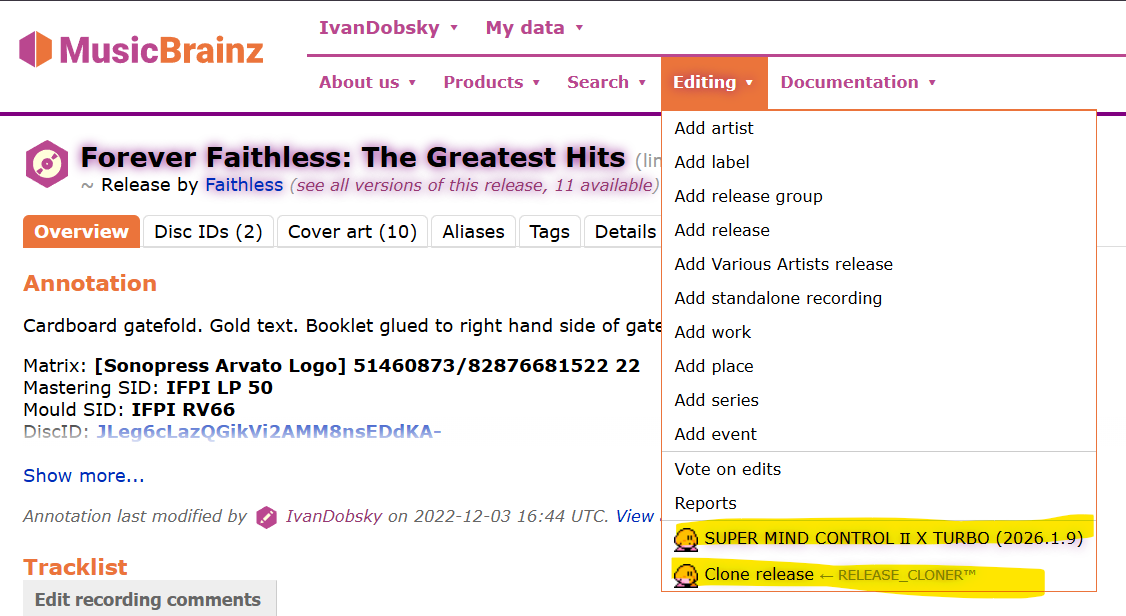
There are scripts that can clone a release and copy the recordings at the same time. Or when adding your release you could have manually selected all the recordings on the recordings page one by one. But often a large release like that is just quicker to do the merge like @jesus2099 has done. (It will merge quick as there will likely be a pile-on of voters due to this thread)
Sometimes adding releases just needs some patience…
I couldn’t find the scripts but I thought there must be some. I’ve a degree of patience but as there’s c. 120 tracks I’d thought I’d ask. Anyway, thanks to @jesus2099 who’s done it already!
That includes the option to clone a release - including all those recording links. As well as many other useful tricks. Once installed, check your editing menu
Ah, after just giving this a try, apparently if you make a new release based on an existing release, it will copy the tracklist (and the recording associations) if the base release has a single medium, but if there are multiple mediums (as in your original example), it doesn’t copy the tracklists!
 ).
).