There’s an issue with https://musicbrainz.org/release/3d09a55d-00cc-4953-8709-e7100c096e1a I would like to fix if possible. The individual track names are rendered inconsistently as “Piano Concerto no.” or “Concerto for piano no.” as identical to the recording names. However this is incorrect as the CD insert leaflet has “Piano Concerto No. 5 in , K”.
As all of these recordings appear on several different releases, as well as many, many other recordings I assume that it would risk messing up other entries if the recording name were changed.
Q.1. Do you agree that in this case it is the track title not the recording title which needs changing?
Q.2. Is there a way of doing this as a bulk edit? I see nothing in the scripts listing to edit track titles.
Q.3. This is a “European” release with all track titles and liner notes in German, then English then French (in that order). Is this something that MB has a mechanism/guideline for coping with?
Probably, yes. The track titles on the medium should match the most detailed track list in the release’s artwork. The recording titles should be the most common title that’s used on the many releases. I wouldn’t touch them without doing some research, unless they are obviously wrong.
I’m not aware of any, but I don’t work with scripting. Others may know better.
“When a release has titles in several languages (for example, English / German / French), enter the tracklist in the main language of the release. If all languages are given equal weight, just pick one. The others can be entered as pseudo-releases and linked to the release marked as official with the appropriate relationship.”
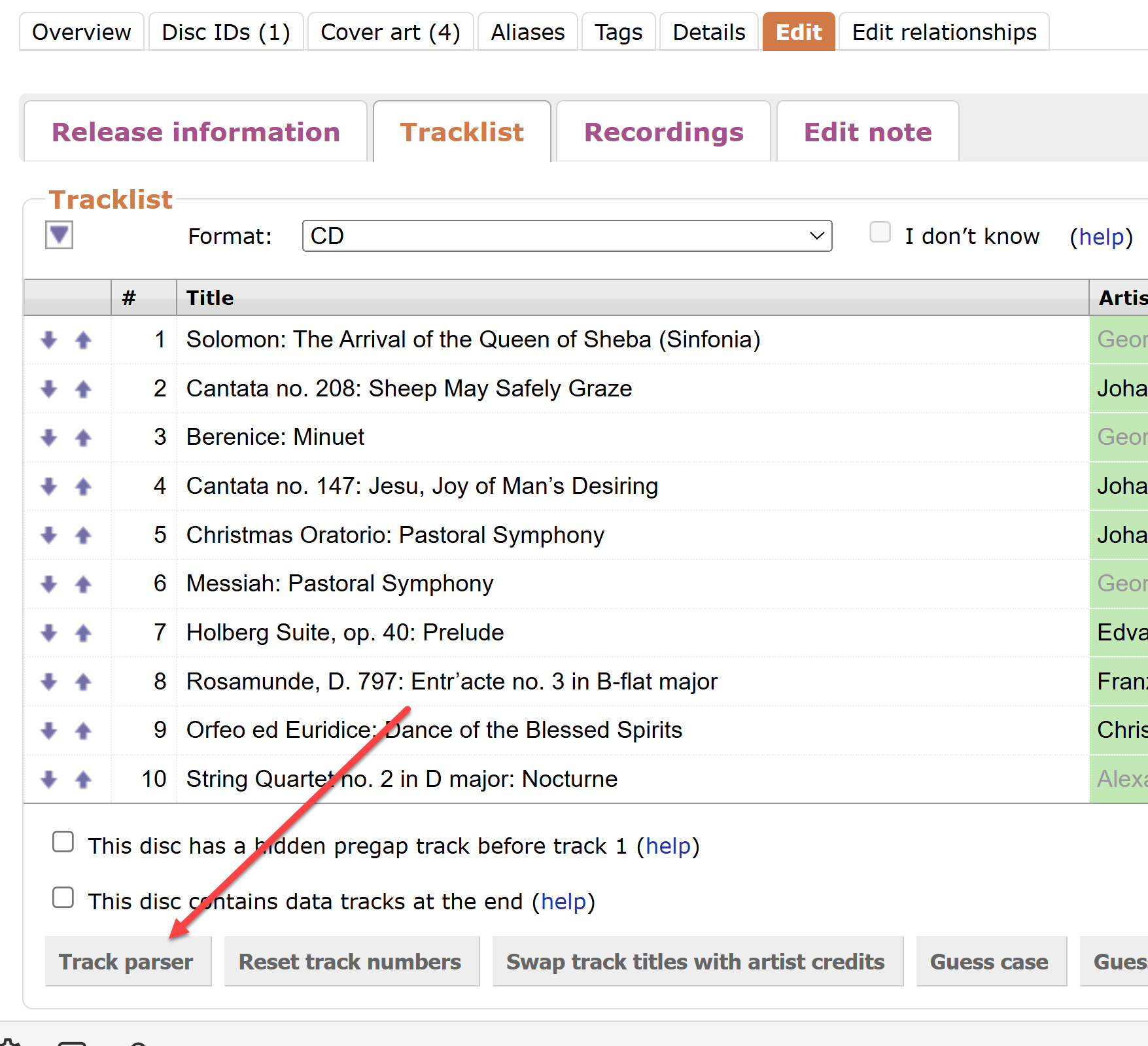
There is a Track Parser button in the Edit Release function on the MusicBrainz.org website. Press that button, and a dialogue box appeared with a text box containing the tracks as several lines of text. You can then paste work names into the track titles pretty easily. You can also copy the lines of text, paste into a fully-featured text editor, use the snazzy text editor features to correct the track listing, then paste back into the Track Parser.
That is how I solve the problem of editing the list of tracks on one Medium flexibly.
Check out the “Options” checkboxes below the text area of the Track Parser. One option is “Use track lengths”. Do you have that box checked? If so, are you preserving the track length numbers at the end of each line, which the Track Parser provides you?
Be aware also to not use en dash ‘–’ in the parser. The character is C/SG for titles like “Adagio – Allegro – Presto”, but at the same time also a default divisor for that field, shoving the stuff to the right of it into next field; and as neither ‘Presto’ nor ‘Haydn’ would qualify as track durations, that may be how those drop out. To have the full data CSG:d, you have to manually correct or add after parsing. I usually parse with a visually different character, change it manually, then go on to save.