I just want to add that I have a simple plugin I created that I depend on and this requirement to mess with some git thing I’ve never heard of to port it to Picard 3.0 is really upsetting. There has to be a better way.
1 Like
Have you had a look at the documentation regarding Plugin Migration Guide: v2 to v3? This provides a simple step-by-step process, including instructions on creating the local git repository. Once this is done, installation is handled the same as any other plugin, except that you select your local files rather than a remote repository.
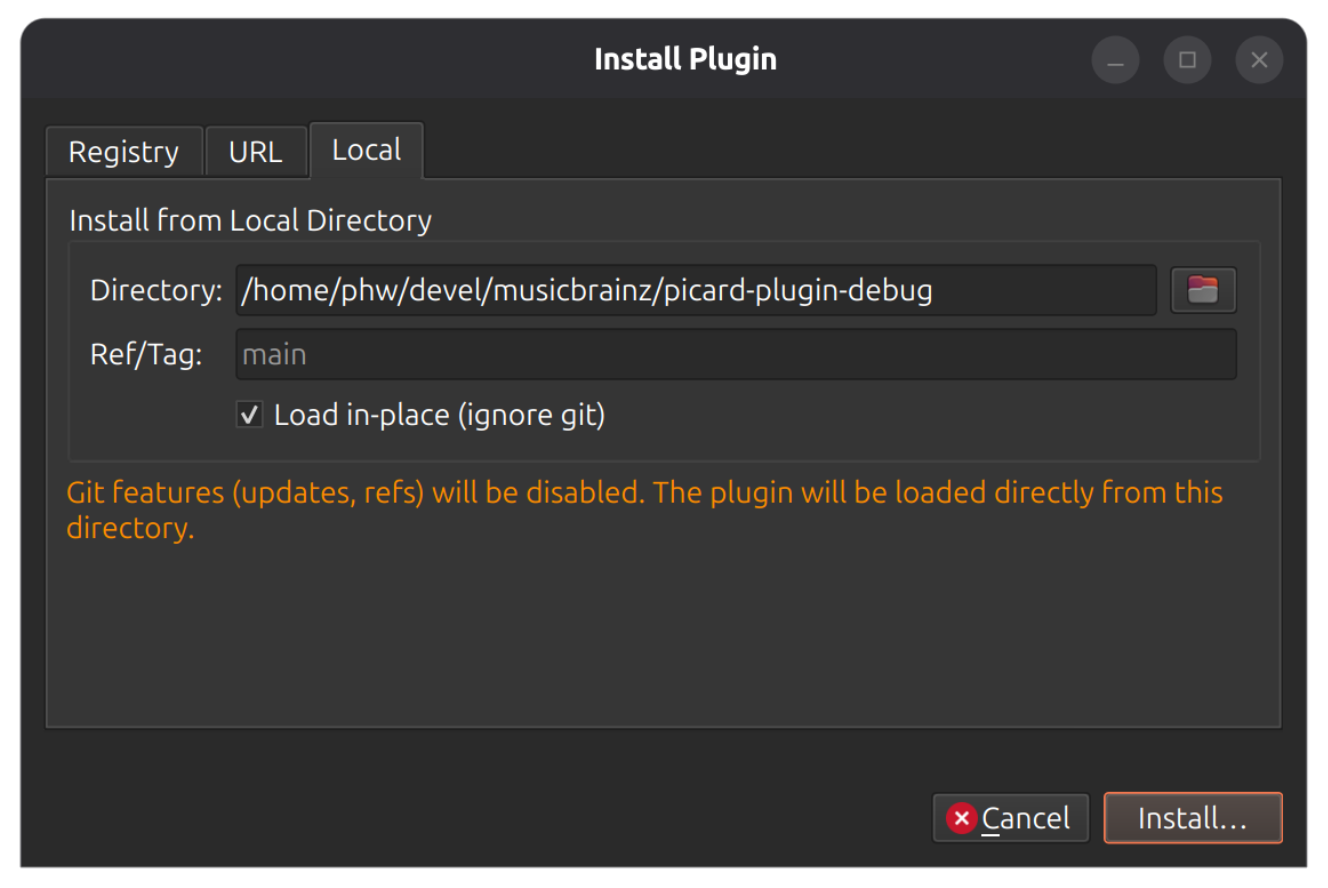
With beta 5 it is now possible to install a plugin locally without using git. Such a local plugin will run directly from the specified directory, so you can just do changes there and restart Picard.
For installing a local plugin just select the local folder in the plugin install dialog. If the plugin folder is not git-managed, the plugin will be loaded directly from that folder. If the plugin folder is plugin-managed, you can select “Load in-place (ignore git)” to load the plugin as a local plugin anyway.
When installing plugins via the picard-plugins CLI you can use the --no-git parameter to install as a local plugin:
$ picard-plugins --no-git --install ./my-plugin-folder
For beta 5 in general see also Picard 3 beta 5 .
4 Likes