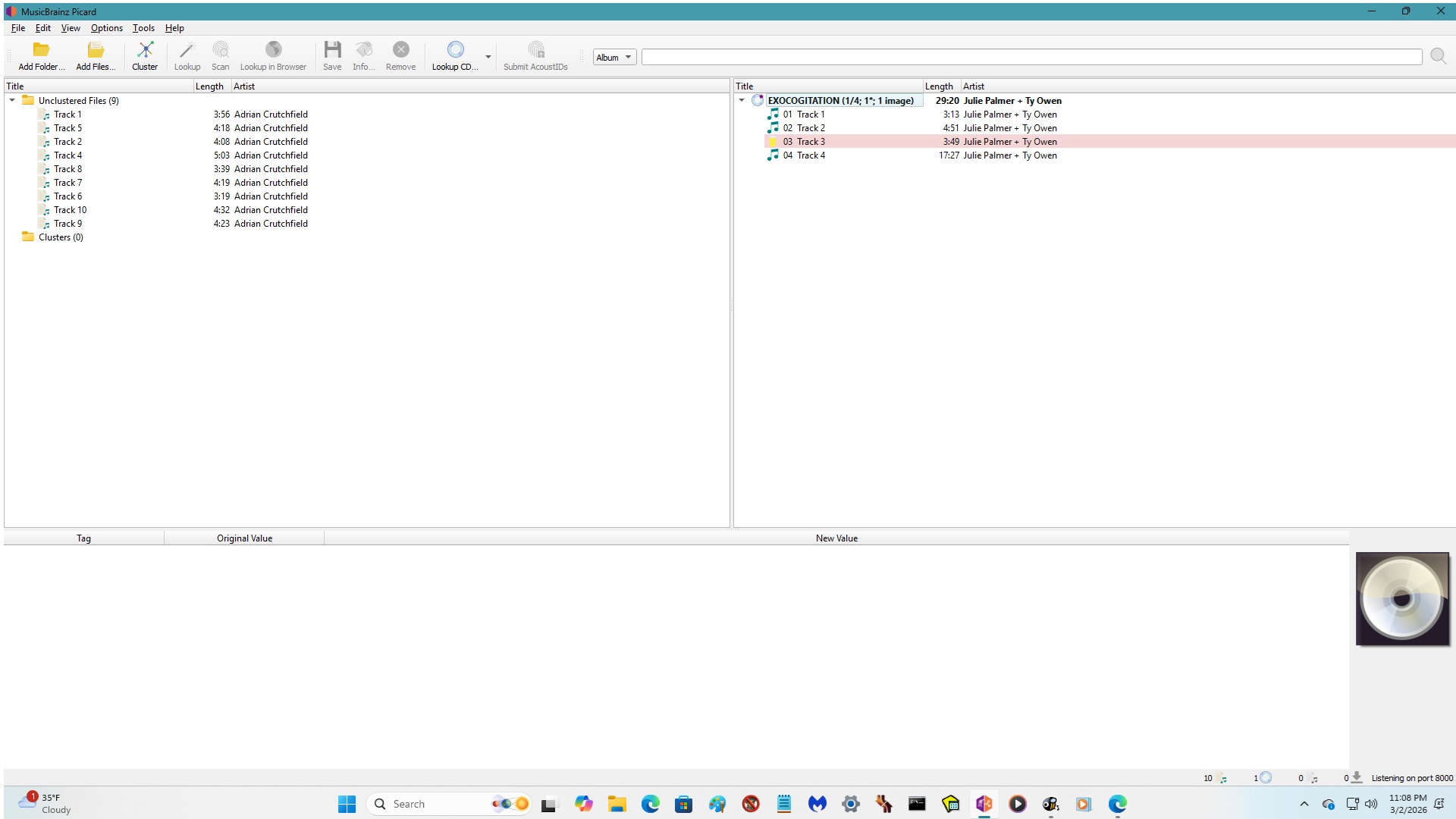
Hi, I’m new to the forum. I’m trying to use Musicbrainz Picard since Window Media Player has discontinued providing metadata. I’ve tried reading the instructions from the MP website and have watch numerous YouTube videos, but sometimes it works and sometimes it doesn’t. Plus, the various instruction sources seem to give contradicting information.
Additionally, I’ve started out using MP with already ripped CDs, which I’m then trying to add the metadata.
Therefore, can someone assist me in how to use this software correctly?
Thanks, rhetticent. What I usually do is click on Unclustered Files and then I click on Add folder and then click on my Music folder, and from there in this case, I clicked on the artist’s name Adrian Crutchfield and then clicked on Unclustered Files again and then clicked on Lookup. Sometimes it generates information in the right column and in this case, it only generated 4 out of 10 tracks and track number 3 is missing in the left column. Here is an image:
Also, I tried Lookup for other ripped CDs and sometimes it works beautifully. but other times if a song is missing or if it doesn’t have a music symbol next to it, MBP will add the metadata minus the song that didn’t have the music symbol next to it and I will have to Rip that missing song back onto my computer and just write it in manually.
When you are working with lesser known artists then their data just is not in the database. Go to the Adrian Crutchfield page and you’ll find no mention of the album. This is why the match failed.
The database relies on people like us who like obscure data to add it. This is one you’ll just need to tag yourself.
If you still have the CD, then you can add the Release to the database using the CD as reference.
In your example, if all your tracks are called track1, track2, etc in the meta data then that will just match something else with that same track1, track2 name.