Hi all,
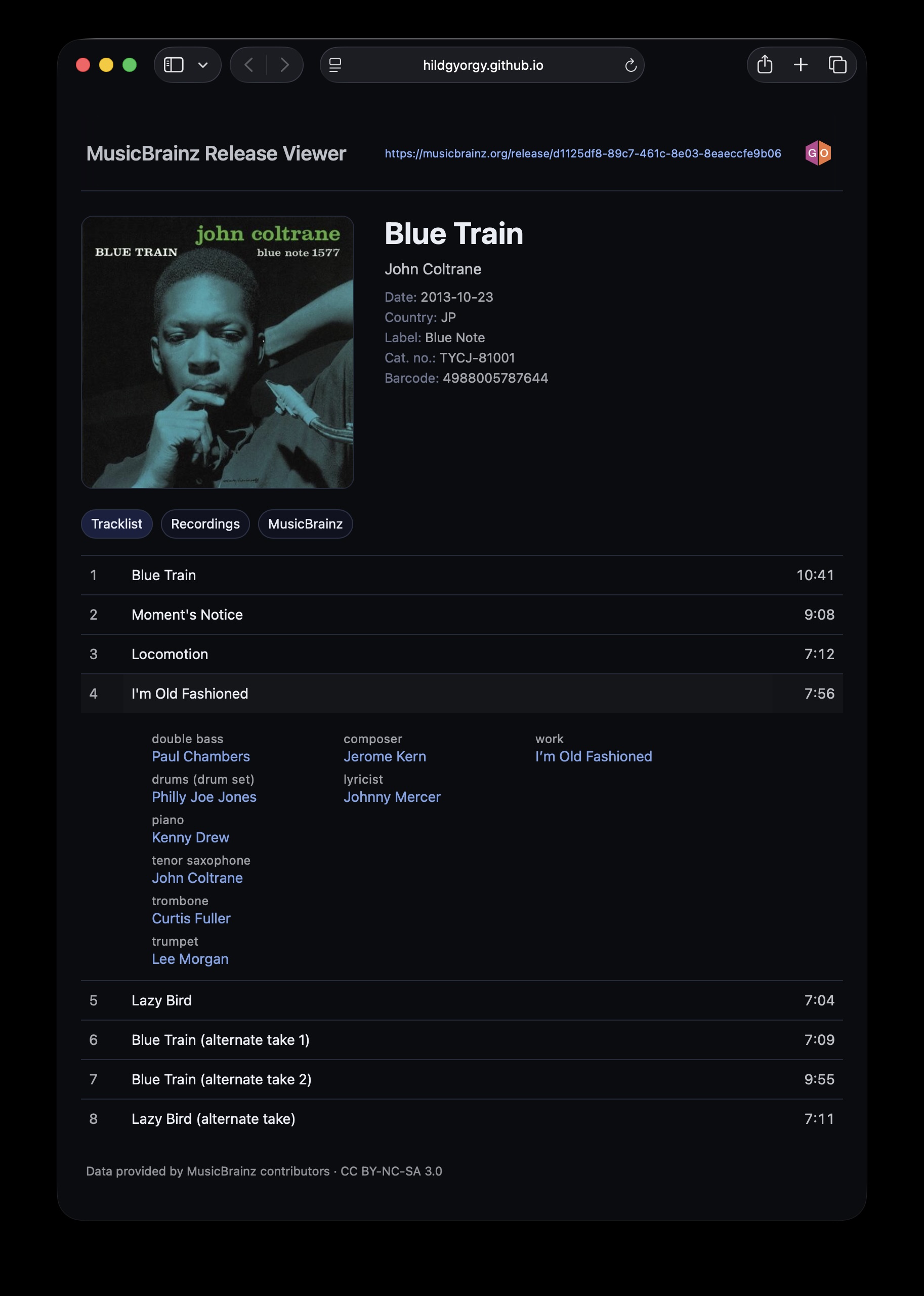
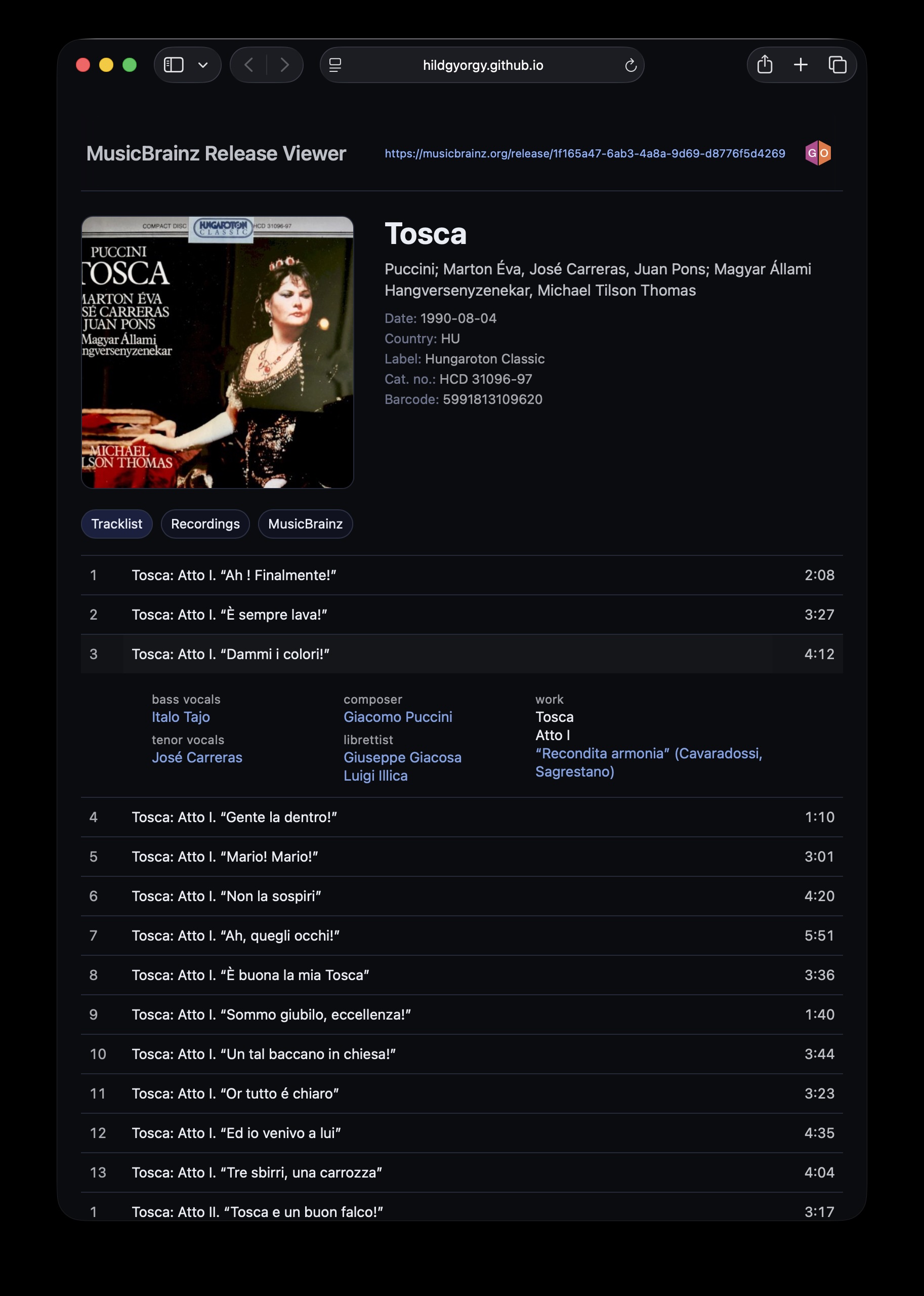
I’d like to share a very small, experimental side project and ask for some feedback from people who know MusicBrainz much better than I do 
Demo:
 MusicBrainz Release Viewer
It’s a read-only web viewer that tries to present a release in a slightly different way, mainly for personal exploration and learning purposes. Nothing is written back to MusicBrainz, and it’s definitely not meant as a replacement for the website.
The focus is mostly on:
-
Track-centric browsing
-
Separating performers, creators (works), and work hierarchy
-
Showing recording-level technical credits in one place
This is my first deeper experiment with the MusicBrainz API, so I’m sure I misunderstood or oversimplified things in places. Any comments, corrections, or “this is not how MB thinks about this” notes are very welcome.
Data attribution: “Data provided by MusicBrainz contributors · CC BY-NC-SA 3.0”
Thanks for taking a look!
György
10 Likes
Hi György, that’s great stuff. It’s always great to see MusicBrainz content in a modern design. Best, Denton
2 Likes
Now that does look nice. Especially those dark colours.
I like that tight neat balance of the artwork and details at the top too.
Simple, clean and uncluttered.
Sets a bookmark to look at more…
2 Likes
Thanks for the positive comments.
How to use:
- Paste a Musicbrainz URL to the search bar
- click to the “GO” MB button
- You got the nice release page
You can click to the track to reveal the performers, writers and the Work if any of them are present in MB’s database.
Under the cover art you can change the Tracklist-view and the recordings’ view.
The Recording-view lists the recordings with all the relationships like “recorded at”, “mixed at” and all the persons like producers, mastering engineers etc. If the data is present in MB.
Try it with a couple of well-tagged releases…
Best, György
1 Like
I’m used to see recording comments in MB release pages (with INLINE STUFF userscript) so, when I’m visiting your website, it kind of looks like it’s missing important stuff to me. 
Ah, thanks for drawing my attention to this, I wasn’t aware of this kind of important info. May I ask you to send me a link to a recording that has this kind of “recording comments”? Is it typically things like “alternate take”, “demo”, “mono/stereo”, etc., or something more detailed?
My main goal with this viewer is to keep the release / tracklist view intentionally clean and readable, without overloading it with metadata. That’s actually the reason why I started this project in the first place
That said, I’m very open to including recording comments in a meaningful way — I think the Recordings tab is exactly the right place for this kind of information, where users are already in a more “deep-dive” mindset.
Thanks again for the feedback — it’s really helpful!
1 Like
Sometimes the Recording Disambiguation show gig details: Release “Brighton Rock” by Levellers - MusicBrainz
Sometimes they show 12" version, remix, and other things that make that recording different to normal: Release “Anarchy in the U.K.” by Sex Pistols - MusicBrainz (track 1), Release “William, It Was Really Nothing” by The Smiths - MusicBrainz (track 2)
Sometimes the Release needs it. This example album appears in many variations: https://musicbrainz.org/release/b511a718-01bf-451f-82c8-9e0502ced03e (CD1 3&19)
This info is pretty useful when flicking through a collection and you are curious as to which version of a recording is included on that release. I don’t believe it adds too much clutter, but can be really useful when you have more than one version of something in your collection.
Small bug spotted. Use the Brighton Rock link above and look any of the tracks. “Writer” shows as N/A when this info is available on the work.
2 Likes
Thank, I’ll check them soon!
And, I am just adding the “writer” role to the code! :)))
…
It’s done, writer role working! Thanks again!
1 Like
Thank you very much @jesus2099 for pointing out this important information, and @IvanDobsky for providing relevant examples and spotting a bug!
The bug is now fixed, and you can see the release disambiguation (if present) as “Notes” right under the metadata, as well as the recording disambiguation on the Recordings tab, attached to the corresponding recording.
You were absolutely right — this information really deserves to be there.
Best,
Gy
2 Likes