Saving metadata after "Lookup in browser"

I’ve never tried the “Lookup in browser” function in Picard, so I thought I’d give it a go today.

I made a copy of a classical release I have (flac files), and cleared out all the metadata that was in it. I used a linux tool called “metaflac” to do this, and I confirmed that the tags were completely gone by opening some of the files in a hex editor.

In Picard, I dragged the folder with these blanked files to the Unclustered Files list, clustered them, then clicked on “Lookup in browser.” I found the appropriate release and clicked the “Tagger” button. This populated Picard with all the metadata from the release, and it looks like this:
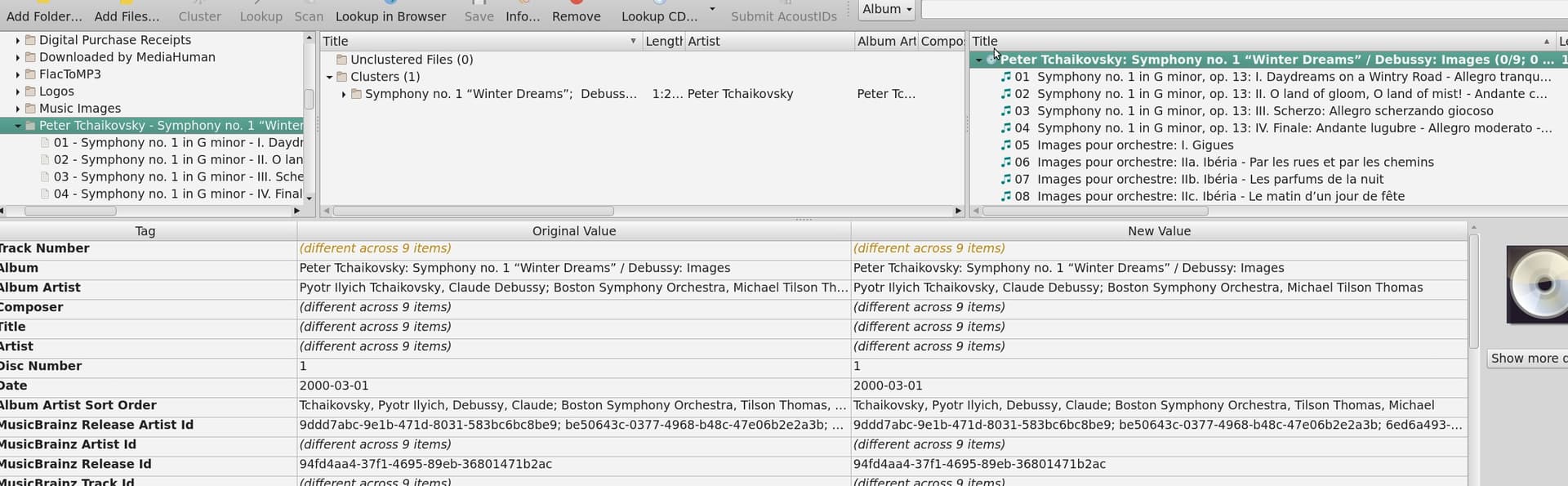
As you can see, both the “Original Value” and “New Value” sections were populated with the data. Based on that, plus the fact that the “Save” button is disabled, I presumed that this meant that Picard automatically wrote the tags to the files (not what I expected, but ok).

However, viewing the files, first in Puddletag, then in the Hex editor, I see that no tags have been written to the flac files. So back to Picard, and now I’m wondering how to make Picard write the tags to the files. As mentioned, the “Save” button is disabled, and I can find no other way to make it write the tags.

I don’t think it’s a permissions issue. I checked the permissions, and, anyway, metaflac would have failed clearing the tags if permissions didn’t allow it.

Am I missing a step, or is there a problem?
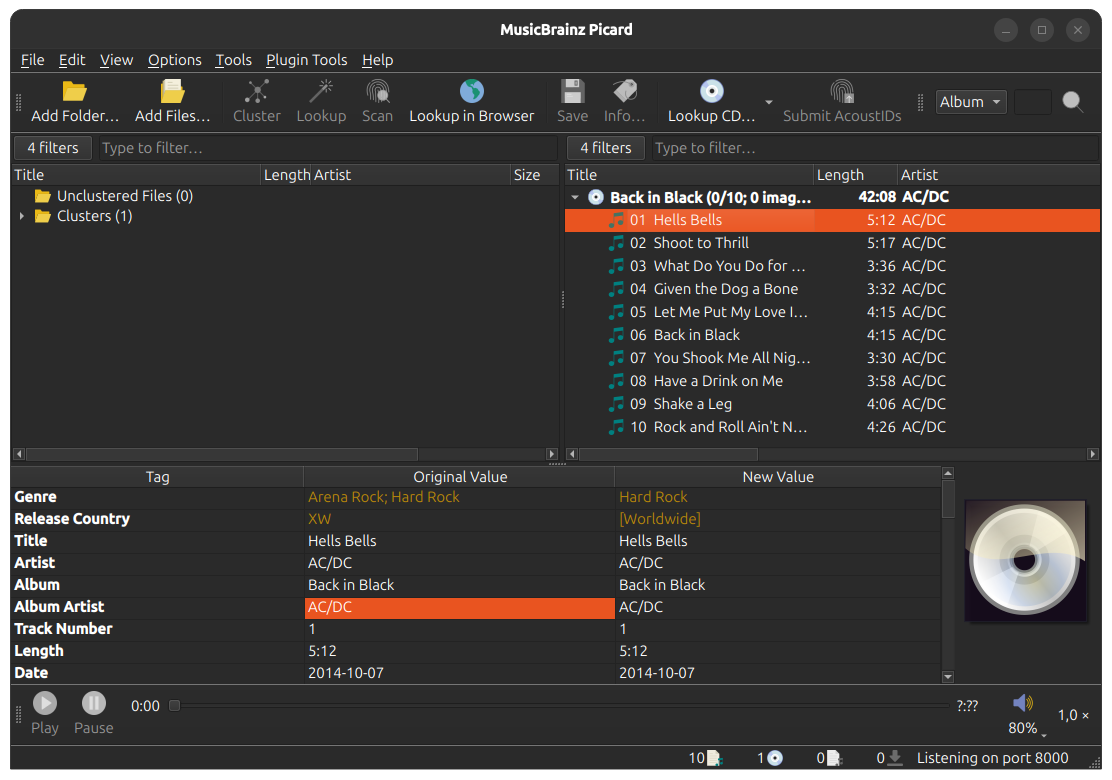
Unlike ‘scan’ and ‘lookup’, ‘lookup in browser’ does not match any of your files to a result. It simply populates Picard with the MB entity/information that you have selected, placing them in the right-hand pane. At this stage there is no connection between your files (left) and the MB entity/s (right).

To then match your files, drag your album files/folder from the left onto the album MB entity on the right.

You will now be able to see the correct before + after tags, and clicking ‘save’ will permanently write those changes.

Ah, ok. It’s very deceptive. After hitting the “Tagger” button, Picard shows identical values in both the “Original Value” and “New Value” windows, which isn’t actually true. If the “Original Value” window normally shows the tags in the local files, it shouldn’t be showing anything at all at this stage.

I did as you said, dragging the folder from the Clusters and dropping it on top of the already-present files in the right-hand pane. Now the “Original Value” window shows no tags at all, which is correct, and the “New Value” window shows the tags pulled from MB.

Can you see how this is very non-intuitive? Might be a subject for discussion in UX meetings.

If you see only the note icon in front of a track that means there is no file (or in some cases there is more than one file, but then the files are listed separately below the track). In that case it shows the loaded track metadata, not the files.

There still can be original and new values, though, since tags can be changed by scripts and manually:

You can change metadata there or switch back to the loaded default before matching a file.

Picard always shows the metadata of the selected objects. The “tracks” are a bit special, as they essentially switch to showing the file data once a file is attached to them.

1 Like

It does make sense to me that in this case (where an unmatched MB item is selected and the two panes are guaranteed to be the same?) it would be helpful to grey out the left side and have a tooltip or something that mentions the need to add local files + drag and drop to match.

Or am I missing something @outsidecontext?

I’m not part of any UX meetings… if you have suggestions this is the place to discuss them, and then you can make a ticket on the ticket tracker. MusicBrainz Picard is mainly (afaik) developed by amazing volunteers like outsidecontext.

I’m not sure really a gray background helps. The issue seems to be that people don’t realize that there is no file. We indicate this with the icons in the list view. But this does not seem to be clear. So improving this somehow seems sensible.

But I don’t think having the metadata change background is helping much. Having this with a different background does not indicate to me that no file is selected.

If you instead mean with graying out to actually disable that part of the UI I don’t think that’s a good idea either. That’s a functional part of the UI, and you can select and copy values from it.

1 Like

In addition to what @outsidecontext says, it’s also explained in the Status Icons section of the documentation. Step 4 of the suggested workflow also describes the process, explaining that you need to drag the files to the tracks in the album pane.

Don’t get me wrong, because I’m not saying that the UI couldn’t be improved to make the process easier to follow. I’m just not sure the best way to do this. Personally, I find it to already be intuitive, but that could simply be as a result of my having used it for a few years and I’m used to it.

EDIT: This is also explained in detail in the Matching Files to Tracks section of General Usage.

1 Like

For the record: A huge amount of users find the Picard UI extremely confusing (based off feedback and commentary here and across our socials). I am happy to brainstorm and provide mockups but only if a developer is interested in implementing UX improvements, which has not been the case previously (no judgement from me, volunteers should only work on what they want!)

But perhaps @Beckfield would like to take @outsidecontext’s notes into consideration and workshop their suggestion further.