Hi
When I run ReplayGain on an album, will it consider the whole album as such and thus not make some low volume (e.g. intro) tracks very loud? Am I right understanding that it’ll apply LUFS considering the album as a whole?
Hi
When I run ReplayGain on an album, will it consider the whole album as such and thus not make some low volume (e.g. intro) tracks very loud? Am I right understanding that it’ll apply LUFS considering the album as a whole?
There are two separate values, track gain and album gain. Track gain calculated the loudness correction for each track individually, while album gain considers all tracks on the album (and thus retain the loudness differences inside the album).
Which value is used during playback depends on your player. Some players let you configure which to use. Some can decide automatically and use the album gain when you playback the album as a whole, but use the track gain when playing individual tracks as part of a larger playlist.
Thanks for the explanation. I’m using Navidrome as librarian and Symfonium as player… I’ll look into the latter.
I use Symfonium as well, but do be honest I’m also a bit confused on how exactly it works.
It’s a bit hidden, but you can configure the mode in the playback settings under “Equalizer - DSP”.
The default is to not apply ReplayGain. You can set it to automatic, or to use either the track or album value.
Because this needs Symfonium to be in control of the playback this only works if you play the audio on your audio device, not when using Symfonium to stream to another playback device.
But in the decoding and transcoding settings there is an experimental setting to enable ReplayGain also for streaming (which uses more battery and storage).
Indeed I found this:
I’ve now enabled it as “automatic”, so it does consider album gain when playing an album and track gain if playing only tracks (e.g. random tracks).
What I do not understand is the second option: first you enable/disable ReplayGain - but the second option “ReplayGain normalization” is by default disabled. Shouldn’t it be enough to enable “ReplayGain” as such, so that it reads the ReplayGain tags? What’s the second option for actually?
I have the same question  When I wrote my answer above I checked my Symfonium settings, and that setting confused me also.
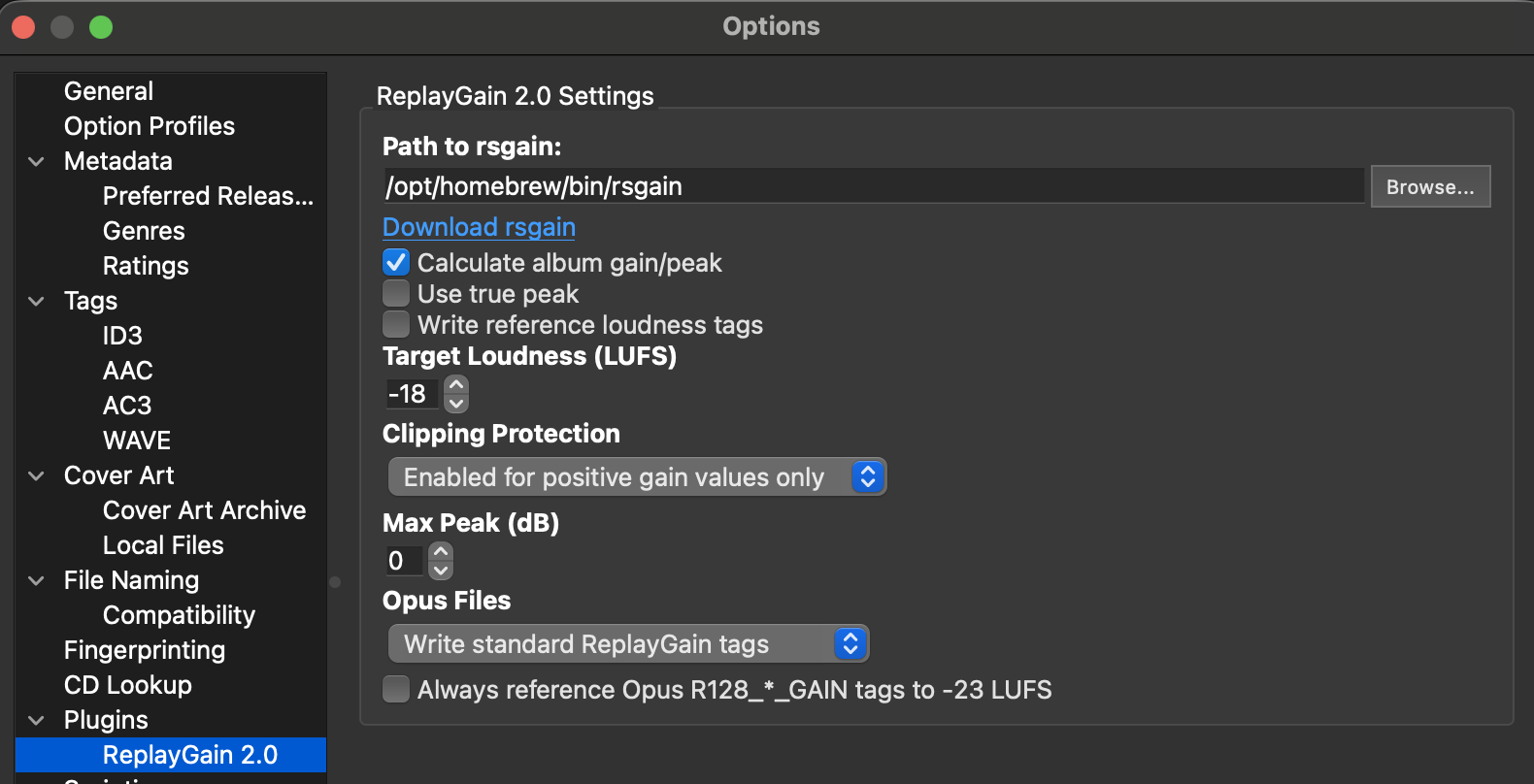
But after reading the documentation you linked I think this setting also normalizes for different loudness levels being used. By default the ReplayGain 2.0 standard uses -18 LUFS, while Opus has its own definition and uses -23 LUFS. So if you have a mixed collection of different formats you could still end up with different loudness. That setting would adjust all to the same level.
By default rsgain and Picard follow that definition. But you can also configure Picard to write the ReplayGain 2.0 tags also to Opus.
Ah, so basically I could leave the second setting “off” if I have no OPUS files (and after having applied ReplyGain tags to all my library). As of now, Picard is set like this:
This looks fine. Especially in combination with Navidrome, which does not support the special R128 Opus tags. With your settings even Opus files would be tagged with ReplayGain 2.0 tags, and Navidrome should pass on the proper values to Symfonium.
Now I only got to go through all my albums and have ReplayGain calculated and tags written.
I tried with rsgain running on a Docker container but somehow either it would not find anything to calculate on, or it would skip many albums. I abandoned this route and now I’m questioning: would MusicBrainz Picard be able to crunch 500GB of music library residing on my NAS? Of course I’d connect my laptop running Picard with cable to get 1 Gbps speed - nevertheless, I’m unsure if Picard would work well. My library is structured as follows:
/mnt/nas/music/
├── _CD
├── _digital-only
├── _unreleased
└── _vinyl
Each of the above folders contains the artist folder, under which the album folders are. What should I feed Picard with to be sure that it calculates ReplayGain on a “per album” basis?
The above configuration you showed appears to work great. I just finished using picard to add ReplayGain to 100,000+ recordings (490GB)’ I did this across two days. My system is a 8cpu i7 with 32GB memory, all cpu’s were at 100% when doing the calculation. The local disk was max’d while doing the mp3 reads, and while writing the tags. I suspect the limiting factor will be the 1Gbps to the NAS. Afterwards I copied all over to my NAS.
I dumped the metadata from the MP3’s using ffmpeg, here is a sample from one of the files.
REPLAYGAIN_TRACK_GAIN=0.96 dB
REPLAYGAIN_ALBUM_GAIN=-1.57 dB
REPLAYGAIN_ALBUM_PEAK=0.975006
REPLAYGAIN_TRACK_PEAK=0.739716