Replacing Certain Special Characters

Hi all, i’m going to be honest that i’m a little daunted asking here since i’m nowhere near as good at scripting as everyone here. My issue is probably a simple one but for two days now I cannot work it out.

Background, newly on Win11, Plexamp is my audio player and i’m sure plenty of you know there’s a number of limitations to the tags that Plexamp reads.

I had a pattern of running my files through Picard followed by MP3Tag to get everything right. I’d match and rename files in Picard and then use Tag to rename a few things. When I moved to Win11, my configurations didn’t load as planned, so i’m trying to setup Picard to do everything.

I’m using ID3 2.4 UTF-16 for my tags because that seems to work in setting dates as a full YMD instead of just the year (Plexamp does a good job of sorting multiple releases in the same year by month and day, so I prefer it to just a year tag).

The headache comes in with multi-artist releases vs other tags.

I’m going to use Jimmy Page & The Black Crowes’ “Live at the Greek” for my example.

In artists my tagging lists them as “Jimmy Page & The Black Crowes”, using the following script, the tags for Album Artist and Album Artist Sort Order list them as “Jimmy Page; The Black Crowes”

$setmulti(albumartist,%_albumartists%)

$setmulti(artistssort,%_artists_sort%)

$setmulti(albumartistsort,%_albumartists_sort%)

Now, this inserts a semicolon between the artists, which Plexamp doesn’t separate. If I can change that to “\\”, Plexamp will read the artist as the first artist listed here and not give me a broken listing for a multiple artist that doesn’t scrape in the software.

I’m sure there’s a way to change all semicolons into forward slashes, but I don’t want to, because in my genre tags, forward slashes make all the genres become one large tag, but semicolons work there. This creates many eyeroll moments. Everything else I have tagged right now seems correct except i’d hope i don’t need to manually change these characters each time.

Again, this could very well be a simple thing, any help would be greatly appreciated. I can give more information if needed, as I do have a handful of plugins running and such. Thanks everyone
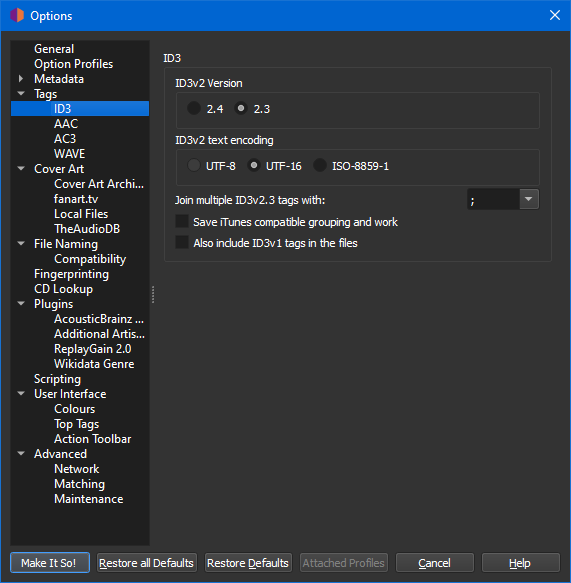
If you store your tags in ID3 v2.3 (as opposed to ID3 v2.4) then multi-value tags are separated by default with a “;”.

This can be changed in Options/Options/Metadata/ID3:

1 Like

Oh I know, i’ve gone back and forth with the tags. I was just trying to change the highlighted tags to forward slashes because it’s more plexamp friendly and didn’t know if i could script it (in mp3tag, i set a manual replace text option for it

Are you really sure about that \\? The double backslash is a delimiter used by MP3Tag to separate multiple tag values in the UI. MP3Tag does not really store this in the file. But it is common that users see this in MP3Tag and ask, how to do this double backslash in Picard.

The answer to this is actually to make sure Picard stores the values as separate entries. For MP3 this would involve two things:

  • Configure Picard to use ID3 2.4
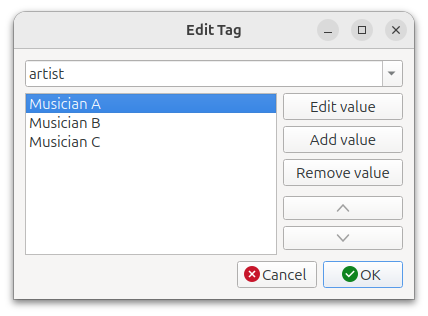
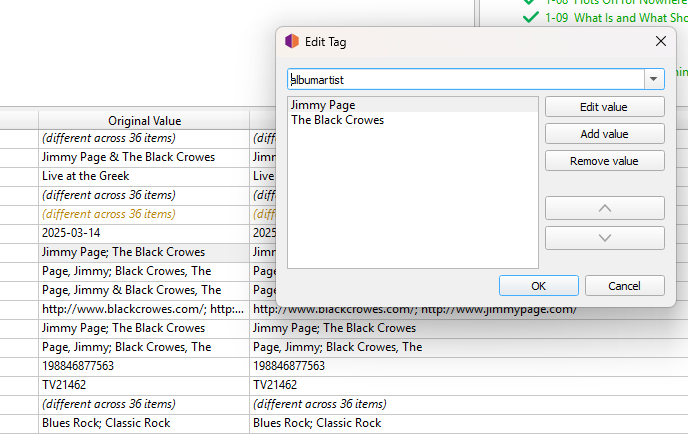
  • Make sure the tags are actually multiple values. Picard will always display multiple values separated by ; when displaying it in the metadata table. If you right click on the tag values and select “edit…” then it should display each value separately, if it is proper multiple values.

Loading such a file into MP3Tag will have MP3Tag show the values with the double slash.

I don’t know about Plex. Maybe it really has a double backslash as delimiter logic. But multiple values should also work.

If you really want to store the values separated by a double backslash, then you have two options:

  1. In Options > Tags > ID3 use ID3 v2.3 and enter the double backslash as delimiter in “Join multiple ID3v2.3 tags with”
  2. Use a script such as
    $set(albumartist,$replace(%_albumartists%,; ,\\\\))
    

I just don’t really think that solves you problem.

Actually no, it doesn’t. $set(albumartist,%_albumartists%) would insert a semicolon. $setmulti(albumartist,%_albumartists%) explicitly doesn’t, but keeps the multiple values separate as described above.

1 Like

I wrote a reply based on how KODI works, and then was surprised to find Plex didn’t do this…

So I try again. Yep, Plexamp is a bit backwards at handling multi-artist tags.

Try this:

That solution is very Plex specific and uses the albumartist field to set just a single artist to keep plex happy.

1 Like

Going to a single artist would definitely work, i think i’m in some dream state that makes me believe that multi artist support will one day appear so i’m trying to leave it prepped for that day. Thanks for the link.

As a KODI user the lack of multi-artist support in Plex surprised me when I started reading. Plex is based on a fork of KODI, so thought it would behave similar. But I suppose it shows how far KODI has gone in better handling of audio and improving the use of the MusicBrainz tags.

Thank you for the reply. Picard is behaving correctly for what i’m telling it, i’m just brute forcing the option in Mp3Tag and didn’t know if there is a way around it. Picard is creating multiple artists correctly and inserting the semicolor.

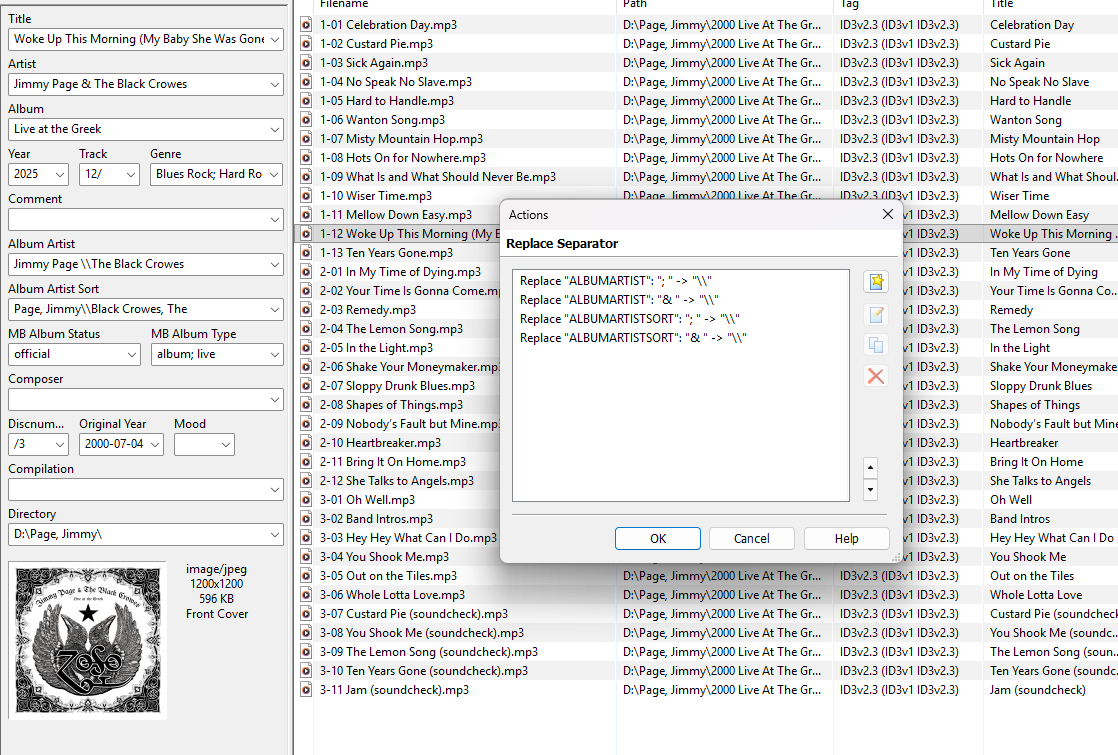
After that when I go in mp3tag, it’s just a basic replace script handling it.

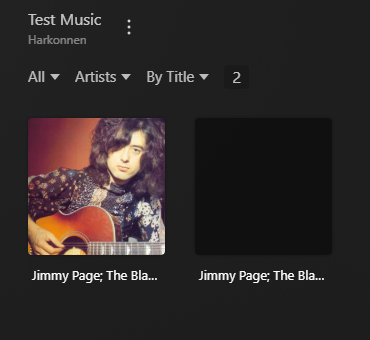
The issue is that with the semicolons, Plex messes up the artist tags and the software doesn’t support multiple artists, so here is an artist page shot of a temp library i made with just the one album.

At least with the forward slashes, the software preserves the first tag (placing the album under Jimmy Page’s directory). I would imagine if multi artist support came i’d have to undo all the changes i’ve made to that field and insert semicolons then, but that’s fine, it’s a tomorrow problem. At least this way it may appear under one artist but when playing shows the band name as “Jimmy Page & The Black Crowes” in the basic metadata

tag handling is really poor, but the quality of the plexamp app and especially it’s sonic analysis function makes the software worth it to me and many people. This week is Plex Pro Week when they put out updates and answer questions on the future and the devs pretty much avoided complex Plexamp questions, which is disheartening

As @outsidecontext points out, Picard only displays a colon. It is not written in the tag. Really you are getting two different tags as per v2.4 standard. MP3TAG then displays this in a different style with two \\, but again there are two tags there.

I expect your replace will be creating a new single tag… and the confusion occurs as now the \\ or ; are written into one tag.

I guess the current plex is written around treating \\ as something, so one you type that into a single tag you get the result you want.

But I am guessing. The real brains up further up this thread. I can’t help. I don’t do scripting. I don’t need to with KODI.

I would have been pushing this harder on the Plex forums. There must be other people who have found a hack around the current plexamp limitations.

I remember when KODI devs went heavy into fixing this exact issue you are having. One volunteer dived in and just sorted it. Took a lot of work, but thanks to Dave Blake KODI knows how to correctly handle multiple tags. Works really well.

Kinda ironic that the paid option is missing features the open source one has now implemented.

I ain’t saying KODI is perfect, but I push my audio direct in to a Yamaha amp so don’t want any player messing with the audio anyway. I am after a darn fine flexible library and decent android app (Yatse)

1 Like

I was running Kodi for a bit and was running Yatse, it’s honestly laziness that i moved to Plex (a lot easier to run Roku devices on the home tvs for the family and feed their media through the very easy to navigate Plex app).

I appreciate everyone taking the time, I’m thinking i’m going to use that other thread’s advice and go down to the single artist tag, if Multi-Artist support comes, odds are i’ll have to rescan and fix everything anyway, so why not make today easy.

2 Likes

This is the key. You’ll have a few dozen albums that are currently not complying. So hacking a solution for today makes sense. You can always make yourself a special tag to apply in the same script to say “My Hacked Multi-Artist Solution” so you can easily sift these out one day Plex fix things properly.

You’ll never have the perfectly tagged files. You’ll always come up with another idea to add when the latest hardware arrives. Every player has compromises. I lost count how many times I reinvented the tagging wheel in my house. :laughing:

100% for reals. My wife groans all the time giving me the “you’re playing with the server again, aren’t you?” but i swear one time i’ll get it right!

1 Like

Yeah… for about five minutes, then an album appears with ten artists on it. :rofl: And Roku releases an update…

Perfection is impossible. Contentment is the important goal. And keeping the wife happy with “wife friendly tech” is the key aim.

I am sure that fiddling with these IT systems are like the “going out to the shed” in the years gone by… :laughing:

I have very few scripts in Picard. I manually adjust and then hit the “read only” file tags when I get something “right” but non-standard.

The important bit is playing the music.