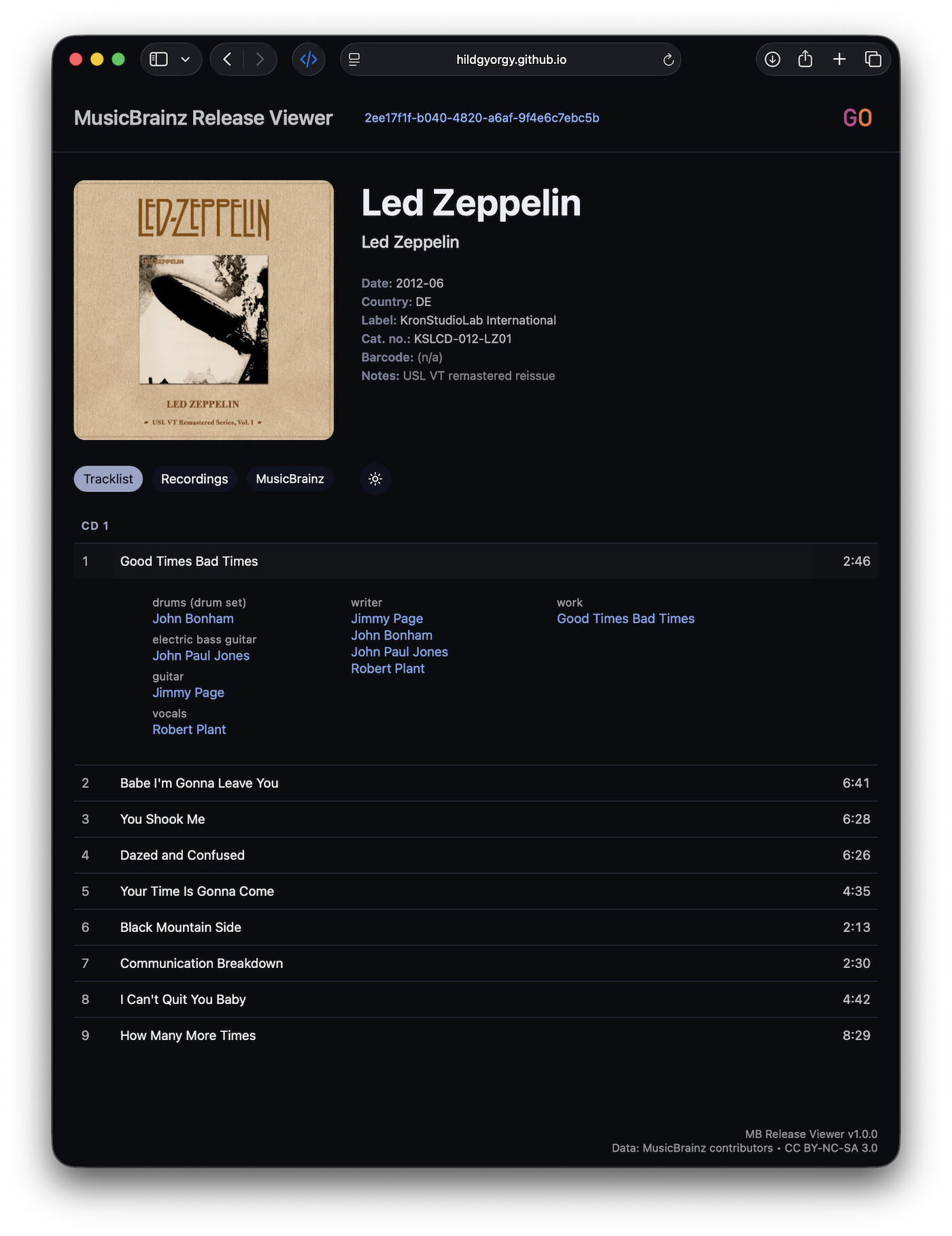
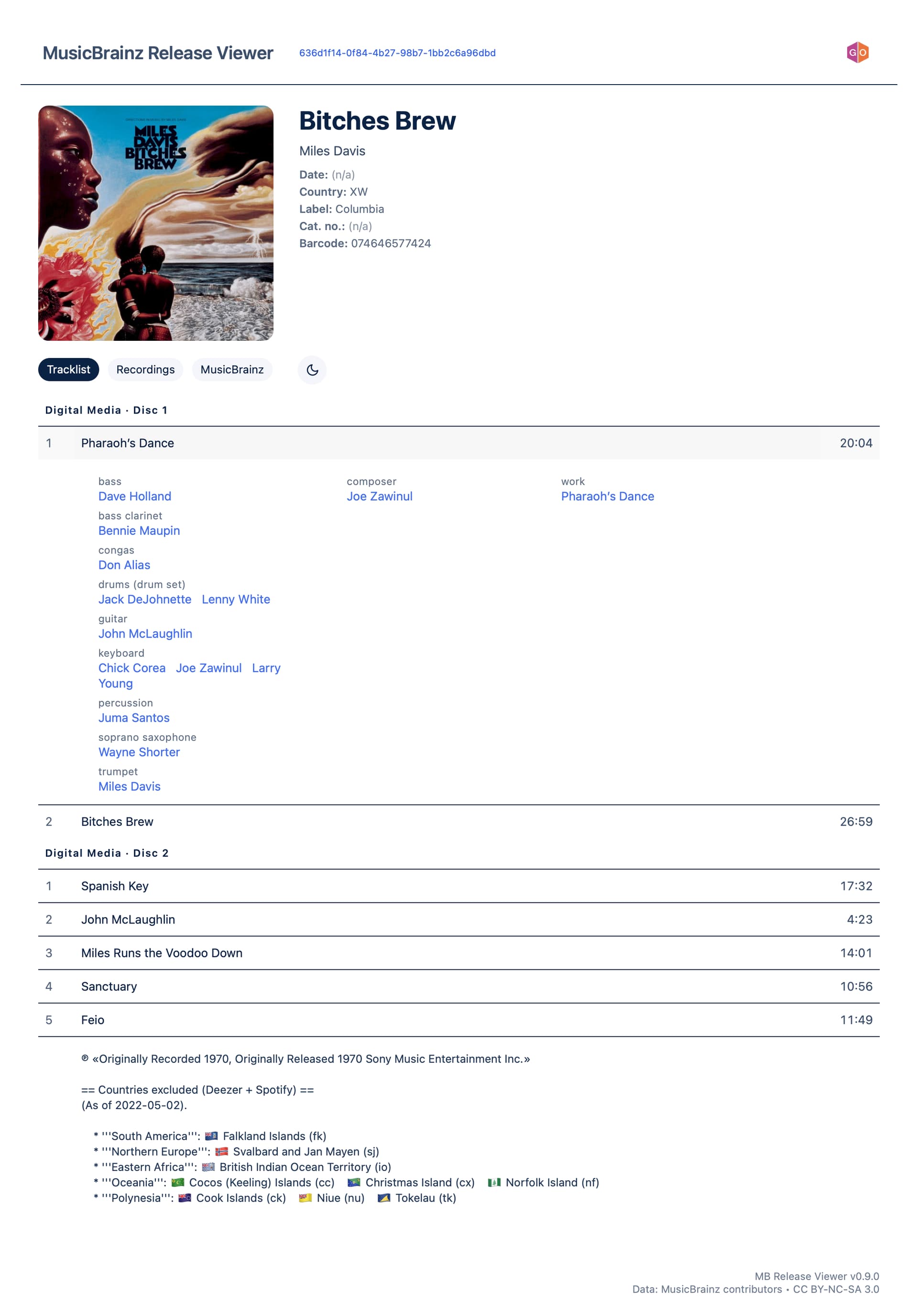
You can click to the track to reveal the performers, writers and the Work if any of them are present in MB’s database.
Under the cover art you can change the Tracklist-view and the recordings’ view.
The Recording-view lists the recordings with all the relationships like “recorded at”, “mixed at” and all the persons like producers, mastering engineers etc. If the data is present in MB.
Try it with a couple of well-tagged releases…
Best, György
I’m used to see recording comments in MB release pages (with INLINE STUFF userscript) so, when I’m visiting your website, it kind of looks like it’s missing important stuff to me.
Ah, thanks for drawing my attention to this, I wasn’t aware of this kind of important info. May I ask you to send me a link to a recording that has this kind of “recording comments”? Is it typically things like “alternate take”, “demo”, “mono/stereo”, etc., or something more detailed?
My main goal with this viewer is to keep the release / tracklist view intentionally clean and readable, without overloading it with metadata. That’s actually the reason why I started this project in the first place
That said, I’m very open to including recording comments in a meaningful way — I think the Recordings tab is exactly the right place for this kind of information, where users are already in a more “deep-dive” mindset.
Thanks again for the feedback — it’s really helpful!
This info is pretty useful when flicking through a collection and you are curious as to which version of a recording is included on that release. I don’t believe it adds too much clutter, but can be really useful when you have more than one version of something in your collection.
Small bug spotted. Use the Brighton Rock link above and look any of the tracks. “Writer” shows as N/A when this info is available on the work.
Thank you very much @jesus2099 for pointing out this important information, and @IvanDobsky for providing relevant examples and spotting a bug!
The bug is now fixed, and you can see the release disambiguation (if present) as “Notes” right under the metadata, as well as the recording disambiguation on the Recordings tab, attached to the corresponding recording.
You were absolutely right — this information really deserves to be there.
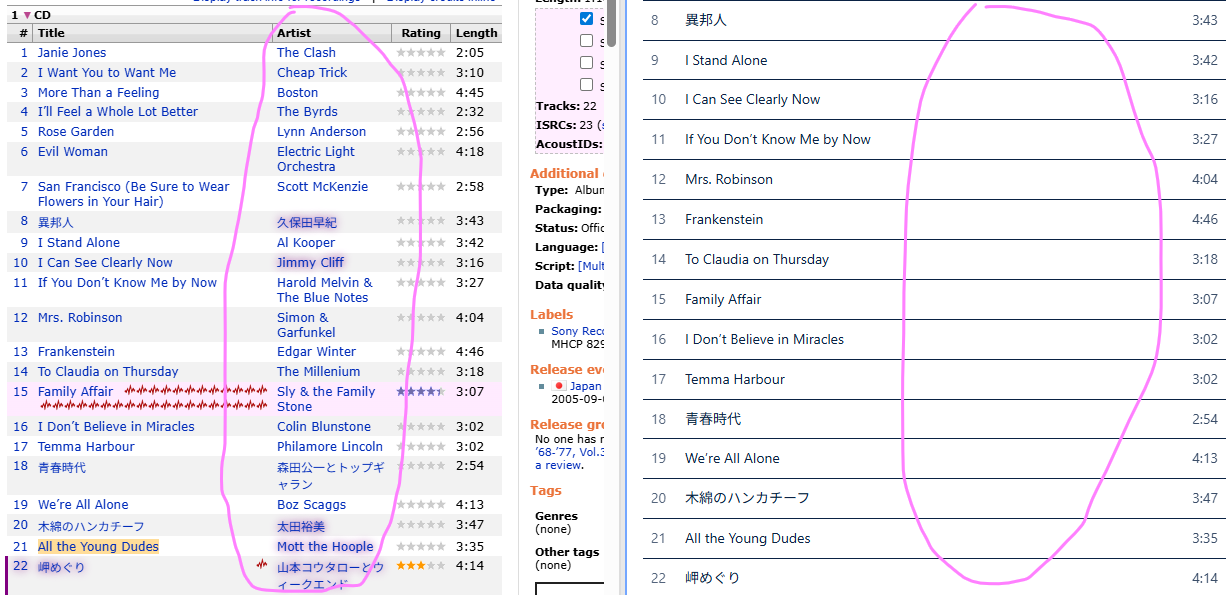
I don’t see them either… There are no performers assigned to any of the recordings. My viewer shows only the performers actually assigned to recordings. A pure database read-out.
What is your suggestion here? To show the main artist like “The Clash” as a performer? Like:
band The Clash
on the left side?
Or to automatically list the bands members with instruments from the band’s MB data?
Ahh, I see — you were looking for the track artist column, like on the MB website or in foobar.
That makes sense, especially for compilation releases. Without the band names the tracklist is definitely less scannable.
Right now I kept the tracklist intentionally minimal (title + duration), and moved performers/work info into the expandable details. But you’re absolutely right: for VA releases it probably needs the track artist visible.
The classical case makes it even more interesting, because in MB the track artist is often the composer, not the performing ensemble. So if I add that column, sometimes it will show Bach / Beethoven / etc., which is technically correct but not necessarily what people expect.
I need to think about this a bit more
Maybe show it automatically only for Various Artists releases, or make it optional.
A small but important update based on @jesus2099 ‘s feedback (thanks again for that ).
For compilation releases where no recording-level performers are defined, the viewer now falls back to the recording artist-credit and displays it as:
performer Pink Floyd
If there are explicit recording performers (instrument/vocal relations) → only those are shown.
If there are none, but a recording artist-credit exists → it is shown as “performer”.
If neither exists → it remains N/A (no release-level fallback).
This makes compilation albums much more informative without inventing data — still a strict database read-out, just with a sensible fallback. You were right: for VA and rock compilations it was visibly incomplete before.
The v0.9.5 version now works independently of the MusicBrainz website.
You can:
still paste a release URL or an MBID
or simply search by text
The integrated search loads releases directly — no userscript or bookmarklet required anymore (though both still work from the release pages of MB).
It’s intentionally simple at this stage (0.9.5), but it already functions as a lightweight standalone MB release browser. More search refinement is planned for 1.0.
Quick update — the viewer just reached v1.0.0-rc1!
This version:
• finishes the modular rewrite
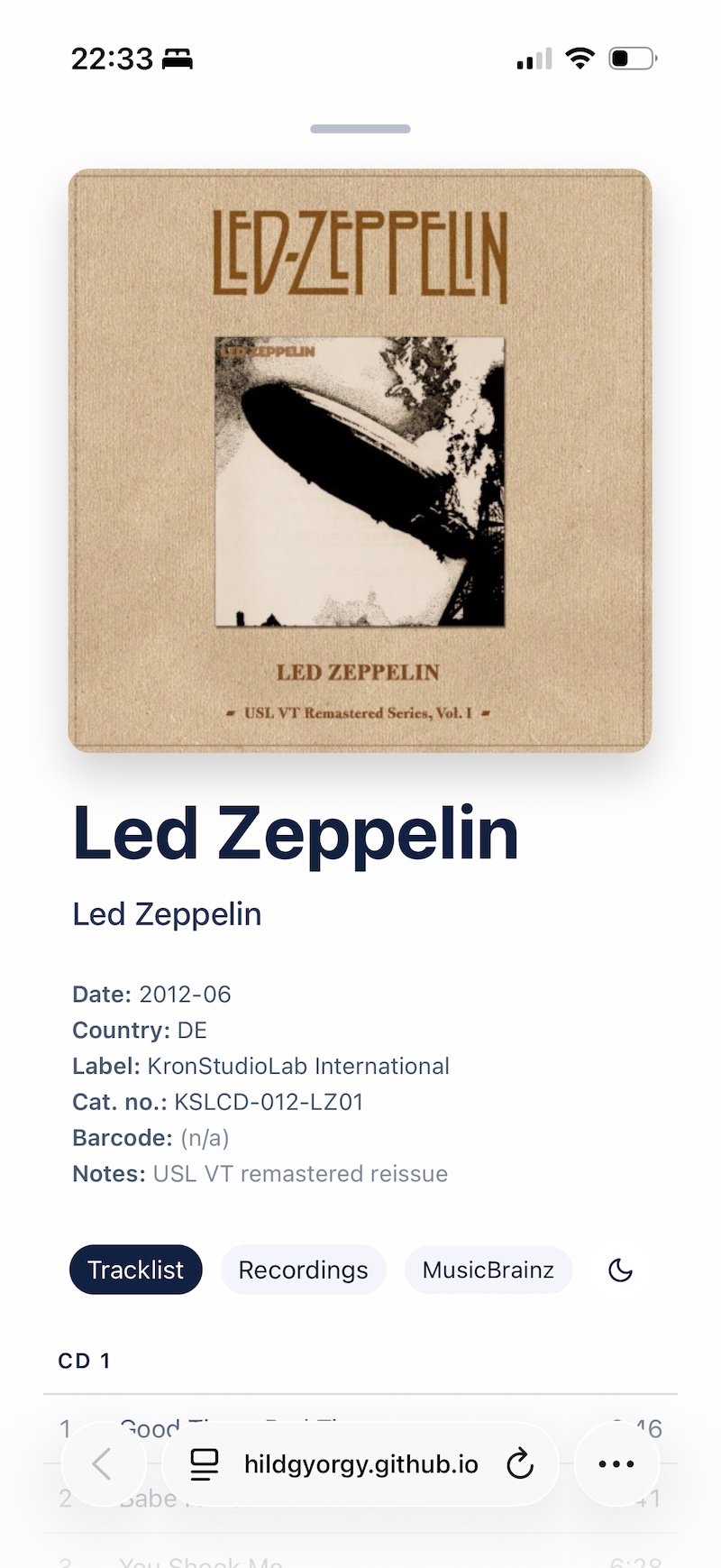
• improves UI stability on mobile devices (responsive layout, smooth transitions, reliable cover behaviour)
• preserves all existing functionality but with cleaner internals
Can be started from any Musicbrainz release page with this userscript.
Please try it out and let me know how it feels, especially on phones/tablets.
The Recording tab has been reworked in this release.
Previous versions fetched recording data in parallel from the MusicBrainz Web Service. On larger releases (especially classical ones), this could trigger 503 errors due to rate limiting.
In rc3:
Recording requests are now sequential (~1 request per second).
Tracks load incrementally, one by one.
The “Common credits/notes” section is computed only after all recordings have been loaded (intersection across recordings).
Loading progress is visible via an inline spinner and counter.
This makes the Recording view slightly slower, but:
It is stable.
It respects MusicBrainz WS etiquette.
It eliminates 503 errors.
It reliably completes even on large releases.
The goal was robustness and API compliance rather than raw loading speed.
The viewer is now in a stable, framework-free form, focused on structured release and credit reading. This version also adds cover art thumbnails to the search results.



 There are no performers assigned to any of the recordings. My viewer shows only the performers actually assigned to recordings. A pure database read-out.