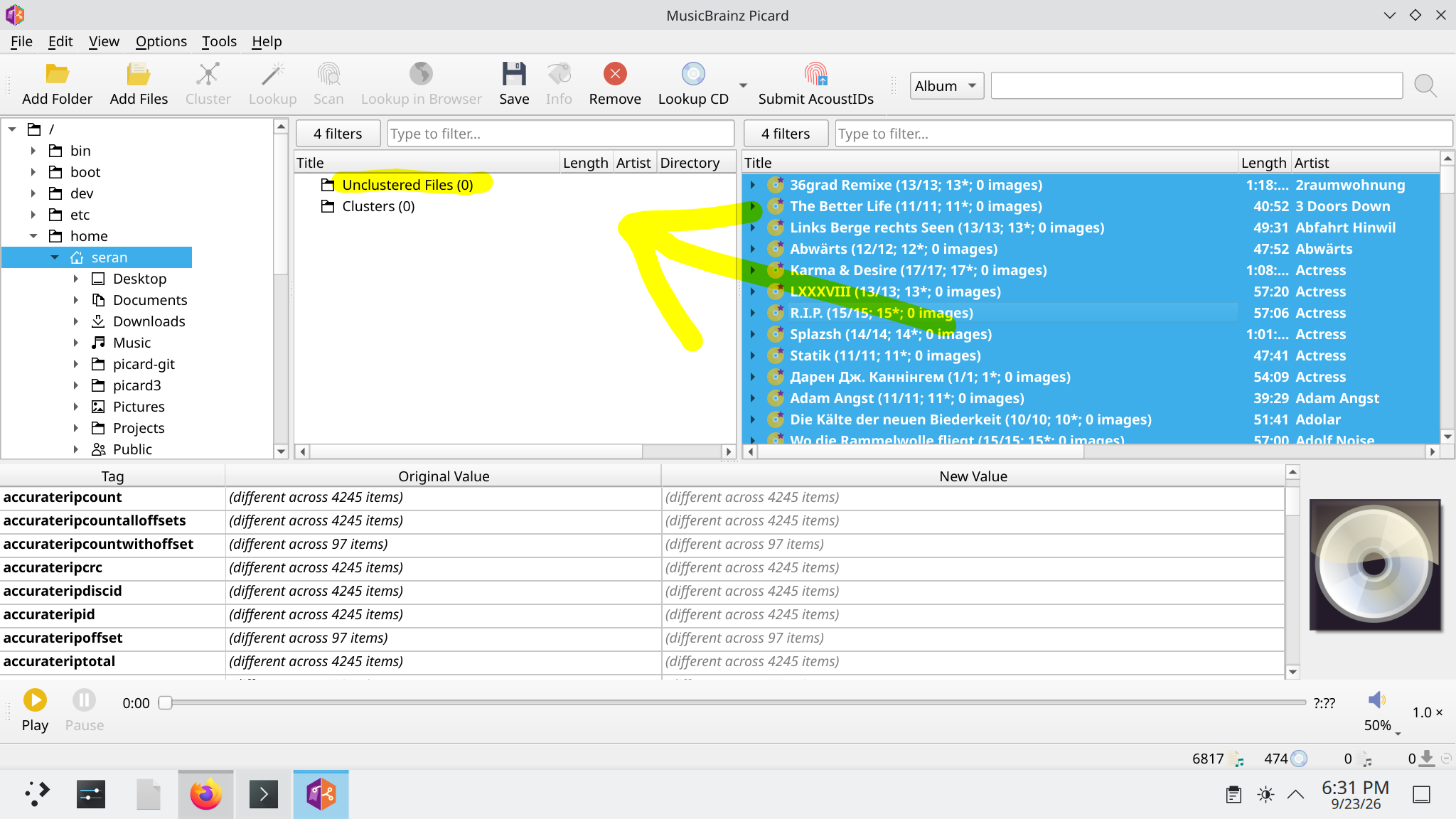
I try MusicBrainz Picard 3.0.0rc3 on windows and linux it end the same.
When adding 6800+ known files with proper musicbrainz_albumid (not unknown files) it take a while but it works. But when i now select all the releases with ctrl+a and want to save them the memory usage is huge with every file it expand to infinite.
my settings are:
Write tags to file
clear existing tags
remove id3 tags from flac
cover art just one file named cover
remove cover from tags
convert to jpeg
and even if i save the releases 20 or 50 by hand the memory usage expand unusale and is very high.
sorry for the late answer but every post from me must be Awaiting Approval.
here are two videos one with picard 2 where everythings works and without crash and the last one with picard 3 with memory problem. Sorry i cant capture the crash proper because the system is not repson for couple of minutes but the memory bar is full in top and the journal appears the OOM error.dont know if that even helps. Watch picard2 | StreamableWatch picard3 | Streamable
in terminal i just run picard from konsole when killed output is is Killed picard when try to save many release at once (select all ctrl+a) and then click save. the journal show oom reason:
Sep 20 07:56:13 archlinux kernel: QSGRenderThread invoked oom-killer: gfp_mask=0x140cca(GFP_HIGHUSER_MOVABLE|__GFP_COM P), order=0, oom_score_adj=200 Sep 20 07:56:13 archlinux systemd[516]: app-org.kde.konsole-905.scope: The kernel OOM killer killed some processes in this unit. Sep 20 07:56:13 archlinux systemd[1]: user@1000.service: The kernel OOM killer killed some processes in this unit. Sep 20 07:56:13 archlinux kernel: oom_kill_process.cold+0x8/0x91 Sep 20 07:56:13 archlinux kernel: [ pid ] uid tgid total_vm rss rss_anon rss_file rss_shmem pgtables_bytes swapents oom_score_adj name Sep 20 07:56:13 archlinux kernel: oom-kill:constraint=CONSTRAINT_NONE,nodemask=(null),cpuset=/,mems_allowed=0,global_oom,task_memcg=/user.slice/user-1000.slice/user@1000. service/app.slice/app-org.kde.konsole-905.scope/tab(3211).scope,task=picard,pid=3225,uid=1000 Sep 20 07:56:13 archlinux kernel: Out of memory: Killed process 3225 (picard) total-vm:5066076kB, anon-rss:3384336kB, file-rss:20kB, shmem-rss:329 76kB, UID:1000 pgtables:7436kB oom_score_adj:200
@seranmm, if you’re using the “Additional Artists Details” plugin, that’s almost certainly where your memory issues are coming from. It wasn’t designed with processing large numbers of files in a single session in mind, and the session cache is growing out of control. Try disabling the plugin, restart Picard, and see if that eliminates the problem.
This has caused me to re-think the design of the plugin, so I will be working on an update that is much more resilient to large batch / session processing.
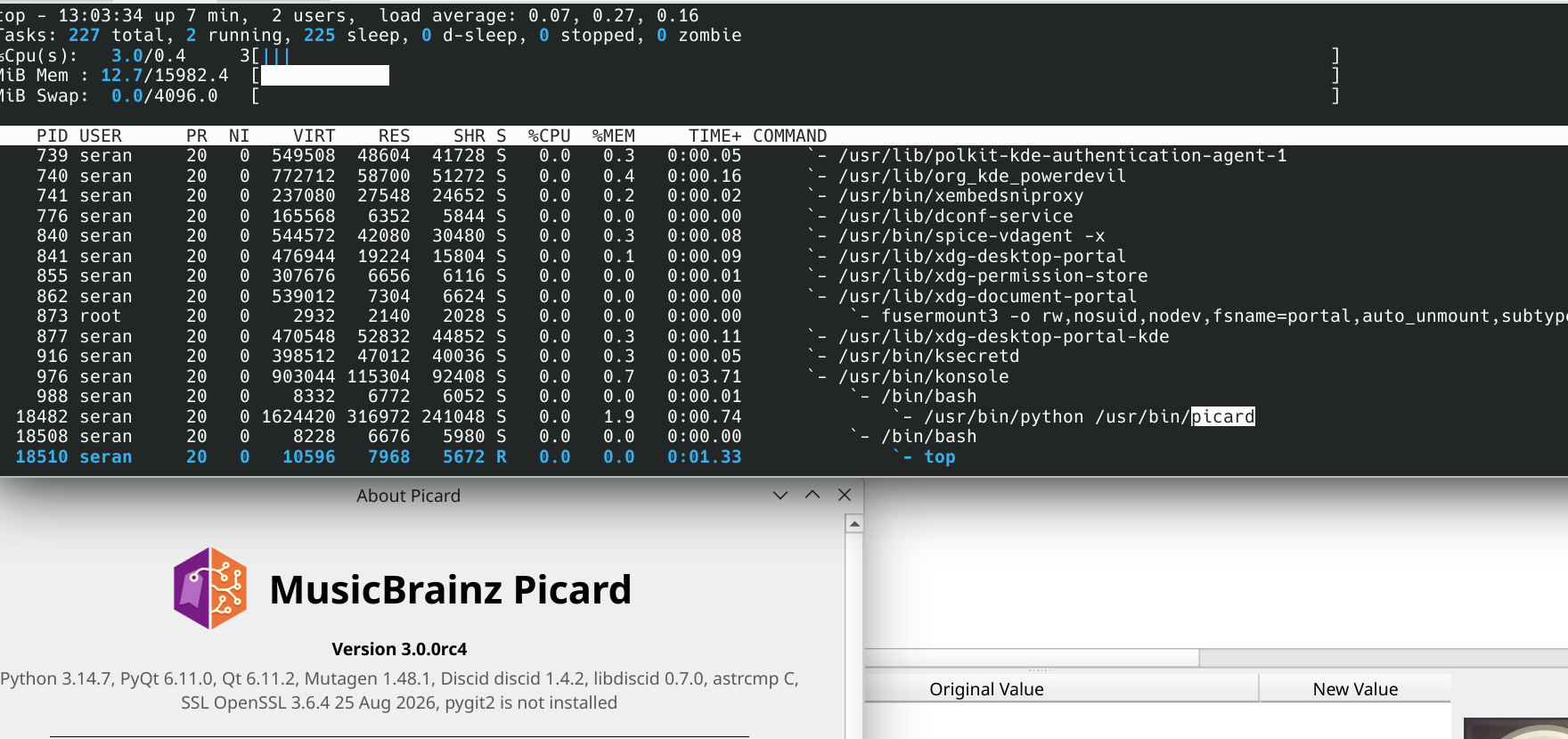
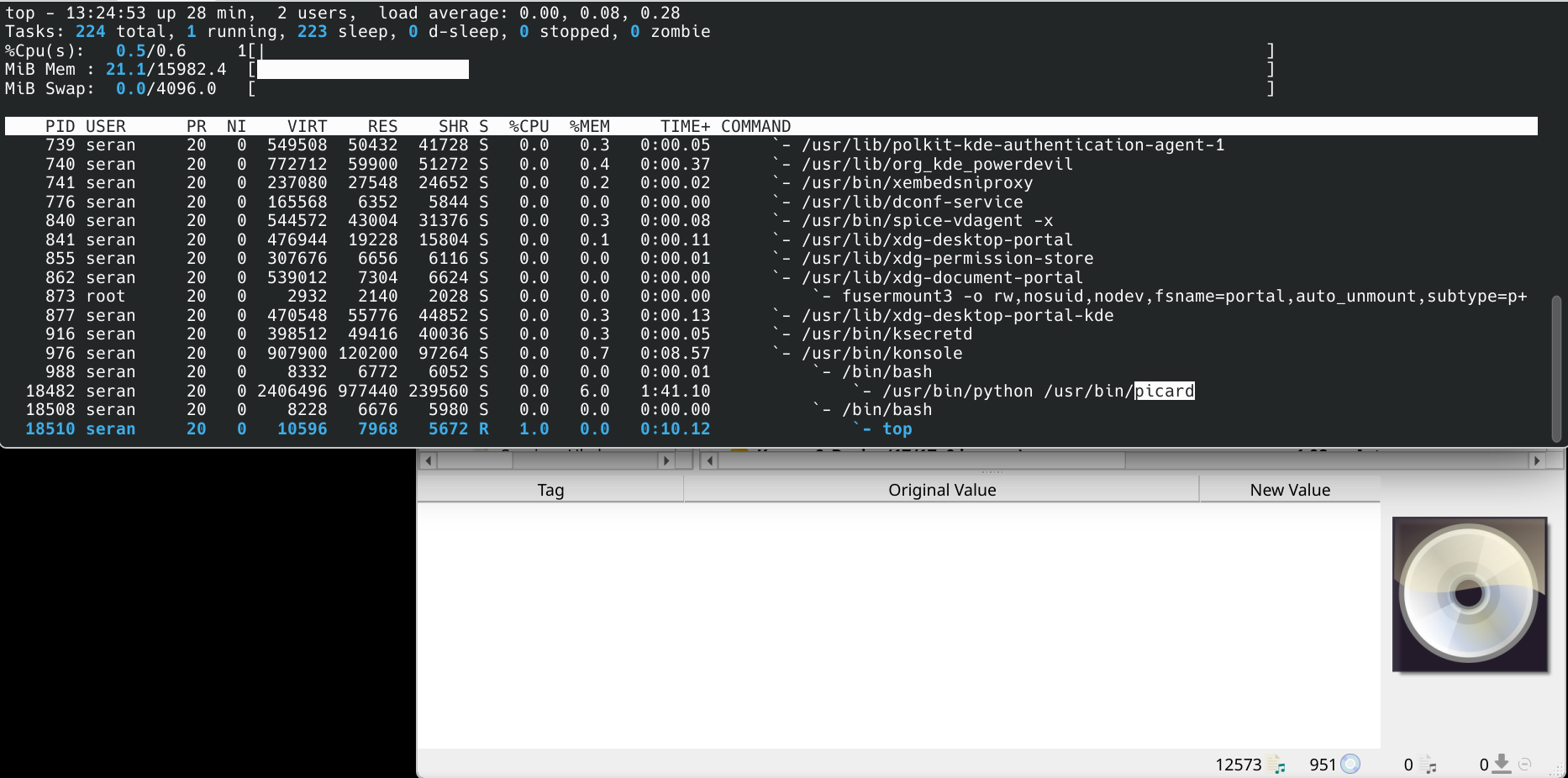
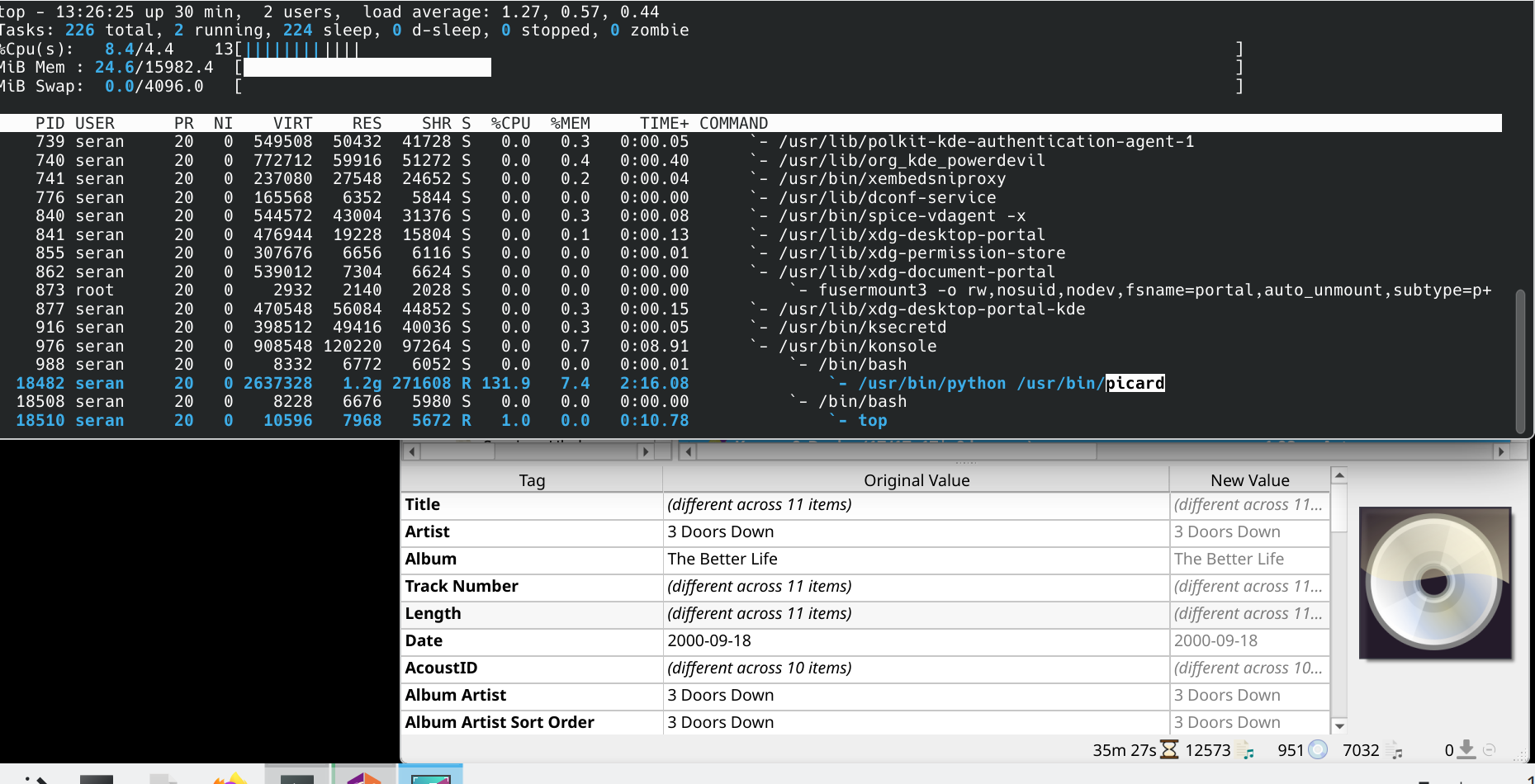
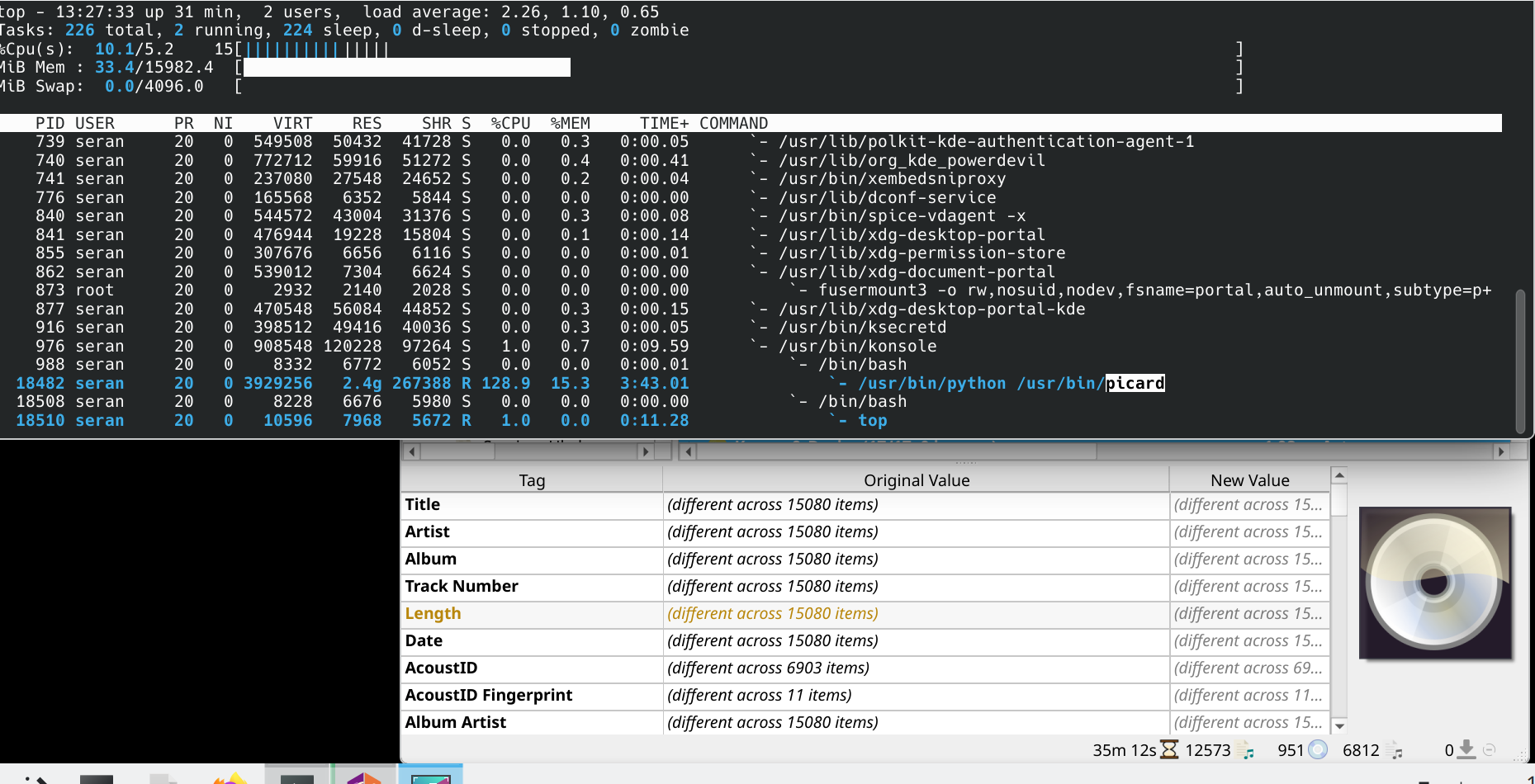
picard when started use not much ram then i load my files little bit more ram but when i start saving my files the more files saved the more ram is used until my ram is full and OOM kill picard. is seems that every 5-10files take 100MB ram and this never ends. here are screenshots.
@seranmm We are investigating this right now, and we are finding various things. One main issue is related to updating the cover image view on the bottom right when multiple files are selected. A workaround is to disable the cover art display via the menu View → Cover Art.
Can you check whether disabling the cover art view helps with your specific issue?
i uncheck “View > Cover Art” and now the saving also very fast and the ram usage is very minimal like picard2. and all time i just don’t enable cover download in first place its seems just the view option even when no cover download is involved.
Yes, it is just the view option The memory usage is not due to the cover art or such, but temporary objects being created during UI updates and hold in memory as long as the files stay loaded. Working on a fix.
As a side note, I can reproduce the general behaviour of increasing memory use also with Picard 2. It is not quite as bad, though.
A separate workaround is to immediately deselect the files, e.g. click on a single item. This will also avoid the memory issue, but also massively increase the save performance. Beside the memory issue described above, the other core issue is that the metadata + cover art view at the bottom gets updated after each save, and for many selected files this is expensive. @Zas is working in improvements for this.
Anyway, thanks for the report and the help debugging this. Much appreciated
@seranmm we merged multiple improvements already, since you were running from source you can pull latest master branch and give it a try, please report back.
when you drag and drop with mouse the all selected releases (ctrl+a) back to unclustered files the issues appears same as before for every file 10-100MB ram so on until every memory is used and crash.
the use case is not normal (who would remove fine releases back) but the ram issue is real and should be fixed i guess.


 The memory usage is not due to the cover art or such, but temporary objects being created during UI updates and hold in memory as long as the files stay loaded. Working on a fix.