So I listen to a lot of Japanese artists and prefer a particular naming style when it comes to artist names, albums and tracks.
Format examples below:
Artist > English Name (Kanji Name) ex. Yukihiro Takahashi (高橋 幸宏)
Album > English Title = Kanji Title ex. What, Me Worry? = ボク、大丈夫!!
Song > English Title = Kanji Title ex. Sayonara = サヨナラ

Not all of my music has this format, but for the most part the Album Artist and Albums at the very least I try to stick with this. Song titles can sometimes be too time consuming to update to my preferred format, or they are only released in Romanji or Kanji with no official English titles without translating.
With basic metadata, both Last.fm and Listenbrainz struggle to map these correctly, as they are looking for specific Artist, Album, and Song names, and are inconsistent when it comes to English Kanji, or Romanji. It’s mostly dependent on how they were entered into the database.
If MusicBrainz has database entries for these releases, I tag them with MusicBrainz ID tags which alleviates this issue when playing and scrobbling music from MusicBee with the Scrobblerbrainz plugin. These songs are successfully mapped after scrobbling.
Example of successful mapping with musicbrainz ID tags:
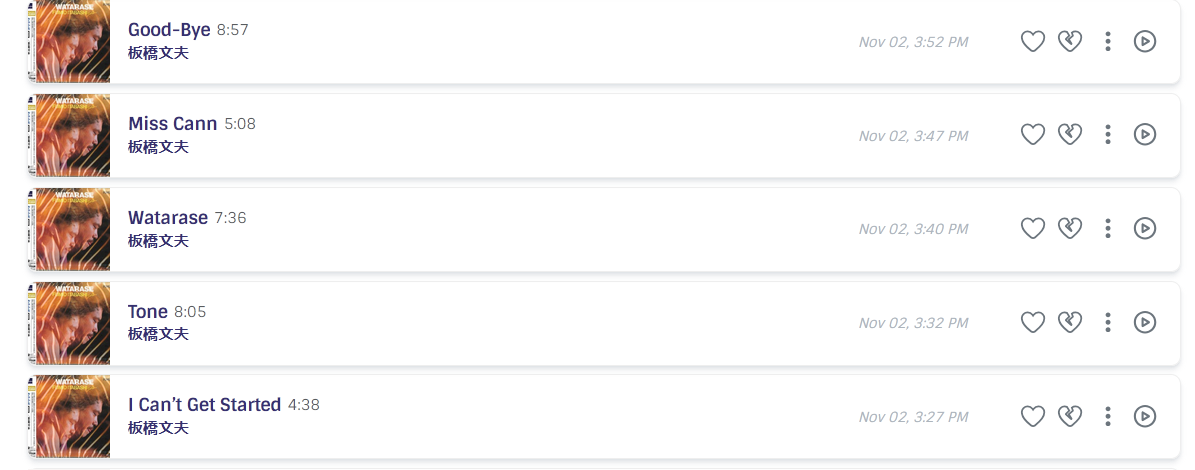
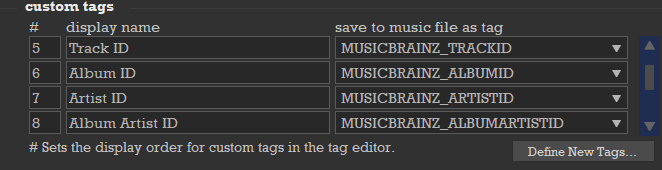
The part where this is mainly an issue is with the same music that I sync and convert to opus via MusicBee and play from my android phone with Symfonium. It seems that by default, MusicBee does not append extended tags such as the musicbrainz ID tags to the opus files after it converts them during sync. I researched the topic a bit and learned to create custom tags in musicbee with the musicbrainz ID tags so that they show up in the tag editing panel in musicbee, which in theory should convince MusicBee to retain these tags on any file synced and converted.
I did some testing and it looks like listenbrainz is failing to map these songs when played from my mobile device, so i can only conclude that the musicbrainz id tags are still not being written to my files during sync. The weird thing is that during the song playback, in listenbrainz it says Now Scrobbling and it correctly maps the song, but then when listed in my listens it shows up unmapped. I don’t think its a delay issue because my songs played form MusicBee with the musicbrainz ID tags show up as mapped straight away, and those without musicbrainz ID tags stay unmapped.
Example of song played from mobile device mapping during scrobbling and then reverting to unmapped after:


I’m wondering if anyone else shares a similar situation where they have certain artists that are consistently unmapped if they don’t have musicbrainz id tags, that also use a sync tool to convert flac files to opus for a mobile device and have figured out how to keep the musicbrainz ID tags in their files for scrobbling purposes.