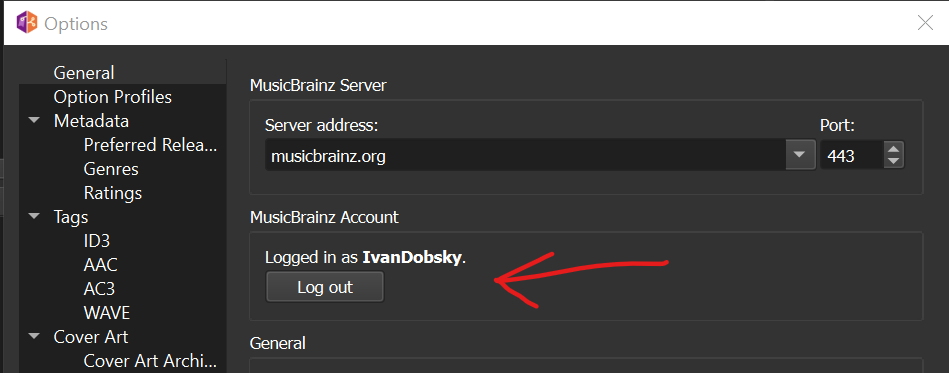
Hi all,
MusicBrainz Picard needed authorisation to access my personal data, in the past I would click yes and all is good.
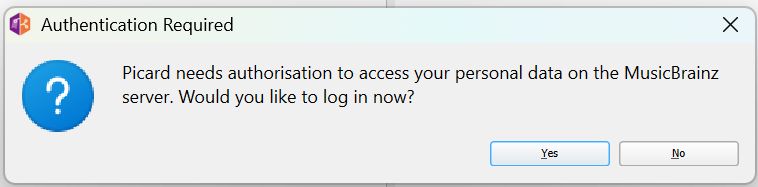
Now when I click yes I get this prompt from the site ‘Invalid “state” parameter.’
Does anyone know what that means?
Cheers
Hi all,
MusicBrainz Picard needed authorisation to access my personal data, in the past I would click yes and all is good.
Cheers
Don’t know an answer, but I always check the clock first. Make sure it hasn’t gone onto a different time / hour / day. Security needs the right time on computers.
What happening here:
Something is wrong with Picard 2.13.3.
It’s also broken in the nightly/daily build.
Surprised no one else reported it’s been broken for months.
It’s working just fine for me.
Can you show how exactly it fails for you? Ideally please open a ticket on https://tickets.metabrainz.org/projects/PICARD with a screenshot of the error, details about OS and browser used and Picard debug log.
The Picard debug log is empty/irrelevant.
Other applications like MagicISRC are able to complete MusicBrainz OAuth in the same Firefox.
After clicking Allow access I get this view:
Windows 11, Edge, Picard Dev
EDIT:
I removed the state from the screenshot so no one else would use it, but it’s still visible.
@yindesu Somewhere the state value gets lost.
Can you please check those two things:
https://musicbrainz.org/oauth2/authorize) that is opened where you have the form with the “Allow access” button there should be a state=... parameter in the URL. Please check if it is there and note the value.http://127.0.0.1:8000/auth. Again there must be a state parameter, and the value must match the original call.If the state is missing from one or both of those URLs most likely something in your browser is interfering. Check your extensions or user scripts if something might remove something here.
If the values differ between the two steps of the login process then something entirely else is wrong.
I previously confirmed, and reconfirmed, that the same state value is present in both URLs.
2.12.3 is able to log in, but all further interactions with the web browser still fail. 2.13.3 is not even able to log in (Invalid “state” parameter.)
Both 2.12.3 and 2.13.3 are unable to perform “Submit cluster as release” which fails with “Invalid token”
Is there any browser plugin that might interfere? Does it work Ina different browser?
Or other idea: do you have maybe multiple instances of Picard running?
Apparently there were multiple Picard processes running despite only one UI window existing. I ended all the process trees and it seems things work again.
Technically, why would this have caused “invalid state parameter” to occur, and is there something better Picard can say? (Obviously I wasn’t the only person who produced this issue since I didn’t create this thread.)
That’s still really odd and points to a deeper issue with the single instance functionality. We need to investigate how this happens.
But it could explain the behavior, at least partially. Essentially the state Parameter is specific to the process of Picard that started the auth request. What seems to be the case then is that one process starts the authentication, but the other actually has the webserver running. And they disagree on the state.
“Submit cluster” would likely be similar then, as there is some token exchange with Picard.
Having said this, this is all still really strange. Because theoretically if you end up with multiple processes and they all start the browser integration they should all have their own web server running on a separate port, and should work separately.
I’ll try to figure out how these separate processes happen. If you don’t mind one more question: Do you use any command line scripting to automate tasks in Picard (running Picard with the “-e” Parameter or maybe just passing files)?
I have got this issue when I run Picard in standalone mode (--stand-alone) while another multi-instance process was running. At first everything was fine but after a while it asked me to authenticate.
Update
I had a single Picard process running for more than a day in standalone mode and no problem so far.