How can i use the original file value of a tag instead of the new Value in a script?
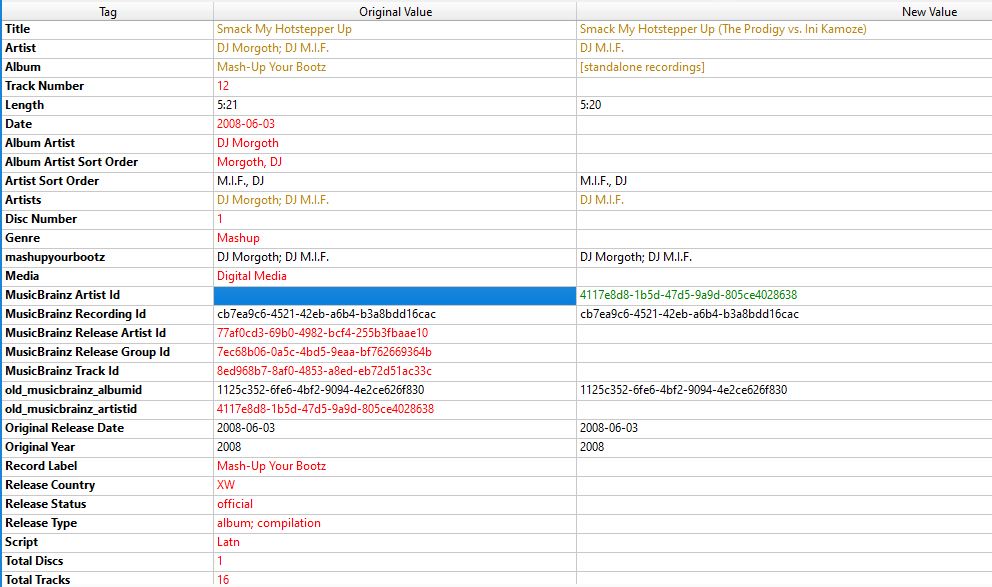
%title% will get me switchinʼ Alive (Bee Gees vs. Will Smith),
but is there some way to get the original value, in this case Switchin Alive via Script?
I need the ‘clear existing tags’ option activated. In some cases, i want the musicbrainz_albumid deleted and stored in seperated tag i.e.keepthisfor later use. When i reload the song in picard, cause of the clearing option keepthis is removed and i want it to put it back in via script. $set(keepthis,%musicbrainz_albumid%)is not an option, cause if you reload the Song, it reloads it as a [standalone recordings] and no id is set.
Thanks in advance.
edit: Okay, i figured out, i can put keepthis on the list of preserved tags, but it would nice to know if there is a get the original value.
I haven’t fully understood why you want to remove musicbrainz_albumid, but in general:
You can keep original values by “preserving these tags from being cleared or overwritten…” in Options/Tags. Just put “title” in the list of preserved tags and the title will be kept.
You can’t bring the original values back once they are removed or overwritten.
The reason why I want to delete the musicbrainz_albumid in individual cases is that I have a lot of mashups. (Mash-Up Your Bootz Party Sampler Vol. 1 for example) But in most cases I only like 2-3 tracks on the compilations.
As a media server I use Emby on a NAS. When I add them there, it creates a single album for each musicbrainz_albumid, whereas I prefer to combine them into a single album. But this is not possible as long as the ID is stored in the tag.
I would therefore like to delete the ID.
If I delete the ID in Picard, save the title and then load it again, Picard does not accept many tags and changes some of them.
Now I would like to tell Picard:
If original tag album is equal to “Mash-Up your Bootz” keep original /genre/releasetype/musicbrainz_trackid
…without adding album to the list of tags to preserve.
I have deleted my previous post as the code does not work. It is possible to keep the values of a tag, but you can’t use it as a variable. %album% returns the value from MB, not what’s currently in the tag.
I think about it.
EDIT: Looks like it’s only possible to read from tags which have no value on MB. It works fine for “comment” (I do that all the time) but it doesn’t work for tags like “album”.
%album% … MB information
%comment% … my information / there is no MB information
You could try to put the information in a new tag, not used by MB, and call this information.
Add a new tag remove_album_id with a value 1 (or any value). This new tag has to be entered in the Preserve these tags… list.
If it’s there, the MBID will be removed.
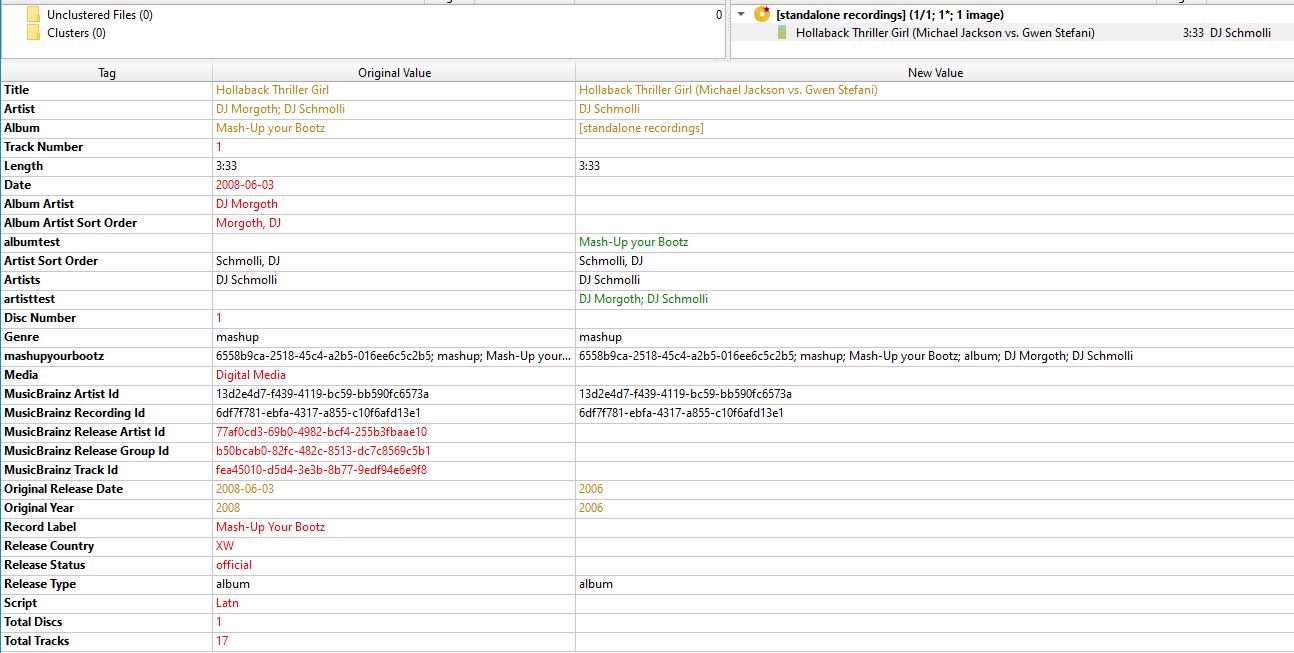
But after saving, removing and reloading the file, I can no longer overwrite album and artist. albumtest and artisttest can be created with the exact values, but album and artist are somehow persistent.
Puh
The main problem seems to be that removing the album MBID made it a standalone recording. That’s what causes all the red lines - information which was taken from the release. What’s left is recording information.
No idea why the “test” tags are still created and album and (recording) artist are overwritten with MB data. But I don’t think, it would be usable even if album and artist would work.
I wonder if it is possible to use Picard without musicbrainz_albumid.
Okay, I’ve decided that what I want isn’t possible or is way beyond my capabilities. Maybe in the future I’ll stumble across the solution or have a flash of inspiration.
But thank you so much for the time you invested in helping me. I saw that you typed often and for a long time.
I would expect that it is possible, but I haven’t figured out how to do it yet. Maybe a real expert can help @rdswift@outsidecontext@Sophist
However, I’m not sure if Picard is really the right tool for your files. You want to overwrite most of MB’s information anyway. Maybe you try another Tagger like Mp3Tag or Puddle Tag for Linux. For everything that is not on MB, I use puddletag. Picard needs the release MBID to function properly.
As written above, this only concerns special cases. In the vast majority of cases, I am more than satisfied with the tags that Picard sets.
To stick with the Mash Up Your Bootz series: I have about 20 samplers, of which I think about 60 tracks are good and 340 are awful. I don’t even want to add these 340 tracks to my collection. Now I’m faced with a dilemma:
Do I tag them via Picard and transfer them to Emby that way, it creates a new album for me there based on the MBAlbumID, even if there is only one track. Although I would rather have them all in a single album.
If I tag them via Picard, delete the MBAlbumID, save them and then accidentally drag them into Picard again and save them without realizing that they are included, I only have half of the tags left.
My solution for cases like this was therefore to save various tags in a read-only tag so that they can be restored if necessary. However, this fails because deleting the MBAlbumID turns the release into a standalone through the MBRecordID and then the artist, album, genre, etc. cannot be restored via scripts.
I now have the following solution for these cases, I have the correctly tagged songs in an extra folder (called …$DO NOT TOUCH) as a backup and the tracks again with deleted MBAlbumID in my library. I’m happy with that, but I can live with it for now.
Here is my dumb and simplistic method. Set the files to Read Only in the operating system. That will trip you up from changing them.
I also kick something like MP3TAG in for a task like this. You can then throw the 340 tracks into there in one hit. Add the MBID columns to the interface. And do your change in one hit. After complete, flip the Read Only tag again to stop accidental changes.
Sometimes creating a script for a “simple” task can get overly complex. So I swap tools.
I just like simple. I am pretty fussy as to how I tag some of my releases, and can’t just write one script to cover all bases. So I choose the simple option and block the changes. Often add a small text file (tags.txt) to remind me what I was doing different. Easiest to right click the whole album folder and set the read-only tags from up there.
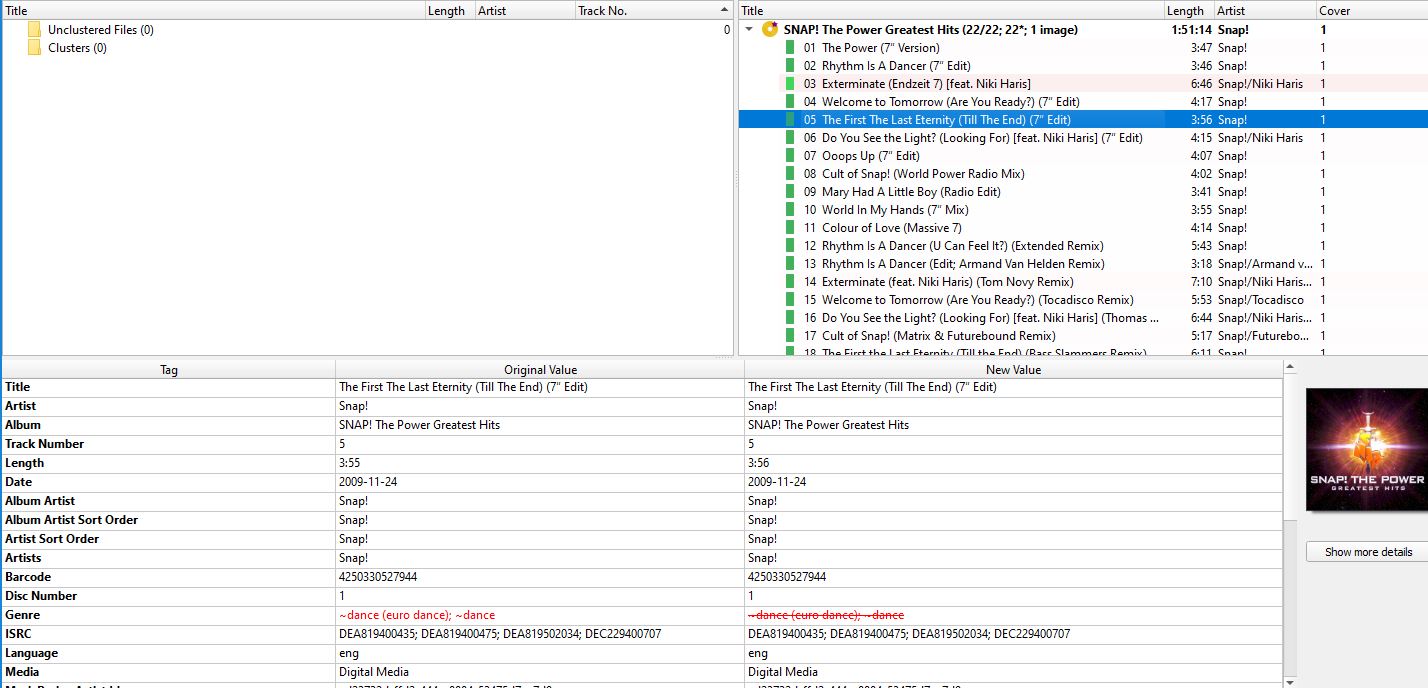
If I set a tag by hand and MusicBrainz does not find a suitable tag (e.g. genre) when reloading the file, MusicBrainz overwrites the tag without content.
Is there an option to prevent this? For example something like right click on genre --> merge orignal values as script?
I’m fine with MusicBrainz overwriting my manually set tag in this case if it inserts data, but not if it just deletes it.
I also don’t want to have an entry in a script for each track in question (e.g. $if($eq(%musicbrainz_trackid%,17b12653-3128-4865-85c9-9c26e50c30ee),$setmulti(genre,~dance \(euro dance\); ~dance))
) because then I won’t get the appropriate tags once they’ve been added to MusicBrainz.
Do you “clear existing tags”?
You may want to keep the genre tag (“Preserve these tags from being cleared or overwritten…”). If you put “genre” in this list, it still gets a value from MB if it was empty, but it keeps any values entered, even if tags are generally cleared.
Oh, I assumed that preserved tags are not changed or set at all. That’s why I didn’t even try the option.
If it inserts data where there is none, but doesn’t change tags that are already set, that’s almost what I wanted. I can live with that. I just tried it and it works. Great, thank you.
By the way, the option clear existing tags was not activated.
That’s odd, it wouldn’t remove the tag by itself if there is no data. Do you have some script that sets genre? If so, and if the script sets genre to an empty value, the removal would be explained. Explicitly setting a tag value to empty marks it for removal.
So you could also check your script and change it in a way that it only sets genre if the new value wouldn’t be empty.
I kept getting the tag Tron Legacy OstTron Legacy Score etc. on the Tron: Legacy soundtrack. So I entered it under ‘Genres or folksonomy tags to include or exclude’ as exclude.
When I started using Bob Swift’s Genre Mapper, I just copied the list. And because I’m a lazy guy, I just put tron= there. Of course it then deletes the electronic from the genre and the tag is empty.