I have acquired several box sets that consist of CDs that are reissues of existing albums and CDs o unreleased material. The most recent is The Older We Get: The London Years by Hothouse Flowers. It has four studio albums each on an individual disc and four new discs of bonus tracks, b-sides, etc.
I’m trying to figure out how to tag these. I found this thread from 2019 but it didn’t seem to ever get resolved to a consensus conclusion. Have things changed since 2019? How are people handling sets like this? Do I treat each disc as a release? For the reissued albums I put them in their corresponding release groups? For the other discs do I create new release groups? If the answer is yes for all three questions how do I make them related as a box set?
If the answer is no and I create a new release group for the box set I can add disc titles for the existing albums and new discs but I’m pretty sure none of my player software/apps will them show the albums separately. I don’t think any of them even show disc title metadata.
I don’t think there is an ongoing issue with these.
There are many such compilations of whole albums, with or without bonus discs.
Just add your box as a compilation release and release group.
Reuse the recordings when they are the same.
Link original album release groups as included.
Yeah, that’s a problem. Better support in players would be nice, but in the meantime, maybe it would make sense to work around it in Picard? I wrote the reorder_sides plugin to split up auto-sequence records into separate mediums so that music players would play them in the right order. Maybe it would make sense to add a similar plugin (or script?) to add the medium title to the album field, making players split them up into separate albums? Maybe also restart the medium numbering at 1, or maybe not.
There may not be a problem in Musicbrainz per se, but there is a problem with the way Picard tags these and what sort of tags the various music players support. I use Lyrion Media Server, Plex and AIMP on various devices and I don’t think any of them support DISCSUBTITLE. They certainly don’t use it when showing data for the track playing or when viewing the albums of an artist. That’s the real problem for me.
[M]aybe it would make sense to work around it in Picard?
I think this is the best solution. I’m not familiar with the Picard scripting language and I haven’t touched Python in 25 years, but I’ll see what I can come up with. It would also be nice to have some kind of tag that identifies the albums as part of a box set.
album=Release Title
discsubtitle=Medium Subtitle
musicbrainz_albumid=33df5740-5272-439b-84a7-697946763ccc
Into this:
album=Release Title: Medium Subtitle
musicbrainz_albumid=33df5740-5272-439b-84a7-697946763ccc
That way “Release Title” would still be in the album tag so you could see it, and you could lookup the original album on MB if you wanted. Definitely not perfect, but I think it would solve all the problems at least mostly.
Also, to be clear, I think this should be an option that’s not enabled by default. Personally I’d rather have everything in one release.
What I mean is I bought a box set. So I rip a box set and add that to my hard disk. It is the boxset that I added to MusicBrainz. I then access this collection with KODI.
While KODI can now deal with box sets by using the subtitles, my phone\car stereo can’t. So I duplicate the FLAC files and artificially link to separate albums. I take up twice the digital storage file space, but now I can access the separate albums as separate albums.
On my phone I have this tagged as if it is the separate CDs. I fake it for my own personal use. Changing album names in the tags.
Note also in your original example your separate albums in the boxset had bonus tracks added. In my system of faking original albums I’d drop those tracks and tag with original LP data. But this is personal use. I know the original album and don’t really want to listen to the bonus stuff in the car. If I wan that, I’ll go to the boxset.
Also, box sets are not the only use case for medium subtitles, so you might want to enable/disable it on a per-release basis. E.g., a 2-medium deluxe edition of a normal album might have medium 1 with no subtitle and medium 2 with a subtitle of “Bonus Tracks” or “Remixes” or something.
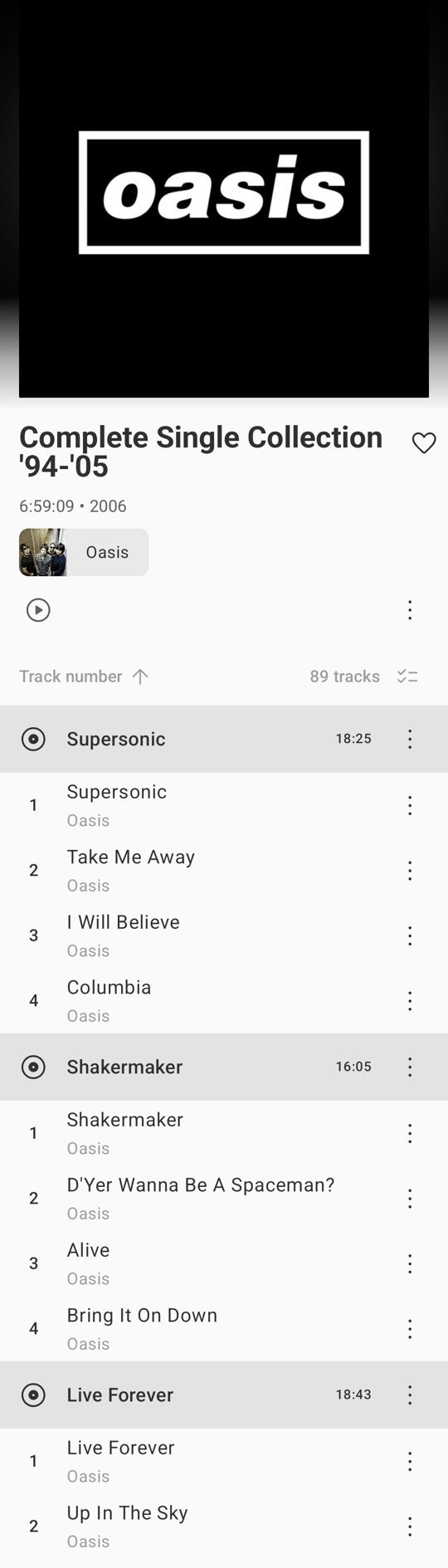
I’m not sure if anyone is looking for a new solution so I won’t give you the hard sell, but Lightweight Music Server - and OpenSubsonic in general - supports disc subtitles and artwork (a PR for disc artwork has just been accepted into OpenSubsonic so should be available in the next release or two of Symfonium).
Just a couple of the features that separate it from the crowd:
Uses musicbrainz artist id’s to group releases, and credited names (and join phrases) in album and track listings.
Loads bio from artist.nfo. Name from artist.nfo is used as standardised name for use in artist indexes.
Disc subtitle and artwork handling
Uses encodingtime tag to drive Recently Added
I use LMS with Symfonium (screenshots below) for home/roaming/offline/Android Auto usage, but I’m sure there are iOS equivalents.