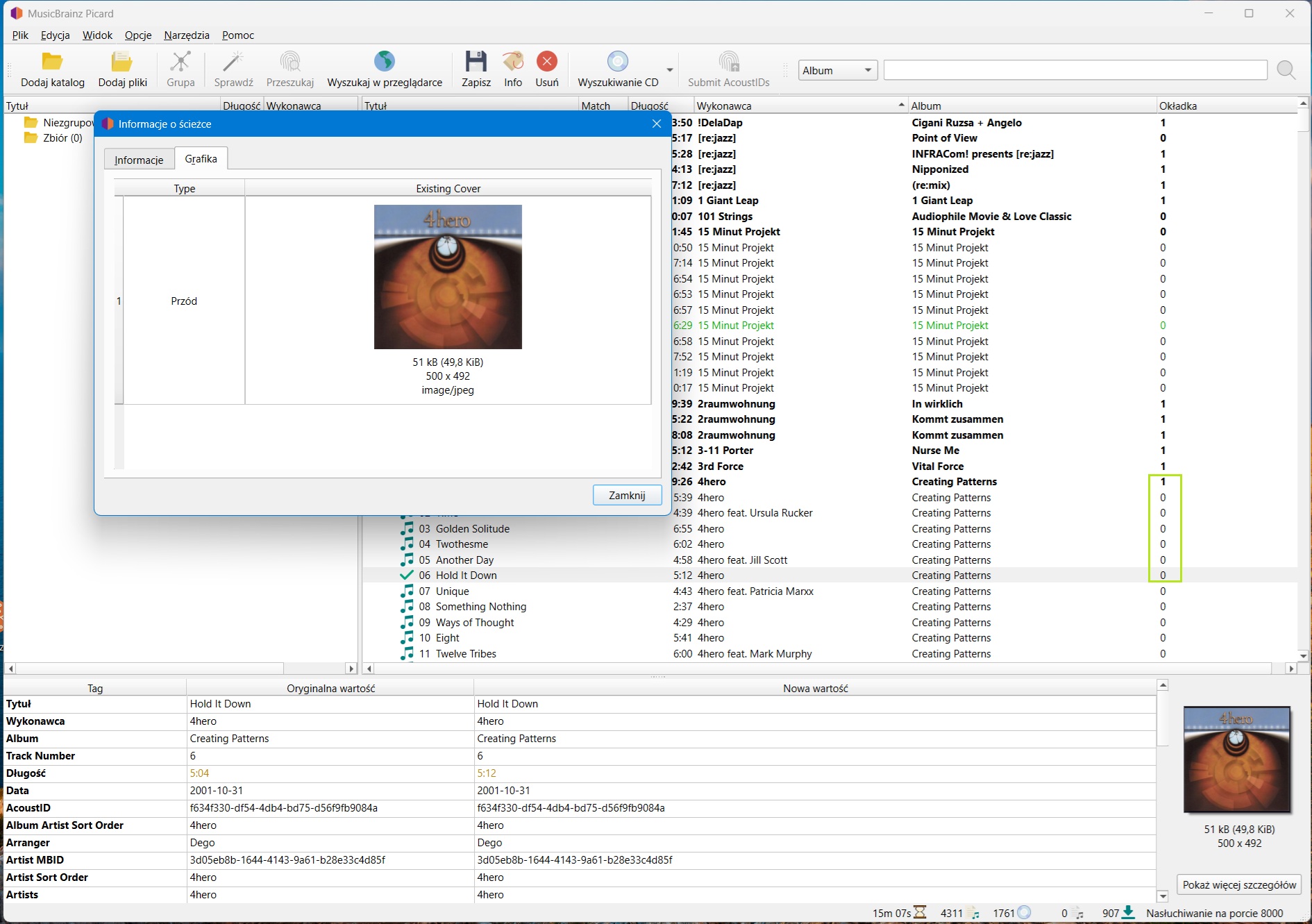
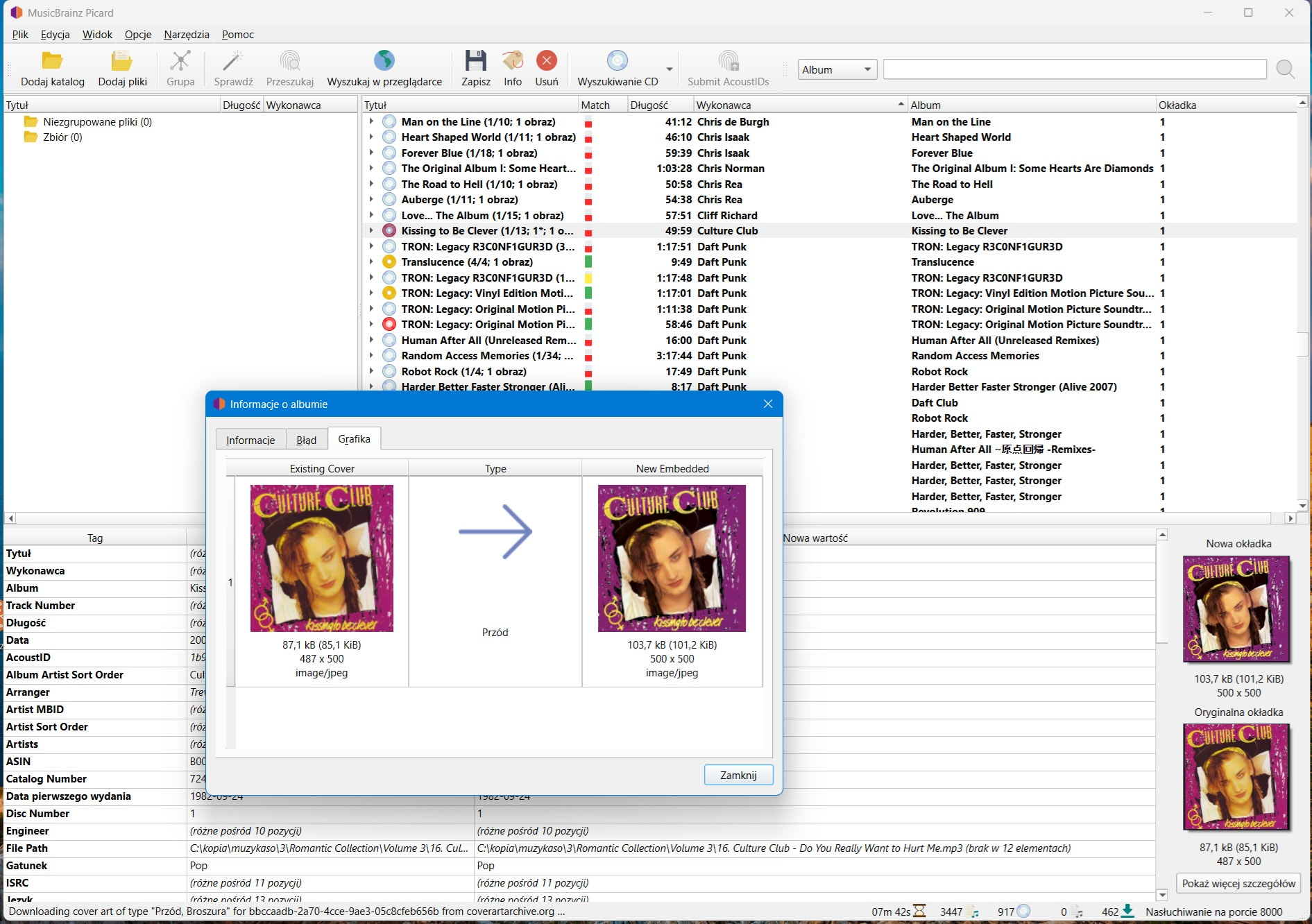
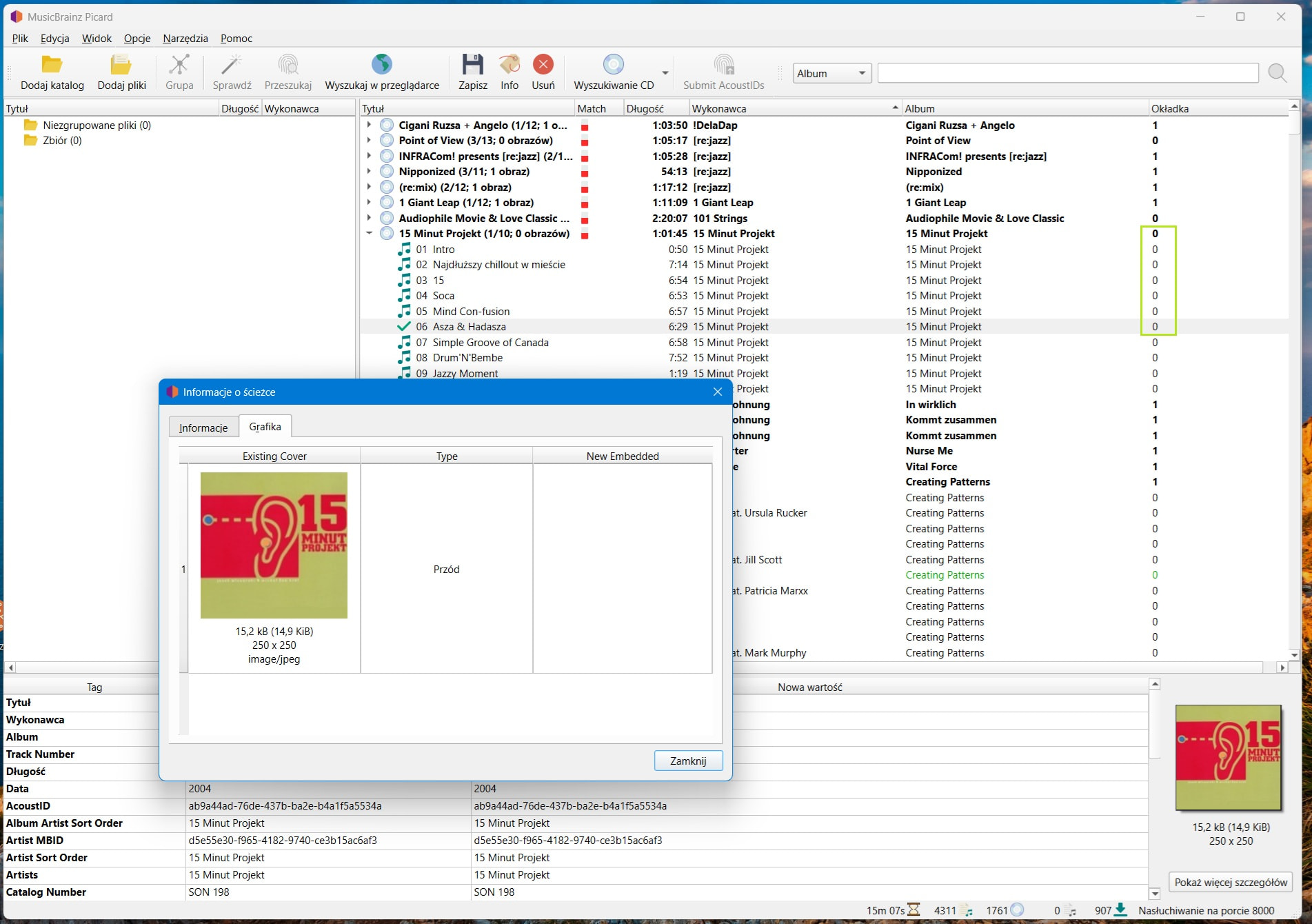
Picard didn’t show any error, but something is wrong.
https://musicbrainz.org/release/7b9a9973-b485-49f1-9b23-426dd377055d
Another correct look for comparison.
https://musicbrainz.org/release/134cd74d-2b7e-4e39-ae70-ae5b631f86b3
Picard didn’t show any error, but something is wrong.
https://musicbrainz.org/release/7b9a9973-b485-49f1-9b23-426dd377055d
Another correct look for comparison.
https://musicbrainz.org/release/134cd74d-2b7e-4e39-ae70-ae5b631f86b3
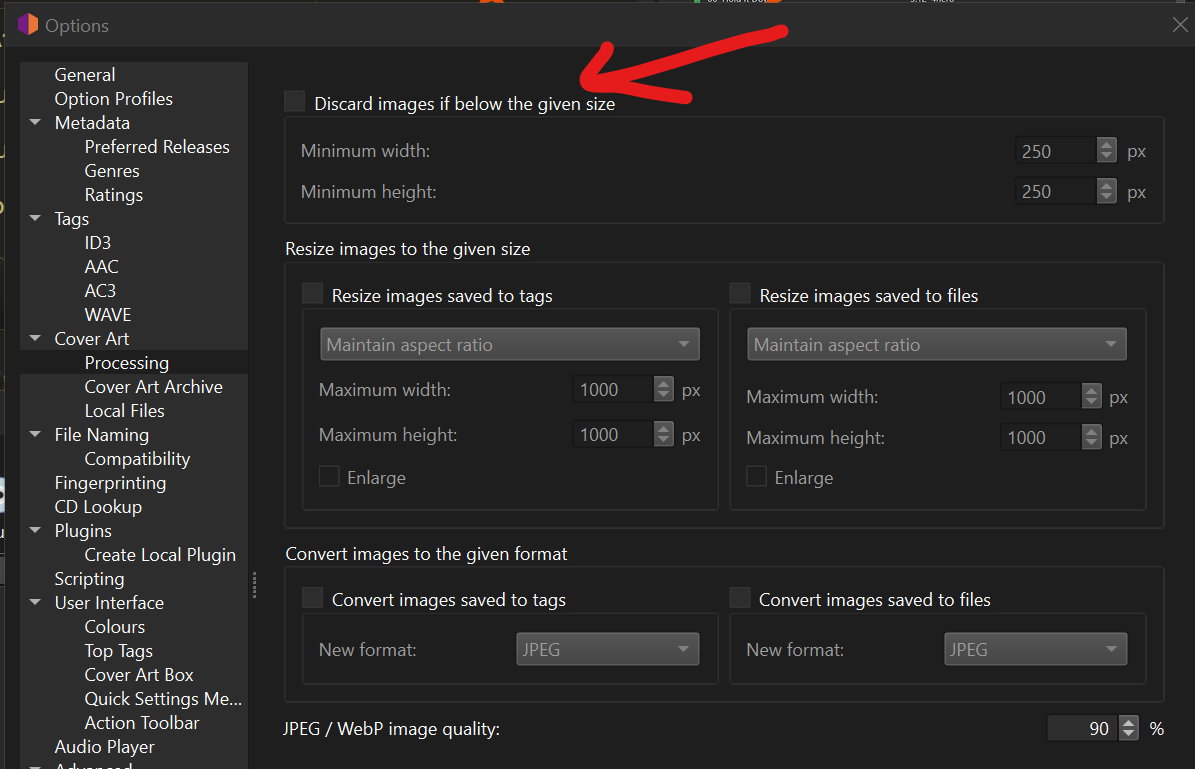
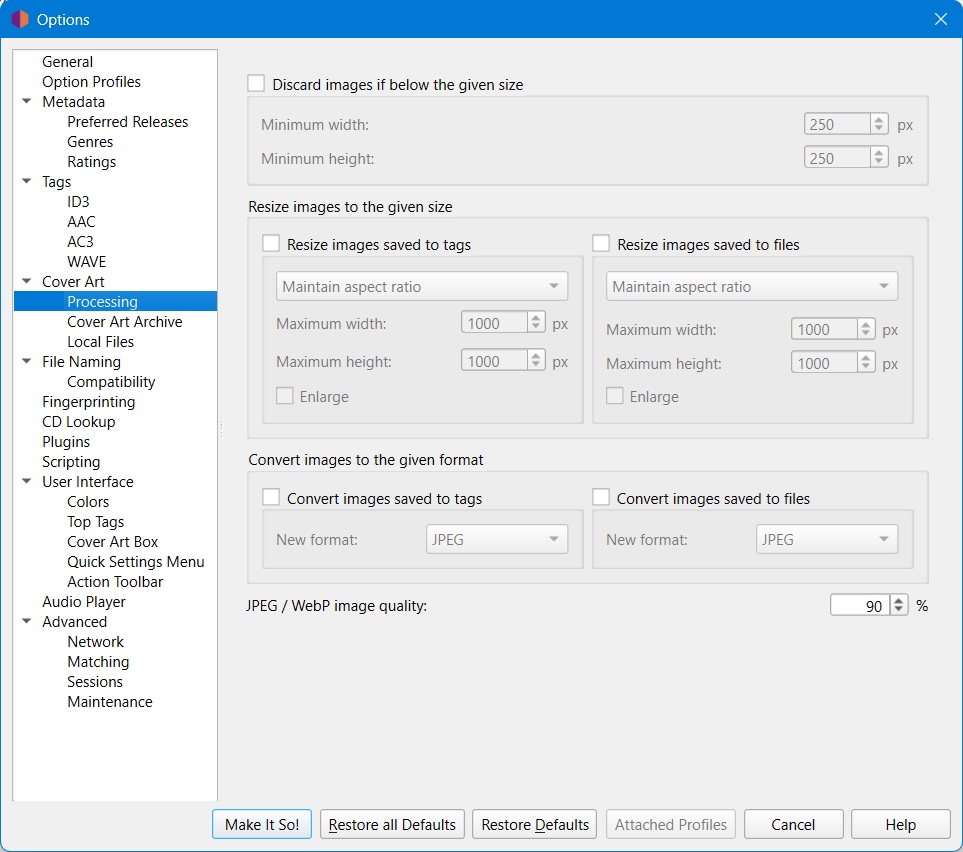
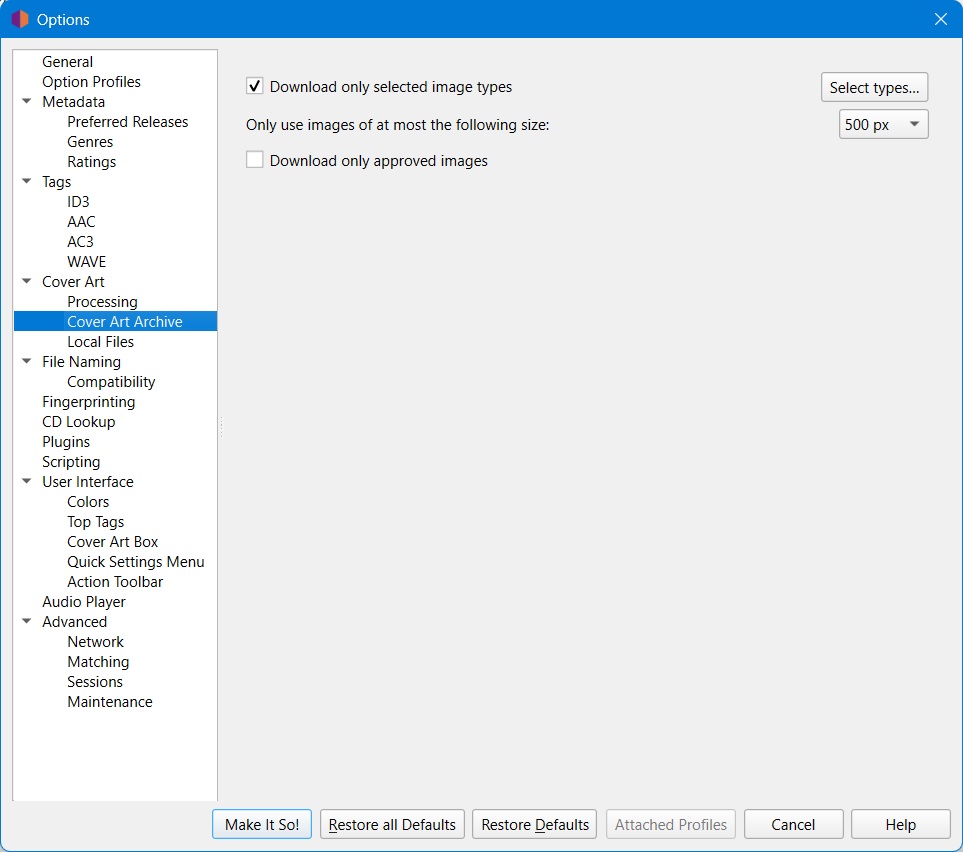
The first example - the artwork is 250x250. Is this classed as “too small”? Have you got a min-size set?
The second example - there is no artwork online.
There is a new setting in Picard.
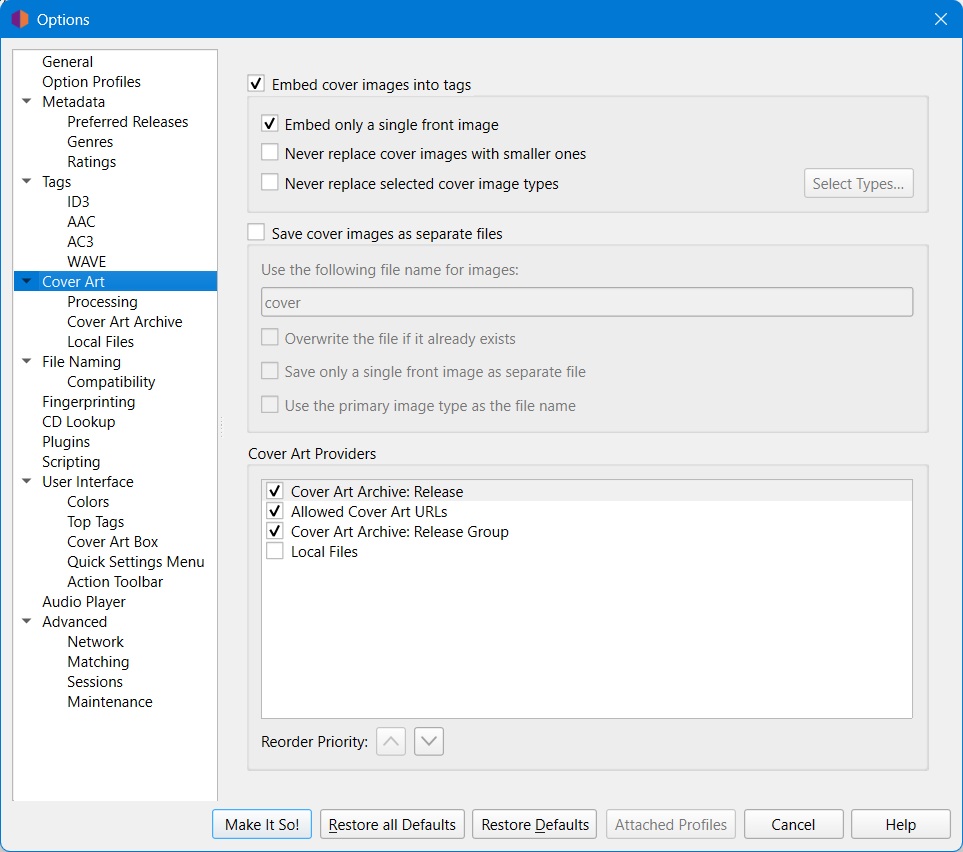
I don’t know how your artwork is set. If it is set to pick Release then Release Group I agree it should have an image. (My own CD scans are in this RG…  but the 2006 reissue with a black top. Had to put it on hifi and wake the neighbours)
(Edited: What was below is not relevant to this thread, so moved it to a new thread: Bug Report: v3.0.0b1 - full artwork download issues )
There should be three options:
I’m seeing a different bug. If I swap back to single artwork then I get a cover.
Only when I try and select multiple artwork do I hit my bug. I’ve stuck it in a different thread as I am not seeing what you are seeing. Sorry, ignore my comments. 
@WindowsLover, can I suggest you do your test of your issue on just one or two albums? Easier to focus on the issue and make sure it is not just a delay in downloading the artwork. The artwork download is a very quiet background task and not really clear that it is still happening.
Without knowing your cover art, cover art filter and cover art archives settings it’s hard to say why the covers didn’t load.
@outsidecontext you talking to me?
Likely.
When reporting or asking something about Picard, provide enough information for others to help you.
When it comes to cover art, settings are quite complex and can greatly influence outcome.
Also always provide links to the entities you are talking about, so one doesn’t have to use your screenshots to check those entities.
The 4Hero album in their second image is this one:
I recognised it as I have a later reissue of the album.
Of note there is it is a Release with two pieces of artwork available - front and back.
There are two links in the first post. What else should I give you?
@WindowsLover Can you share screenshots of your options, for the option screens “Cover Art”, “Cover Art > Processing” and “Cover Art > Cover Art Archive”?
With the many options available this has become rather complex, and if we only know a cover didn’t load it is otherwise hard to tell what happened without knowing the settings.
I don’t want to criticize the developers ;), but Picard 3 doesn’t work well with CAA. There are always dozens (sic!) of red discs appearing in Picard’s right panel. And these are always different albums, there is no rule. I’ve split my 16,000 files into 4 parts. And that doesn’t even help. With 4,000 files, there are always about 10 red discs. I’ve already written about this on the forum. The funniest thing is that Picard shows a CAA error, but finds the cover. It seems OK, but it disrupts the Picard experience.
My earlier thread: https://community.metabrainz.org/t/lots-of-errors-red-discs-and-hidden-errors-in-picard-3/814367
I think you’ll find some of that is down to how hard CAA is working in the current months. The AI bots crawling over it is slowing everything down for all of us.
Well, yes. Now you can blame everything on bots. It’s very convenient.  But I don’t think that’s the point.
We discussed this before. There was a network error while fetching the image. Picard logs and reports that. Because there are multiple providers configured, Picard falls back to another provider. But it still means there would have been an image on e.g. the CAA, it failed to load. And I think that’s worth reporting.
I really don’t know what should be done differently. Just pretend all is fine and show no indication of that error? Then the next issue report would be “an image failed to load, but Picard still shows loading as successful”.
It is the point when Picard is fighting against the load on a server. Picard can’t fix that, only tell you it is happening. I’m not directly blaming a bot, the bot is just one of many users. We see the same when just using MusicBrainz during a day. Sometimes the artwork just plain hangs up and fails to load.
@outsidecontext and @IvanDobsky
I understand all of this. You can’t beat this, okay. I don’t blame you. Almost everything has changed regarding network traffic. Maybe I’ll go back, install Picard 2.13.3, and see then.