Could be a bug in the plugin. I’ll have to look into it when I get a few minutes. Might not be for a few days.
2 Likes
Hi @rdswift just in case this is useful, while going through a couple of albums with the plugin, it seems it’s adding “instruments” to the credits with “additional” on it

1 Like
That is good information to know, and I’m sure that will help with the debugging. Thanks.
1 Like
I think I found and fixed the problem. Please download and install the updated version from my repo on GitHub and let me know if this works for you (and hasn’t created any new bugs). Thanks.
Hi, it works perfect so far, I’ll let you know in case I come across any bug.
Since I’m here, I wanted to ask you if you think there could be a way to get the recording start and end date, and recording location in Picard via a script or a plugin. I’m using this script in MP3Tag so far, but maybe there’s a way, and I can get all the data in Picard. Thanks!
I suppose that it might be possible, but it wouldn’t be anywhere near feasible because it would require (many) multiple calls to the MusicBrainz api for each track. I wouldn’t even touch developing such a plugin until / unless there are changes to the api that could make getting the information a lot more efficient.
If a person were to run a local mirror of the MusicBrainz database, I suppose that you might be able code something that would directly query the database and avoid the api and the associated rate limits.
Hi @rdswift I’m getting “instruments” and “vocals” when additional, guest or solo is selected again
I even see that in the config panel.
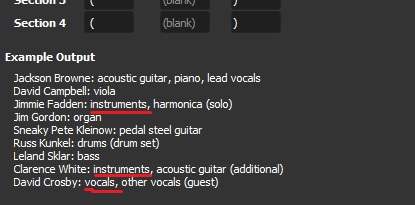
The plugin was working fine, I disabled it to try something, and when I enabled it again this happened.
Am I forgetting something or doing something wrong?
I wonder if re-enabing it has reverted back to the earlier version somehow? Try installing the new version again and see if that works. If not, please let me know which release you are processing and I’ll have a look here. It’s possible that there’s still a bug.
After re-enabling the plugin, did you reload the release? If not, that’s likely the problem.
I forgot to tell you that I reinstalled the plugin, before contacting you. The version I’m using is 0.6, I donloaded from the link you gave me here:
After re-enabling the plugin I reloaded the release, I also closed Picard and reopened it, and restartec the PC but it doesn’t change….
What release were you processing when you encountered this? That will allow me to try to reproduce it here. Thanks.
I was processing this release and got this with a guest:

but when going through this release the additional instruments were fine:
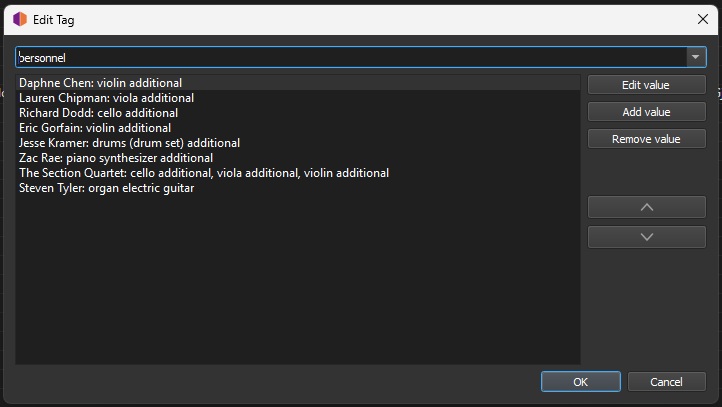
so I though it could be just for the guests, but here we have an additional and guest musician, and “instruments” is in there:
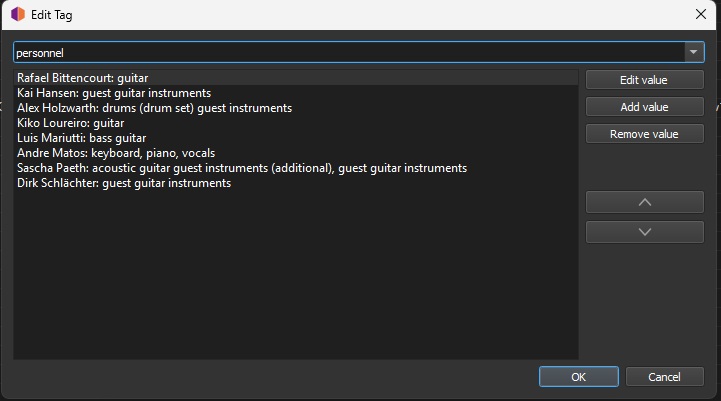
I disabled guest on the plugin, refreshed the release, no change. I disabled additional on the plugin, refreshed the release, no change.
Then I unchecked every option on the plugin:
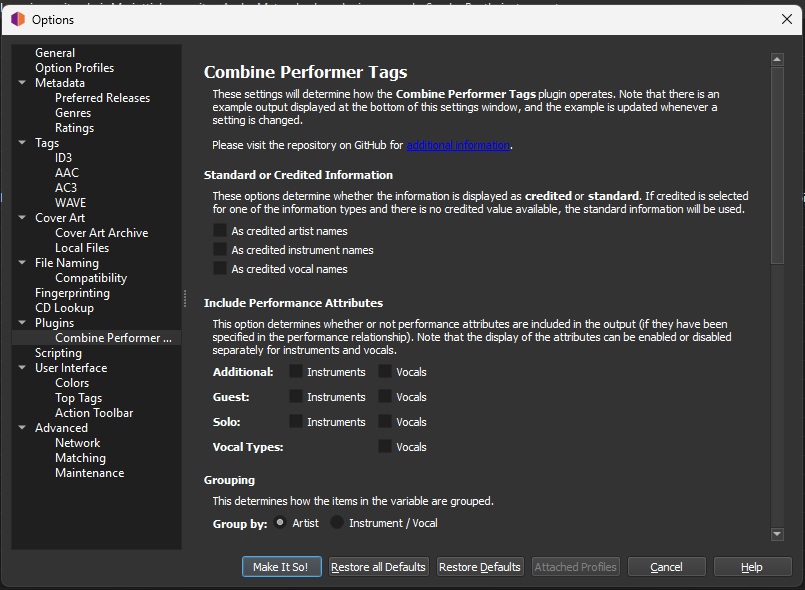
and I got this:
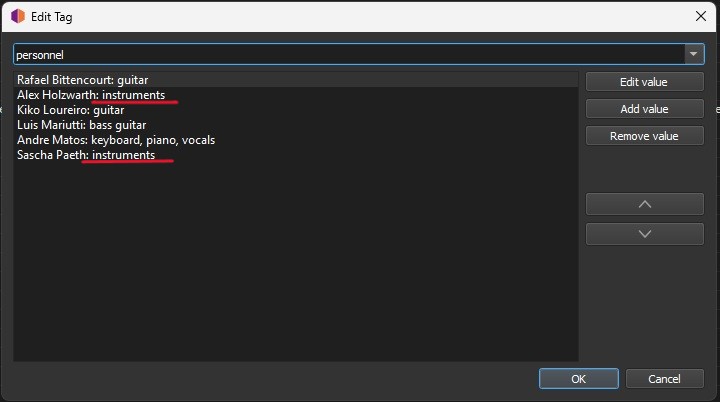
but on this release the guest saxophone was displayed just fine:
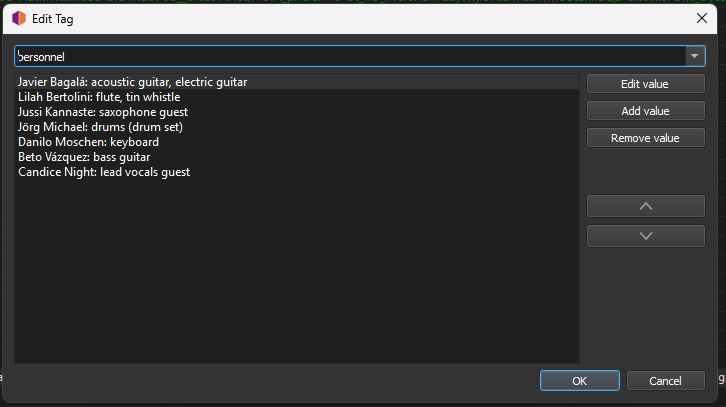
I hope this is not very confusing, I tried to check a couple of release for inconsistencies to help a little.
Thanks!
Let me know if you nedd anything else!
PS: I don’t know if this is relevant but, is it ok that if I change the section where I want the extra info to appear ONLY for Vocal Types, it changes also the additional, solo and guest position?
Vocal Type 1 (“vocals” and “instruments” after the item, no comma):

Vocal Type 2 (“vocals” and “instruments” before the item with a comma):
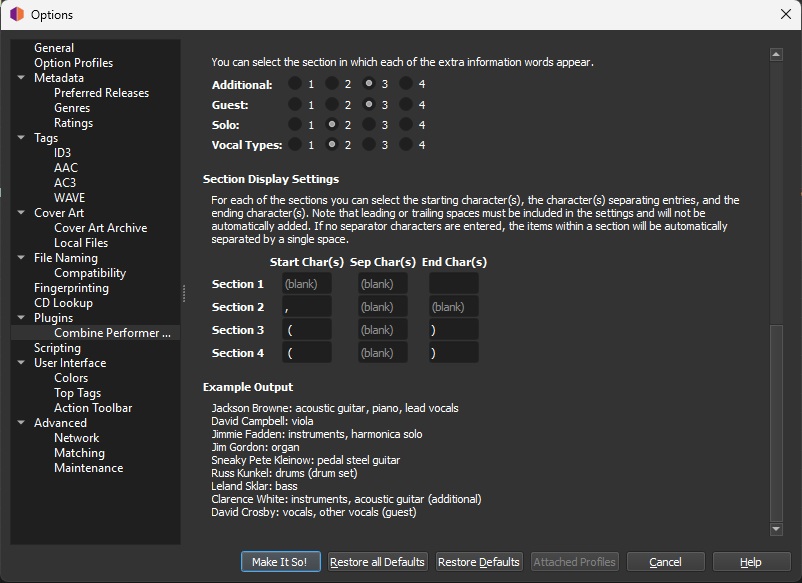
Vocal Type 2 (“vocals” and “instruments” before, with item and extra in paretheses):
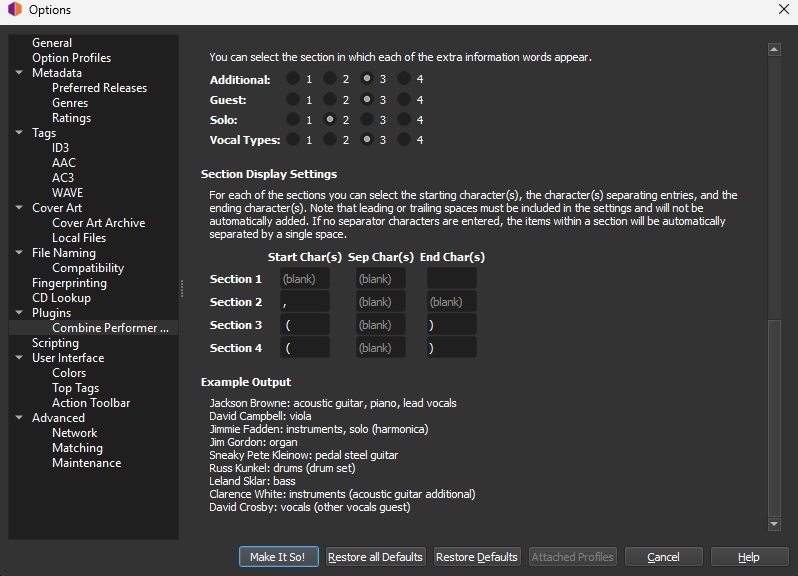
This helps a LOT. Thanks.
I think I may have found what’s causing it, and am just testing the fix now.
Okay, I think I’ve got it this time. Just released v0.7 at the same download link. Sorry for the inconvenience.
2 Likes
I’m not going to bother you with screenshots, but the issues on the releses I told you above, were solved!!! 
THanks!!
I’ll keep you posted!
2 Likes
For the curious readers, the problem was that I has assumed (always a bad thing) that the performer attributes were always being returned in the same order, so I wasn’t testing all the values for something other than “additional”, “guest” and “solo” to get the actual instrument or vocal (if specified). It would then add the generic “vocals” or “instruments” attribute if there was no vocal type or instrument specified. The 0.7 version of the plugin checks all of the performer attributes, and only adds the generic values if only “additional”, “guest” or “solo” attributes were included (with no vocal type or instrument specified).
4 Likes
Does the Format Performer Tags plugin, work with Combine Performer Tag?
I have both installed but drums (drum set) is not changing…
It should work because each plugin processes independently of the other.
Please clarify. Not changing as in not being formatted, or something else (and in which plugin). Note that each plugin has its own separate configuration screen, so that you can use different formatting for each.
Sorry it was the Performer Tag Replace plugin, not the Format one 
Combine Performer Tag settings:
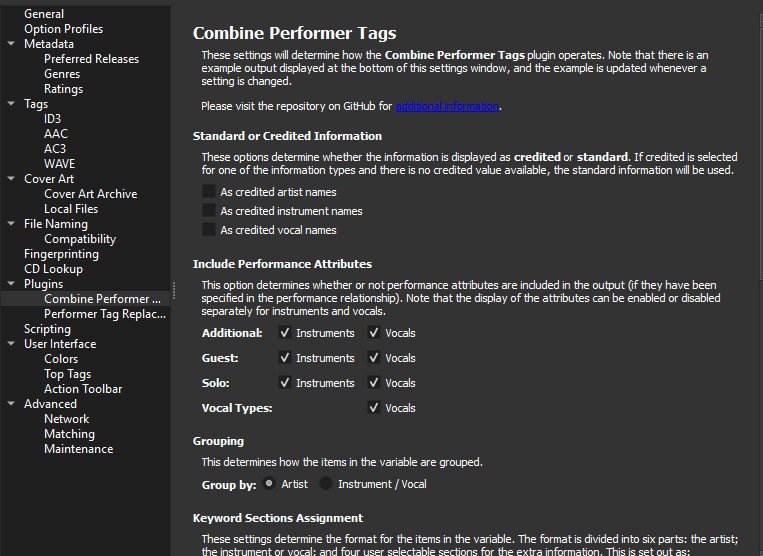
Performer Tag Replacement settings:
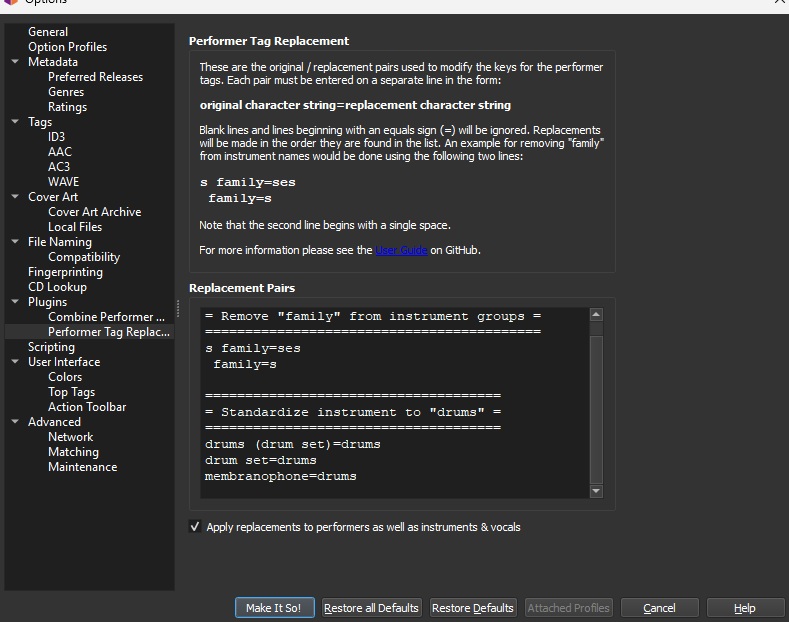
and the result:

Okay, that’s because of the order the different plugins are running. I’ll have to change the priority for the three plugins to make sure they are executed in the correct order. Good catch! Thanks.
1 Like