Ah-ha. OK here’s some interesting results from the browser switch:
If I have https://covers.musichoarders.xyz already open in Safari, the plugin activates that page, but it simply undergoes a refresh. It doesn’t receive a search from Picard.
When using Chrome as default browser however, the plugin does indeed open the site and it receives the correct artist + album search, even if Chrome had been entirely closed. So that’s fantastic. The top of the window also includes a yellow message bar with the following:
integration connected - pick a cover to send to COVIT (v2023-09-07) @59973
–
You can tell me what that last @ number is. I assume it’s an ID related to that particular album or search.
Also note that I’m pretty sure opening the musichoarders site earlier, and setting your preferences for the search (size, country, etc), prevents your first search having no results.
–
Despite all that success, when I do click on a cover… the site closes and I don’t see anything being passed back to Picard. I assume it would pass the selected image the cover art pane, but nothing is added there. I even clicked on some obviously wrong covers just so it would stand out as being new in Picard.
So now we’re down to the handoff coming back to the app. Damn, so close. If you have any ideas please let me know and I can poke around some more.
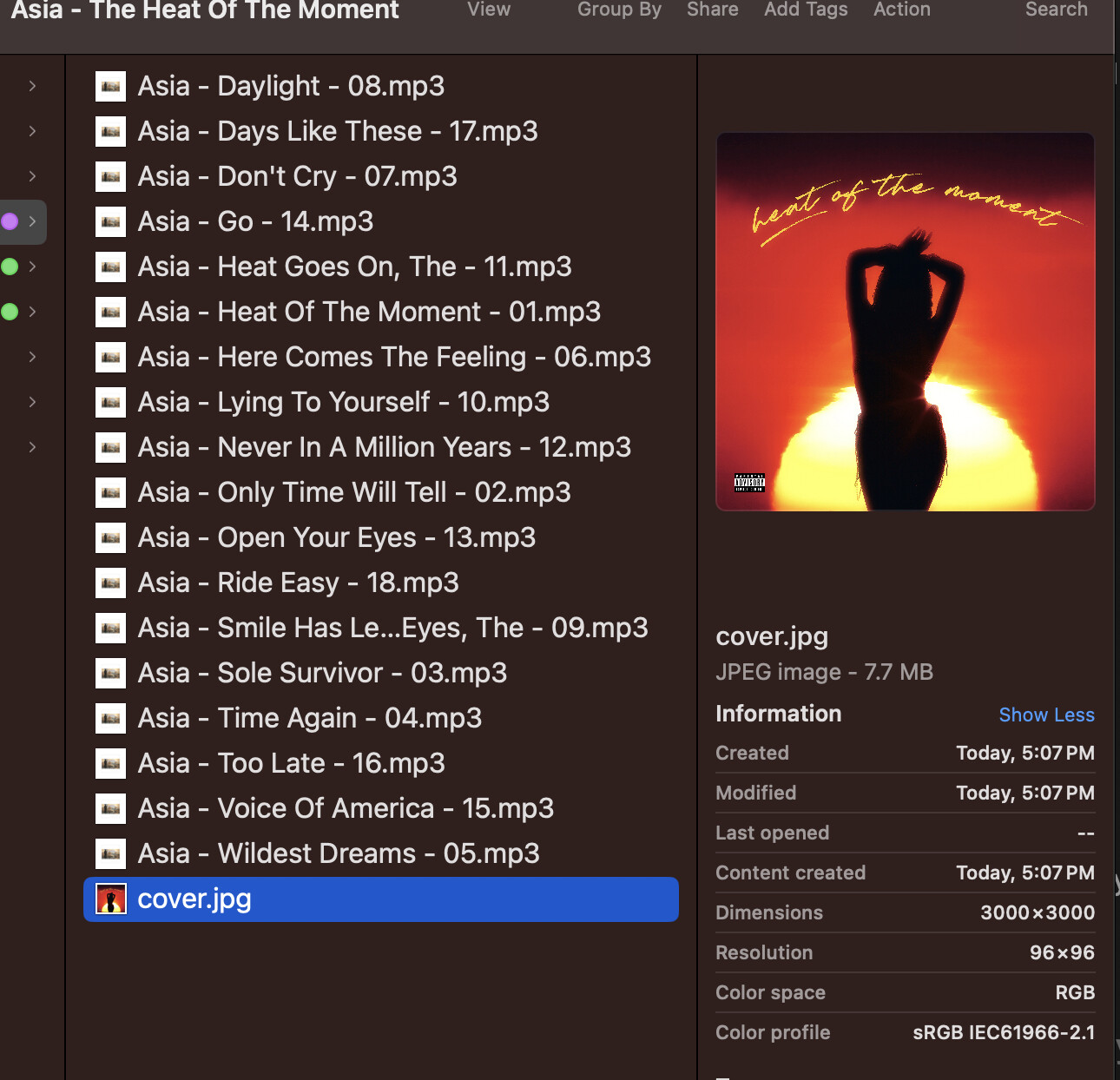
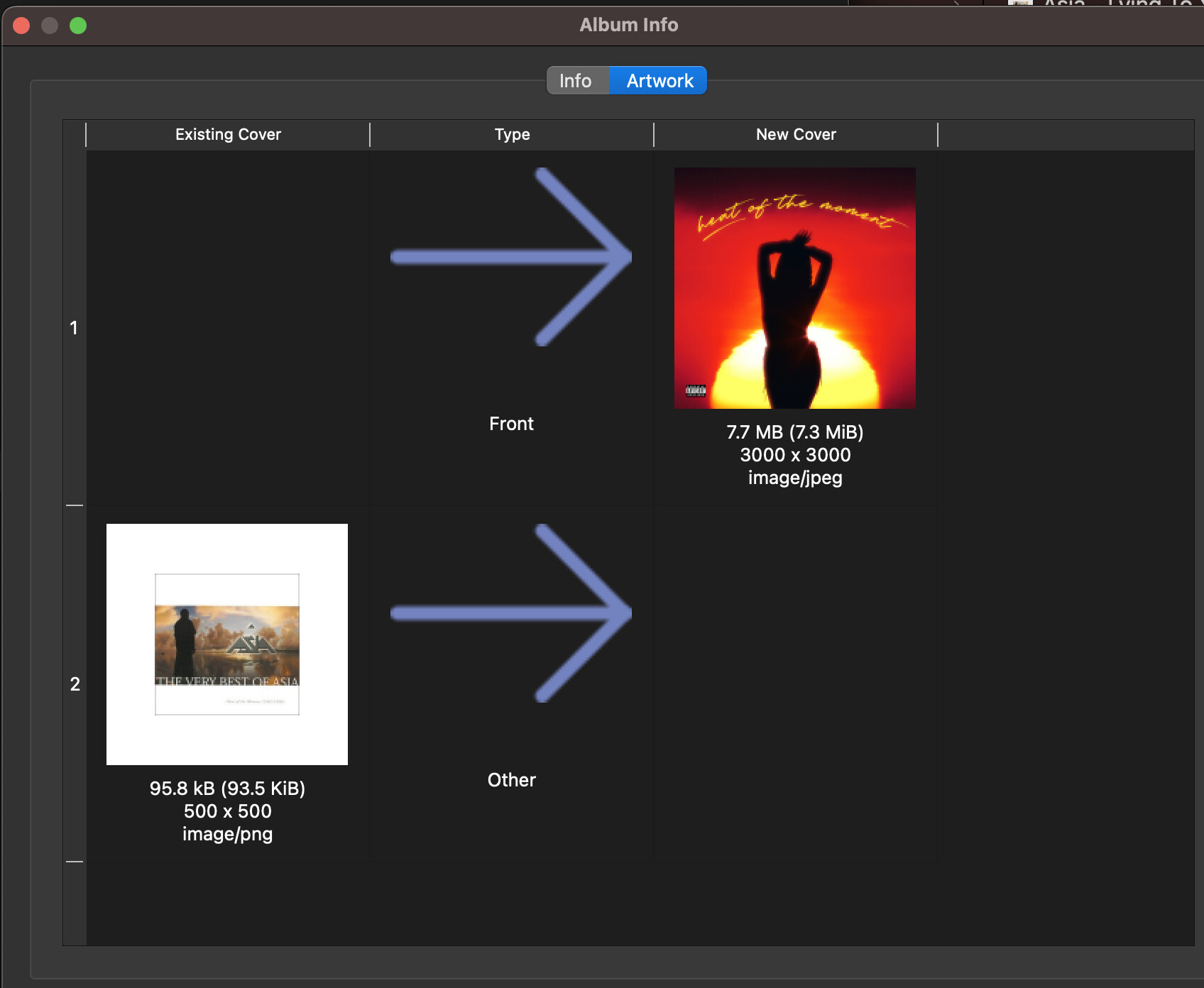
Note that my album collection has existing embedded art, but they don’t have separate cover art files. Due to that, I was able to spot that the art I select on musichoarders did come into play… but without me knowing it at the time. I noticed the cover got saved in my album folder. I picked this red cover in this example so it stands out.
No, I haven’t hit save yet at all. So this jumped the line, as it were. And my file options are to move this stuff to a new location, not save it here in place.
I currently have no cover providers set, so there was no other search, and in the covers pane I only see my original embedded cover (the white one you see in the file list above).
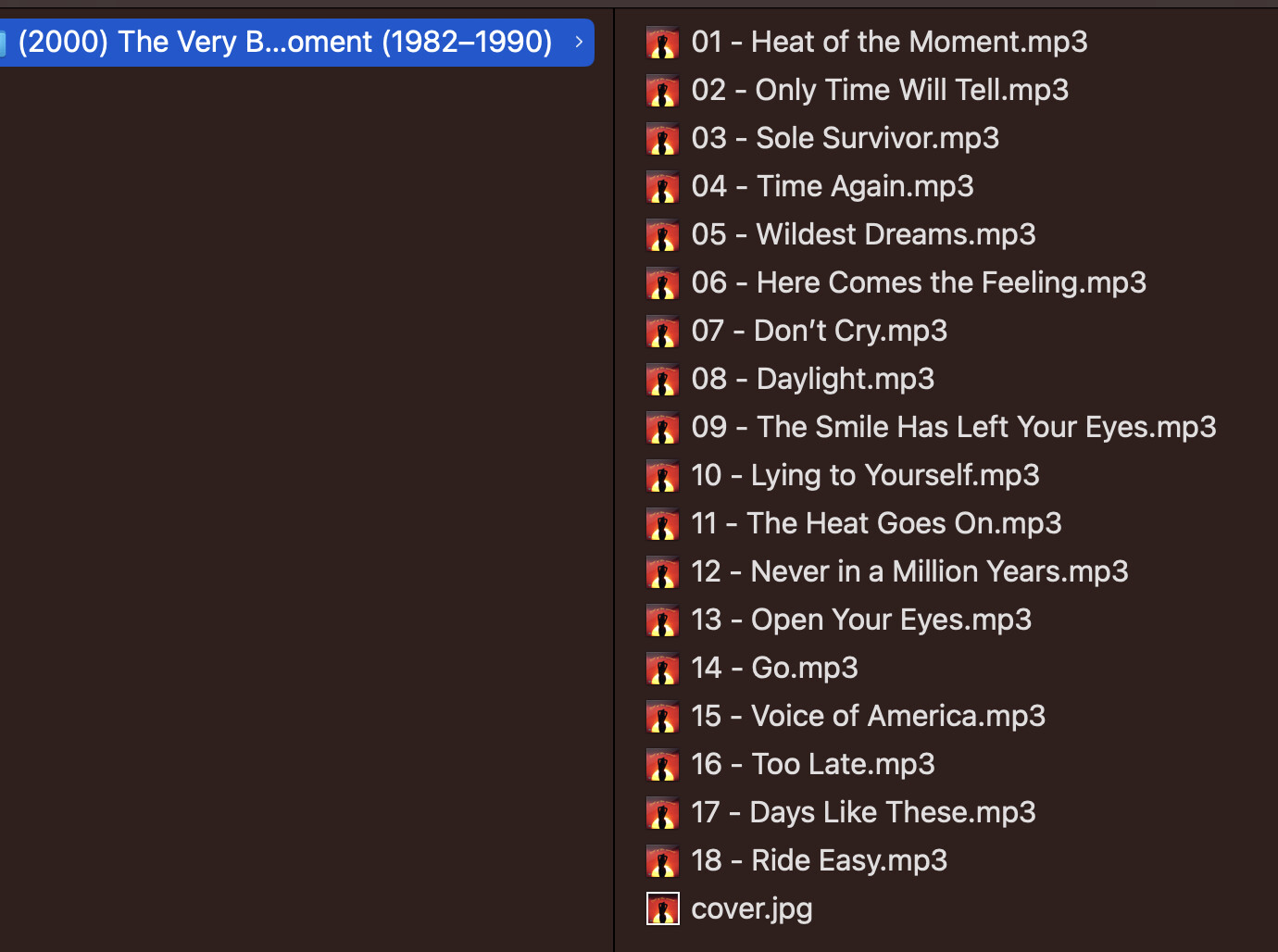
Now, since my file options are rename + move + save… after I finally hit save, it moves and updates all my tracks, wipes out my existing embedded art, and leaves that red cover art behind in the original album folder.
So based on that… when I repeat the same, and save, but this time with (only) local art as my cover provider (rather than no providers)… it does pull that red cover into the cover art pane.
Awkwardly, it still leaves behind the original album folder with a second copy of that renegade cover art file. OK fine, whatever, I can live with 99%.
So to recap: The install instructions are fine, but you have to make the covit file executable on a Mac. Chrome works, but not Safari. Local art as your only cover provider. The only downside is having to delete your original album folder by hand.
Time to make some dinner and remind my kids to never give up.
I’m glad it works! Sorry about the issues on mac, I’ve never used one or Safari.
To be honest I have no idea what this is
I think you just have to set your preferred providers, then you get results from those. You just have to do it once, then it remembers your choice.
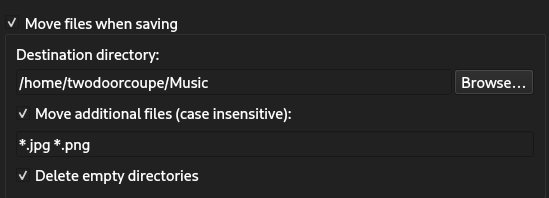
I don’t think this is necessary if you move the “cover.jpg” file with your music files as well. You can set this behaviour in the “File Naming” options:
But then you are left with the image in your album folder.
Again, sorry for all the hassle. This covers.musichoarders integration should have been a separate cover art provider plugin. The steps are complicated because I initially used this as a “proof of concept” of the Post Tagging Actions plugin.
Yes that “move additional files” checkbox does ensure everything gets swept along, so there’s no manual cleanup / double cover file. I missed that one.
Thanks again @twodoorcoupe Perhaps this thread will help someone else (on a Mac or otherwise). Maybe your original post needs a touch up, or you can drop a link to this one there. Appreciate you sticking with this.



 Perhaps this thread will help someone else (on a Mac or otherwise). Maybe your original post needs a touch up, or you can drop a link to this one there. Appreciate you sticking with this.